Launching a site is the start of its life, not the end, and clients who skip ongoing care often come back after a hack, a broken plugin update or an expired domain. A well-designed website maintenance retainer turns that reactive firefighting into predictable work for you and predictable cost for the client. This guide covers what to include, how to structure tiers, how to price without guessing, SLAs, reporting and the contract terms that keep it fair.
What a website maintenance retainer is
A retainer is a recurring agreement, usually monthly or yearly, where the client pays a fixed fee for a defined set of ongoing services and a reserved amount of your time. It differs from ad-hoc hourly support in two ways: the scope is agreed in advance, and you commit to availability and response times.
For the client, the value is peace of mind and a single accountable person. For you, it is recurring revenue that smooths out the gaps between projects. Both only hold if the scope is clear, which is what the rest of this guide is about.
What to include in a maintenance plan
Group the work into categories the client can understand, then list exactly what each covers.
Updates
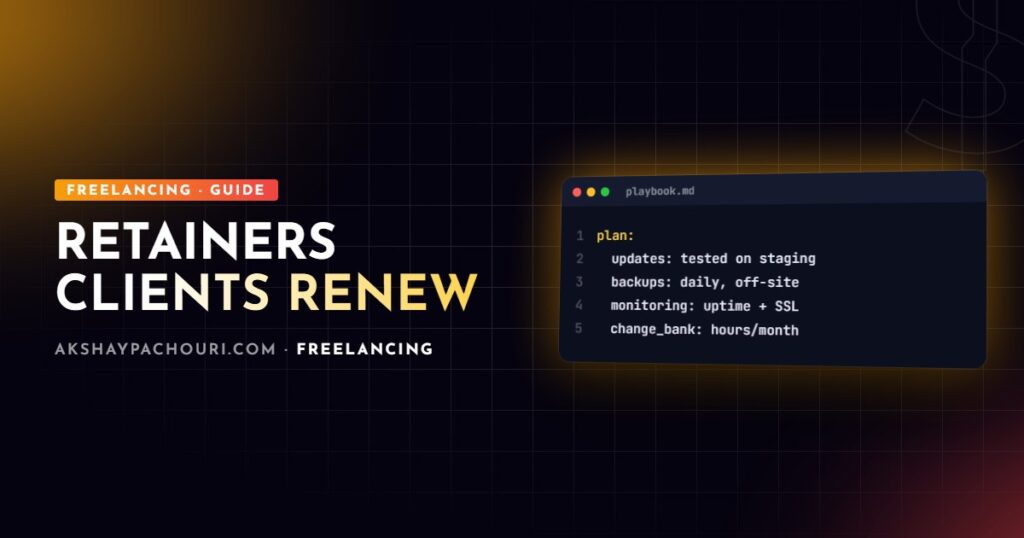
CMS core, themes, plugins and dependencies, applied on a schedule after testing. For WordPress I update on a staging copy first, check key pages and flows (forms, checkout, login), then apply to production. Say in writing what happens when an update breaks something: fixing update-related breakage should be part of the plan, otherwise clients will feel they are paying twice.
Backups
Automated, off-site, with a defined retention period, and tested restores. A backup that has never been restored is a hope, not a backup. Include a restore test on a schedule (quarterly is a sensible default) and note the result in your report.
#!/usr/bin/env bash
# nightly WordPress backup: database + uploads, pushed off-site
set -euo pipefail
SITE=/var/www/example.com
STAMP=$(date +%F)
DEST=/backups/example.com/$STAMP
mkdir -p "$DEST"

wp --path="$SITE" db export "$DEST/db.sql" --quiet
tar -czf "$DEST/uploads.tar.gz" -C "$SITE/wp-content" uploads

# copy to remote storage (rclone remote configured separately)
rclone copy "$DEST" "offsite:backups/example.com/$STAMP"

# keep 14 days locally
find /backups/example.com -maxdepth 1 -type d -mtime +14 -exec rm -rf {} +
Uptime and performance monitoring
External uptime checks with alerts to you, SSL certificate expiry monitoring, and periodic performance checks (Core Web Vitals in Search Console, PageSpeed reports). Monitoring also covers domain renewal dates, which is a surprisingly common cause of outages.
# quick checks you can run from cron or a monitoring script
curl -o /dev/null -s -w "%{http_code} %{time_total}sn" https://example.com/

# days until the SSL certificate expires
echo | openssl s_client -servername example.com -connect example.com:443 2>/dev/null
  | openssl x509 -noout -enddate
Security
Malware scanning, firewall or WAF rules, login protection, reviewing admin users, and acting on security advisories for installed plugins. Be explicit about whether cleaning up after a compromise is included, partly included or billed separately. My WordPress security hardening checklist is a good baseline for what the initial hardening should cover before the retainer starts.
Small changes
A bank of time each month for content edits, small layout tweaks and minor fixes. Define “small”: for example, tasks that fit within the included time and do not need new functionality or design. New features, redesigns and integrations are quoted separately.
Structuring tiers
Three tiers work well because most clients can place themselves quickly. The difference between tiers should be about risk and time, not about withholding basics. Every tier should include updates, backups, monitoring and security; skipping those on a cheap plan just creates incidents you will be asked to fix anyway.
| Essential | Business | Commerce / Priority | |
|---|---|---|---|
| Who it suits | Brochure sites, low change frequency | Lead-generation sites updated regularly | WooCommerce or revenue-critical sites |
| Updates | Scheduled, tested | Scheduled, tested on staging | More frequent, tested on staging, with checkout testing |
| Backups | Daily, off-site | Daily, off-site, restore tests | More frequent database backups, restore tests |
| Monitoring | Uptime, SSL, domain | Plus performance checks | Plus checkout and key-flow checks |
| Small changes | Small time bank | Larger time bank | Largest time bank, priority queue |
| Response time | Standard | Faster | Fastest, including critical incident handling |
| Reporting | Monthly summary | Monthly report | Monthly report plus review call |
Name the tiers by outcome or site type rather than “Bronze/Silver/Gold”; it helps clients choose by need instead of by price.
Pricing a maintenance retainer without guessing
I will not give you market numbers, because rates depend heavily on your location, niche, client base and experience. What I can give you is a method that produces a defensible price for your situation.
- Estimate recurring hours per tier. Time for updates and testing, backup checks, monitoring review, reporting and the included change bank. Track real time on your first few retainers and adjust.
- Add tool costs. Backup storage, monitoring services, security tools, premium plugin licences you manage on the client’s behalf.
- Add a risk allowance. Some months bring a broken update or an urgent fix. Busier, more complex sites need a bigger allowance.
- Price the availability. Faster response times constrain your schedule; that commitment has value beyond hours worked.
# illustrative pricing model; replace every value with your own data
inputs:
  hourly_rate: YOUR_RATE
  tiers:
    essential:
      routine_hours: R1        # updates, checks, reporting
      change_bank_hours: C1
      tool_costs: T1
      risk_allowance: 0.15     # example only: 15% buffer on hours
    business:
      routine_hours: R2
      change_bank_hours: C2
      tool_costs: T2
      risk_allowance: 0.20
formula: >
  monthly_price = (routine_hours + change_bank_hours)
                  * hourly_rate * (1 + risk_allowance)
                  + tool_costs
Offer a small incentive for annual prepayment if it suits your cash flow, and review prices yearly. For the broader thinking behind setting rates, see my guide on how to price freelance web development projects.
Service levels (SLAs) that you can actually keep
An SLA defines how quickly you respond and what counts as urgent. Keep it simple and honest; a solo freelancer cannot promise round-the-clock coverage without a backup arrangement.
sla:
  hours_of_coverage: "Mon–Fri, 10:00–18:00 IST, excluding public holidays"
  priorities:
    critical:
      definition: site down, checkout broken, security breach
      response: within the agreed critical window (per tier)
    high:
      definition: key feature broken, no workaround
      response: next working day
    normal:
      definition: small changes, content updates
      response: scheduled within the month's change bank
  response_means: acknowledged and work started, not necessarily resolved
  channel_for_critical: phone or dedicated email address
Define “response” as acknowledging and starting work, not fixing; resolution times depend on the problem. Also define what you need from the client during incidents, such as a decision-maker who can approve emergency work.
Reporting that shows the value
The danger of a good retainer is that nothing visibly happens, and the client starts to wonder what they are paying for. A short monthly report fixes that:
- Updates applied (core, plugins, themes) and any issues found and fixed.
- Backup status and the date of the last restore test.
- Uptime summary and any incidents with what was done.
- Security scan results and blocked threats if your tools report them.
- Changes completed from the time bank and hours remaining.
- Recommendations: performance, outdated plugins to replace, upcoming renewals.
Recommendations are where retainers lead to new projects, naturally and without hard selling.
Contract terms for maintenance retainers
A retainer needs its own agreement or a clear schedule attached to your main contract. The essentials:
- Scope – what is included, and an explicit list of what is not (new features, redesigns, third-party outages, content creation).
- Unused hours – whether they roll over, for how long, or expire monthly. Say it clearly to avoid disputes.
- Overage – how extra work is approved and billed.
- Term and notice – minimum term, renewal and notice period for cancellation.
- Access and responsibilities – the client keeps ownership of accounts, and must not install plugins or make changes without telling you.
- Liability – you take reasonable care but cannot guarantee a site will never go down or be attacked.
- Handover – what you provide if the agreement ends: backups, credentials returned, documentation.
My guide to freelance web developer contract essentials covers the general clauses that should sit around this schedule. Have a lawyer in your jurisdiction review your template once.
Key takeaways
- A website maintenance retainer should always include updates, tested backups, monitoring and security, plus a defined bank of time for small changes.
- Differentiate tiers by risk, response time and included hours, not by removing essentials.
- Price from your own hours, tool costs, a risk allowance and the value of availability rather than copying market figures.
- Write SLAs you can keep, defining priorities, coverage hours and what “response” means.
- Send monthly reports and back everything with clear contract terms on scope, unused hours and cancellation.
Frequently asked questions
What should a website maintenance retainer include?
At minimum: tested core and plugin updates, automated off-site backups with restore tests, uptime and SSL monitoring, security scanning and a bank of time for small changes. Larger tiers add faster response times and more hours.
How do I price a website maintenance retainer?
Estimate the recurring hours for each tier, multiply by your rate, add tool costs and a risk allowance for unexpected fixes, and charge for faster response commitments. Track real time on early retainers and adjust.
Should unused retainer hours roll over?
That is a business decision, but it must be written into the agreement. Many freelancers let hours expire monthly or roll over for a limited period so the time bank does not grow without limit.
Is fixing a hacked site included in a maintenance plan?
Only if your agreement says so. State clearly whether malware cleanup is fully included, included up to a time limit or billed separately.
Want your website looked after properly, with updates, backups and fixes handled for you? Get in touch to talk about a maintenance plan.