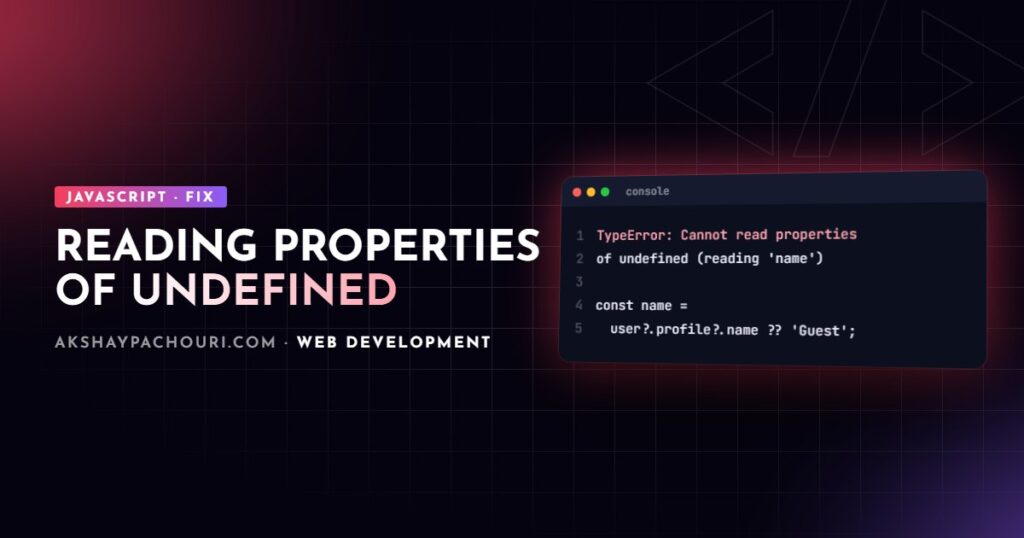
TypeError: Cannot read properties of undefined (reading 'x') is the most common JavaScript runtime error you will see in Chrome, Edge and Node.js. Firefox reports the same problem as TypeError: can't access property "x", obj is undefined and Safari as undefined is not an object (evaluating 'obj.x'). The property name in the message is not the problem: the value before the dot is undefined. This guide shows how to find out why, and fix it without just hiding it.
Quick fix
In front-end code, the most likely cause is rendering data before it has loaded. The component runs once with an empty or undefined value, then again when the fetch resolves, and the first render crashes.
- Open the stack trace and click the top frame that points to your own code (not a library).
- Identify the expression. If the message says
reading 'name'and the line isuser.profile.name, thenuser.profileis undefined. - Handle the missing state explicitly: show a loading state, or use optional chaining with a sensible fallback.
function Profile({ userId }) {
  const [user, setUser] = useState(undefined);

  useEffect(() => {
    fetch(`/api/users/${userId}`)
      .then((r) => r.json())
      .then(setUser);
  }, [userId]);

  // Before: user.profile.name crashes on the first render
  if (!user) return <p>Loading…</p>;

  return <h2>{user.profile?.name ?? 'Unnamed user'}</h2>;
}
Common causes, most to least frequent
1. Async data that has not arrived yet
Covered above. It also happens with props passed from a parent that fetches, with global stores that start empty, and with useState() called without an initial value. Initialise state with the right empty shape ([] for lists, null for single objects) and render the loading case explicitly.
2. The API returned a different shape than you expected
You wrote data.items.map(...) but the API returns { results: [...] }, or wraps everything in { data: ... }, or returns an error object with a 200 status. Log the actual response once before assuming:
const res = await fetch('/api/products');
if (!res.ok) throw new Error(`Request failed: ${res.status}`);
const body = await res.json();
console.log(JSON.stringify(body, null, 2)); // check the real shape
const items = Array.isArray(body.items) ? body.items : [];
Also check casing (userId versus user_id) and whether fields are optional for some records. A failed request that you never check with res.ok is another frequent source, especially with CORS errors in the console just above.
3. Array index out of range or find() returning undefined
items[0].title crashes when the array is empty, and array.find() returns undefined when nothing matches. Both are easy to miss because they work with typical test data.
const first = items[0];
const title = first?.title ?? 'No items yet';

const product = products.find((p) => p.id === id);
if (!product) {
  throw new Error(`Product ${id} not found`);
}
console.log(product.price);
4. Destructuring without defaults
Destructuring a nested property throws the same error when the parent is missing. const { address: { city } } = user; fails if user.address is undefined. Defaults fix it, but note they apply only to undefined, not null:
function formatUser({ name = 'Guest', address: { city } = {} } = {}) {
  return city ? `${name} from ${city}` : name;
}

formatUser();                     // 'Guest'
formatUser({ name: 'Asha' });     // 'Asha'
formatUser({ address: null });    // still throws: default not used for null
5. Lost this binding in classes and callbacks (the one experienced devs miss)
When a class method is passed as a callback, it loses its object. Inside, this is undefined (class bodies are always strict mode), so this.items throws Cannot read properties of undefined (reading 'items'). The code looks correct, which is why this one wastes so much time.
class Cart {
  items = [];
  add(item) {
    this.items.push(item);
  }
}

const cart = new Cart();
button.addEventListener('click', cart.add);          // this is not cart
['a', 'b'].forEach(cart.add);                        // throws

// Fixes
button.addEventListener('click', () => cart.add('x'));
const add = cart.add.bind(cart);

// Or define the method as an arrow-function class field
class SafeCart {
  items = [];
  add = (item) => {
    this.items.push(item);
  };
}
The same thing happens when you pass a method like obj.method to setTimeout, promise .then(), or an event emitter.
6. Module and environment issues
A circular import can make an imported object undefined at the moment a module evaluates. A missing environment variable read via a config object, or a default versus named import mix-up (import config from when the module only has named exports), produces the same symptom. If the undefined value is an import, check for cycles and export styles.
Optional chaining and nullish coalescing, used properly
?. short-circuits to undefined instead of throwing, and ?? supplies a fallback only for null or undefined (unlike ||, which also replaces 0 and empty strings).
const city = order?.customer?.address?.city ?? 'Unknown';
const count = response?.meta?.count ?? 0;     // keeps a real 0
onSuccess?.(data);                            // call only if defined
Use them where a value is legitimately optional. Do not scatter ?. everywhere to silence the error: if a value must exist, a silent undefined just moves the bug somewhere harder to trace. In that case, fail early with a clear message.
Step-by-step diagnosis with breakpoints and source maps
- Get a readable stack trace. In production bundles, line numbers point to minified code. Make sure source maps are generated and loaded in DevTools (or uploaded to your error tracker) so the trace maps back to your source files.
- Pause on the exception. In Chrome DevTools, open Sources and enable “Pause on uncaught exceptions”. Reproduce the error; the debugger stops on the exact line with every variable in scope.
- Inspect the chain. Hover each part of
a.b.cor type them in the Console while paused to see which link is undefined. - Walk up the call stack in the Call Stack panel to find where the undefined value came from, not just where it was used.
- In Node.js, run with
node --inspectand attach Chrome DevTools or your editor’s debugger, or use adebugger;statement.
# Node.js: break on the first line and attach via chrome://inspect
node --inspect-brk server.js

# Next.js dev server with the inspector enabled
NODE_OPTIONS='--inspect' npx next dev
Prevention with TypeScript strictNullChecks
Most of these crashes are detectable at compile time. With strict (which includes strictNullChecks), TypeScript refuses to let you read a property on a value that might be undefined until you check it. Adding noUncheckedIndexedAccess also types arr[0] as possibly undefined, catching the index case.
{
  "compilerOptions": {
    "strict": true,
    "noUncheckedIndexedAccess": true
  }
}
const product = products.find((p) => p.id === id);
product.price; // error: 'product' is possibly 'undefined'
if (product) product.price; // OK after narrowingTypes only reflect what you declare, so validate external data at runtime too. I cover both in TypeScript tips for React developers. Other prevention habits:
- Initialise state with the correct empty shape.
- Check
res.okon everyfetch. - Prefer arrow-function class fields or closures when passing methods as callbacks.
- Write tests with empty arrays, missing optional fields and failed requests, not just happy-path fixtures.
Key takeaways
- The error means the value before the property access is
undefined. - Async data rendered before it loads is the most common cause in front-end code.
- Check the real API shape, empty arrays and
find()results. - Lost
thisbinding is a common cause experienced developers overlook. - Use “Pause on uncaught exceptions” with source maps to find the exact link, and
strictNullChecksto prevent it.
Frequently asked questions
What does Cannot read properties of undefined mean?
It means your code tried to access a property on a value that is undefined. In user.profile.name with reading 'name', user.profile is the undefined value.
Should I just add optional chaining everywhere?
No. Use ?. where a value is genuinely optional, but if a value must exist, check it and fail with a clear error, otherwise the bug resurfaces later in a harder place to debug.
Why does the error only happen on the first render in React?
Data fetched in an effect is not available until after the first render, so state starts undefined. Render a loading state or initialise state with the right empty shape.
What is the difference between reading undefined and reading null errors?
They are the same problem with a different missing value. Cannot read properties of null often comes from DOM queries like querySelector returning null when the element does not exist yet.
If a production bug like this keeps coming back and you want someone to harden the codebase, get in touch.