Most React performance optimization work comes down to one question: why did this component render, and did it need to? This guide shows how to measure re-renders with the React DevTools Profiler, explains what actually triggers them, and covers the fixes that matter, from state colocation and context splitting to memoization, virtualization and transitions, including where the React Compiler changes the picture.
Measure first with the React DevTools Profiler
Guessing at performance problems leads to useMemo sprinkled everywhere and no measurable gain. Measure first.
- Install React DevTools and open the Profiler tab.
- In its settings, enable “Record why each component rendered while profiling”.
- Click record, perform the slow interaction (typing, opening a menu, filtering a list), then stop.
- Read the flame graph. Grey components did not render; coloured ones did, with warmer colours taking longer. Hover a component to see why it rendered: “props changed”, “hooks changed”, “parent rendered” and so on.
Also turn on “Highlight updates when components render” in the Components tab settings. Flashing borders around half the screen while you type into one input is the clearest signal you will get.
Profile a production build when you can. Development mode adds checks and, under StrictMode, double-invokes renders, which inflates timings. Remember also that a re-render is not automatically a problem: React re-renders cheap components quickly. Optimise the renders that are slow or that block input, which is what users feel as poor Interaction to Next Paint.
Why React components re-render
A component renders when:
- its own state changes (
useState,useReducer), - a context it consumes changes value,
- its parent renders, which by default re-renders all children regardless of whether their props changed.
The last point is the one people miss. “Props changed” is not what triggers a render; a parent rendering is. Props only matter when a component is wrapped in memo, which tells React to skip the render if every prop is equal by Object.is.
That equality check is why inline objects and functions defeat memoization: style={{ color: 'red' }} or onClick={() => save(id)} creates a new reference on every render, so the memoized child sees “changed” props every time.
State colocation: the cheapest fix
Before reaching for any memo API, move state down to the smallest component that needs it. If a search input’s value lives in the page component, every keystroke re-renders the entire page.
// Before: typing re-renders Header, ProductGrid and Footer
function ProductPage() {
  const [query, setQuery] = useState('');
  return (
    <>
      <Header />
      <input value={query} onChange={(e) => setQuery(e.target.value)} />
      <ProductGrid />
      <Footer />
    </>
  );
}

// After: only SearchBox re-renders on each keystroke
function SearchBox() {
  const [query, setQuery] = useState('');
  return <input value={query} onChange={(e) => setQuery(e.target.value)} />;
}

function ProductPage() {
  return (
    <>
      <Header />
      <SearchBox />
      <ProductGrid />
      <Footer />
    </>
  );
}
A related trick is passing expensive subtrees as children. Elements created by a parent are not re-created when a wrapper’s state changes, so the wrapper can re-render without touching them:
function ScrollTracker({ children }) {
  const [y, setY] = useState(0);
  useEffect(() => {
    const onScroll = () => setY(window.scrollY);
    window.addEventListener('scroll', onScroll, { passive: true });
    return () => window.removeEventListener('scroll', onScroll);
  }, []);
  return <div data-scrolled={y > 0}>{children}</div>;
}

// <ScrollTracker><ExpensiveTree /></ScrollTracker>
// ExpensiveTree does not re-render on scroll.
memo, useMemo and useCallback: when they help
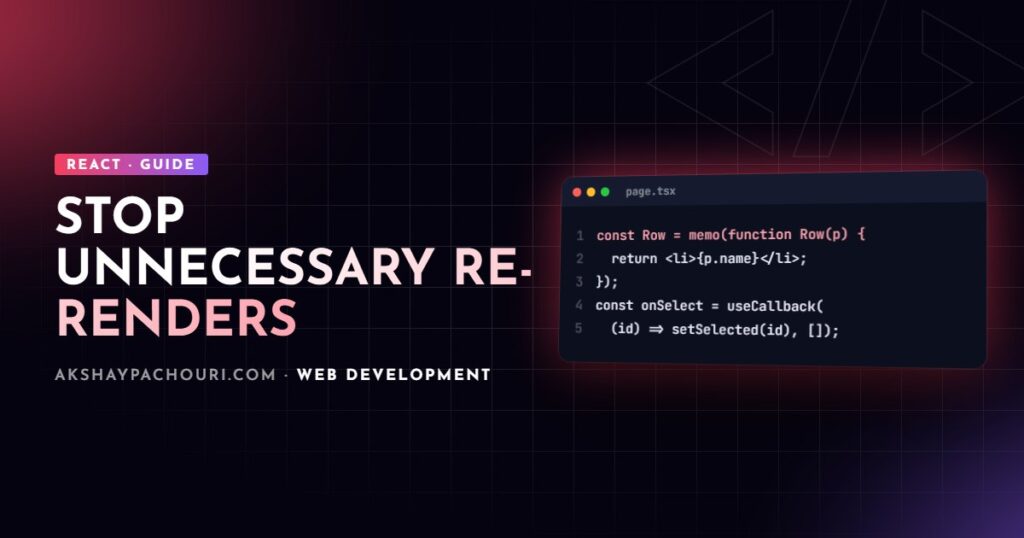
These three tools work together. memo skips rendering a component when props are equal; useMemo caches a computed value; useCallback caches a function reference. useMemo and useCallback mostly exist to give memo children stable props, or to avoid repeating a genuinely expensive calculation.
import { memo, useCallback, useMemo, useState } from 'react';

const ProductRow = memo(function ProductRow({ product, onSelect }) {
  return <li onClick={() => onSelect(product.id)}>{product.name}</li>;
});

function ProductList({ products, filter }) {
  const [selectedId, setSelectedId] = useState(null);

  const visible = useMemo(
    () => products.filter((p) => p.name.toLowerCase().includes(filter)),
    [products, filter]
  );

  const handleSelect = useCallback((id) => setSelectedId(id), []);

  return (
    <ul>
      {visible.map((p) => (
        <ProductRow key={p.id} product={p} onSelect={handleSelect} />
      ))}
    </ul>
  );
}
Without useCallback, handleSelect would be a new function every render and every ProductRow would re-render when selectedId changes, defeating memo. Rules of thumb I follow:
- Use
memoon components that render often with the same props and are measurably expensive. - Use
useMemofor expensive calculations or for objects passed to memoized children or effect dependencies. - Do not memoize cheap leaf components by reflex; the comparison has its own cost and the code gets noisier.
The React Compiler and automatic memoization
The React Compiler is a build-time tool that analyses components and inserts memoization automatically, at a finer grain than most people write by hand. It reached a stable release in late 2025 and can be enabled through a Babel plugin, with integrations for frameworks such as Next.js and Vite; check the official React docs for the current setup steps and supported React versions.
With the compiler enabled, most manual useMemo, useCallback and memo calls become unnecessary for new code. A few caveats keep me from calling them obsolete:
- The compiler only optimises code that follows the Rules of React. Components that mutate props or read refs during render are skipped, so lint with the React hooks ESLint rules.
- Existing manual memoization is generally left in place; removing it is a separate, tested refactor.
- It does not fix architectural problems. A context that changes on every keystroke still re-renders every consumer, and a 10,000-row list still needs virtualization.
So enable it if your stack supports it, keep profiling, and treat manual memoization as an escape hatch for the cases the compiler cannot handle.
Context splitting to stop cascading re-renders
Every component that calls useContext re-renders when the provider’s value changes. Two common mistakes make this worse: creating a new value object on every provider render, and packing unrelated state into one context.
const CartStateContext = createContext(null);
const CartActionsContext = createContext(null);

export function CartProvider({ children }) {
  const [items, setItems] = useState([]);

  // Stable: setItems never changes, so consumers of actions never re-render
  const actions = useMemo(
    () => ({
      add: (item) => setItems((prev) => [...prev, item]),
      remove: (id) => setItems((prev) => prev.filter((i) => i.id !== id)),
    }),
    []
  );

  return (
    <CartActionsContext.Provider value={actions}>
      <CartStateContext.Provider value={items}>{children}</CartStateContext.Provider>
    </CartActionsContext.Provider>
  );
}
Now an “Add to cart” button that only needs actions does not re-render when the cart contents change. For state that updates very frequently and is read by many components, a store with selector subscriptions (Zustand, Redux, or useSyncExternalStore) is usually a better fit than context.
List virtualization for long lists
Rendering thousands of rows creates thousands of DOM nodes, and no amount of memoization fixes the cost of mounting them. Virtualization renders only the rows in or near the viewport. Libraries such as TanStack Virtual and react-window handle the measuring and positioning:
import { useRef } from 'react';
import { useVirtualizer } from '@tanstack/react-virtual';

function VirtualList({ rows }) {
  const parentRef = useRef(null);
  const virtualizer = useVirtualizer({
    count: rows.length,
    getScrollElement: () => parentRef.current,
    estimateSize: () => 48,
    overscan: 8,
  });

  return (
    <div ref={parentRef} style={{ height: 600, overflow: 'auto' }}>
      <div style={{ height: virtualizer.getTotalSize(), position: 'relative' }}>
        {virtualizer.getVirtualItems().map((item) => (
          <div
            key={item.key}
            style={{
              position: 'absolute',
              top: 0,
              width: '100%',
              transform: `translateY(${item.start}px)`,
            }}
          >
            {rows[item.index].name}
          </div>
        ))}
      </div>
    </div>
  );
}
Virtualization has trade-offs: browser find-in-page cannot see off-screen rows and accessibility needs care. For moderately long lists, CSS content-visibility: auto is a lighter alternative worth testing.
Transitions: keep input responsive during heavy updates
Sometimes the expensive render is unavoidable, such as filtering a large dataset. Concurrent features let you mark that work as non-urgent so React keeps the input responsive and can interrupt the slow render when the user types again.
import { useDeferredValue, useState, useTransition } from 'react';

function Search({ items }) {
  const [query, setQuery] = useState('');
  const deferredQuery = useDeferredValue(query);
  const isStale = query !== deferredQuery;

  return (
    <>
      <input value={query} onChange={(e) => setQuery(e.target.value)} />
      <div style={{ opacity: isStale ? 0.6 : 1 }}>
        <Results items={items} query={deferredQuery} />
      </div>
    </>
  );
}

// Or, when you own the state update:
function Tabs() {
  const [tab, setTab] = useState('overview');
  const [isPending, startTransition] = useTransition();
  const select = (next) => startTransition(() => setTab(next));
  // ...
}
For useDeferredValue to help, Results should be wrapped in memo (or compiled by the React Compiler) so it can skip rendering while the deferred value is unchanged. Transitions do not make work faster; they make it interruptible.
Key takeaways
- Start React performance optimization in the Profiler with “why did this render” enabled.
- A parent render re-renders children; props only matter for components wrapped in
memo. - Colocate state and pass subtrees as
childrenbefore reaching for memoization. - The React Compiler removes most manual memoization, but not architectural issues like noisy context or huge lists.
- Split contexts, virtualize long lists and use transitions for unavoidable heavy renders.
Frequently asked questions
Should I wrap every component in React.memo?
No. memo adds a props comparison on every render and only pays off for components that re-render often with equal props and are expensive to render. Profile first and apply it where it shows up.
Does the React Compiler replace useMemo and useCallback?
For code that follows the Rules of React, the compiler memoizes automatically, so most new code no longer needs them. They remain useful as escape hatches and in code the compiler skips.
Why does my component re-render even though its props did not change?
Because its parent rendered. Without memo, React re-renders every child of a rendering component regardless of props.
Is re-rendering always bad for performance?
No. Re-renders of cheap components are fast and usually harmless. Focus on renders that are slow or that delay responses to user input.
If your React app feels sluggish and you want someone to profile it and fix the real bottlenecks, get in touch.