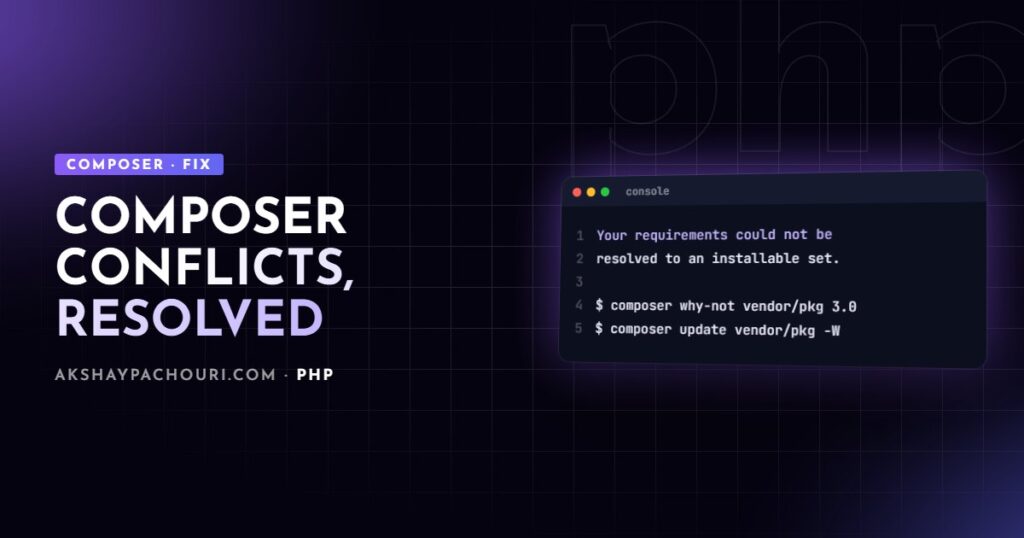
You run composer require or composer update and get Your requirements could not be resolved to an installable set of packages. followed by a list of “Problem 1, Problem 2” lines that look like riddles. A Composer dependency conflict means no combination of versions satisfies every constraint at once. This guide shows how to read the error, find the package that’s blocking you and fix it without breaking the project.
Quick fix
Most conflicts come from one of two things: a package needs a newer PHP than Composer thinks you have, or a package you want to upgrade is pinned by another dependency. Work through these steps:
- Read Problem 1 only, carefully. The last line of each problem block usually names the real blocker.
- Ask Composer directly why the version you want can’t be installed:
composer why-not laravel/framework 11.0 - If the blocker is another package locked at an old version, let Composer update dependencies together:
composer update laravel/framework --with-all-dependencies - If the blocker is
phpor anext-*, fix the platform (see below) rather than ignoring it.
How to read the error
Here’s a typical output:
Your requirements could not be resolved to an installable set of packages.

  Problem 1
    - Root composer.json requires laravel/framework ^11.0 -> satisfiable by laravel/framework[v11.0.0, ..., v11.x].
    - laravel/framework[v11.0.0, ..., v11.x] require php ^8.2 -> your php version (8.1.27) does not satisfy that requirement.

  Problem 2
    - spatie/laravel-backup is locked to version 8.1.0 and an update of this package was not requested.
    - spatie/laravel-backup 8.1.0 requires illuminate/support ^9.0|^10.0 -> ...
Read each problem as a chain: “you asked for A, A needs B, B can’t be satisfied because C”. The root composer.json is your project’s own file. Phrases worth recognising:
- “your php version (x) does not satisfy that requirement”: a platform problem, not a package problem.
- “is locked to version x and an update of this package was not requested”: the package is held by
composer.lock. You need to allow it to update too. - “conflicts with”: a package declares an explicit
conflictrule against another version. - “but it does not match the constraint” or “found … but”: the version exists, but your constraint excludes it, often because of minimum-stability.
Later problems are often consequences of the first one. Fix Problem 1 and re-run before trying to understand the rest.
Causes, from most to least common
1. Locked dependencies blocking an upgrade
Running composer update vendor/package only updates that one package. If its new version needs newer versions of its dependencies, which are locked, the solve fails. Composer has two flags for this:
# Also update the package's direct dependencies
composer update vendor/package --with-dependencies   # -w

# Also update every dependency in the tree, including shared ones
composer update vendor/package --with-all-dependencies   # -W

# Same idea when adding a new package
composer require vendor/package:^3.0 -W
Review the changes afterwards with git diff composer.lock or composer show --outdated. -W can update more than you expect, which is the point, but you should know what moved.
2. PHP version mismatch, including config.platform
Packages declare the PHP versions they support. The mismatch can be real (the machine runs an old PHP) or configured. That’s the cause people miss: config.platform.php in composer.json tells Composer to pretend the PHP version is something specific, regardless of what’s installed.
"config": {
    "platform": {
        "php": "8.1.27"
    }
}
This setting is good practice: it makes Composer resolve for your production PHP, even if a developer runs a newer version locally. But when production is upgraded and nobody updates this value, every package that needs the newer PHP looks “unsatisfiable”, even on a machine running PHP 8.4. Check it first when the error mentions PHP but php -v looks fine.
php -v                           # actual CLI version
composer config platform.php     # what Composer is told to assume
composer check-platform-reqs     # compare installed packages with this machine
Also check that the CLI PHP that runs Composer is the version you think it is. Servers with several PHP versions often have an older default php binary.
3. Overly strict or conflicting version constraints
Constraints in composer.json decide which versions are allowed. A quick refresher:
^2.3allows>=2.3.0 <3.0.0, the usual choice for semver packages.~2.3allows>=2.3 <3.0;~2.3.1allows>=2.3.1 <2.4.0.2.3.1pins one exact version, which blocks everything that needs anything else.^1.0 || ^2.0allows either major.
Exact pins and very narrow ranges cause most hand-made conflicts. If two packages need different majors of a shared library, you have to upgrade or replace one of them; no flag can install two versions of the same package.
4. Missing PHP extensions (ext-*)
Packages can require extensions such as ext-intl, ext-gd or ext-sodium. The error reads like requires ext-intl * -> it is missing from your system. The fix is to install and enable the extension for the CLI PHP that runs Composer, and for PHP-FPM on the server:
# Debian/Ubuntu example; package names vary by distro and PHP source
sudo apt install php8.3-intl
php -m | grep intl
If Composer runs in a build container that genuinely doesn’t need the extension, you can skip that one check: composer install --ignore-platform-req=ext-intl. Avoid --ignore-platform-reqs (plural), which ignores every platform requirement including PHP itself and can install code that fatals in production. A cleaner option for a build machine is declaring the extension under config.platform, for example "ext-intl": "8.3.0", as long as production really has it.
5. Lock file conflicts after a merge
Two branches each add or update packages, and Git reports a conflict in composer.lock. Never hand-edit the lock file’s JSON to resolve it; the content-hash and package data have to be consistent.
# 1. Resolve composer.json by hand so it contains both branches' requirements
git checkout --theirs composer.lock     # take the target branch's lock (e.g. main)

# 2. Re-apply only the packages your branch added or changed
composer update vendor/package-from-my-branch another/package

# 3. Verify and commit
composer validate
git add composer.json composer.lock
If you only see the warning The lock file is not up to date with the latest changes in composer.json, Composer is comparing the hash. composer update --lock refreshes the hash without upgrading packages, but only use it when you know composer.json and the lock genuinely agree.
6. Minimum stability
If the version you need is a beta or dev release, the default minimum-stability of stable hides it. Rather than lowering stability for the whole project, add a flag on that one constraint: "vendor/package": "^3.0@beta".
Step-by-step diagnosis
- Get readable output. Add
-vvvfor verbose solver output, and runcomposer diagnoseto rule out environment issues. - Ask why-not.
composer why-not vendor/package 3.0(aliasprohibits) lists every package and constraint preventing that version. - Ask why.
composer why vendor/package(aliasdepends) shows what requires a package, so you know whether you can remove or upgrade the dependent. - Inspect the tree.
composer show -t vendor/packageprints its dependency tree, andcomposer show vendor/package --alllists available versions and their requirements. - Check the platform.
composer config platform,php -vandphp -mfor the PHP binary that actually runs Composer. - Try a dry run.
composer update vendor/package -W --dry-runshows what would change without touching files.
$ composer why-not php 8.4   # output simplified
laravel/framework  v10.48.0  requires  php (^8.1)
some/legacy-sdk    2.4.1     requires  php (>=7.4 <8.3)
Output like the above tells you exactly which package to upgrade or replace before moving to a newer PHP.
Prevention
- Commit
composer.lockfor applications and deploy withcomposer install, neverupdate. - Set
config.platform.phpto your production version, and update it as part of every PHP upgrade. - Use caret constraints (
^) unless you have a specific reason to pin. - Update dependencies little and often; a monthly
composer outdatedreview avoids giant multi-major jumps. - Run
composer validate --strictin CI, and test against the PHP versions you support. - Keep autoloading clean too; my guide to Composer PSR-4 autoloading covers the other half of a healthy
composer.json. If you work across stacks, the npm equivalent of this problem is covered in fixing npm ERESOLVE errors.
Key takeaways
- Read Problem 1 as a chain and fix it first; later problems are often consequences.
composer why-notnames the exact package blocking a version.- Use
-Wwhen locked dependencies block an upgrade. - Check
config.platform.phpwhen Composer reports the wrong PHP version. - Install missing extensions instead of ignoring all platform requirements.
- Resolve lock conflicts by taking one side and re-running
composer updatefor your packages.
Frequently asked questions
What does –with-all-dependencies do in Composer?
It allows Composer to update the requested package and every package in its dependency tree, including dependencies shared with other packages. It is the usual fix when a locked dependency prevents an upgrade.
Is it safe to use –ignore-platform-reqs?
Rarely. It ignores PHP and extension requirements entirely, so Composer may install code that fails on your server. Ignore a single requirement with –ignore-platform-req=ext-name only when you know the target environment has it.
Why does Composer say my PHP version is too old when I have PHP 8.4 installed?
Either composer.json sets config.platform.php to an older version, or the php binary running Composer is not the one you think. Check composer config platform.php and run php -v in the same shell.
How do I fix a merge conflict in composer.lock?
Resolve composer.json by hand, check out the target branch’s composer.lock, then run composer update for only the packages your branch added or changed. Do not hand-edit the lock file’s contents.
Stuck on an upgrade where every Composer command fails, or planning a jump across several framework versions? Contact me and I’ll help you get the dependency tree back under control.