Every modern PHP project leans on Composer PSR-4 autoloading, yet most of us copy the autoload block from an old project and never look at it again. This guide explains how the mapping from namespaces to folders really works, how to make the autoloader fast in production, and how to ship Composer dependencies inside a WordPress plugin without colliding with other plugins.
What Composer PSR-4 autoloading actually does
Without an autoloader you need a require statement for every class file. Composer generates vendor/autoload.php, which registers a function with spl_autoload_register(). When PHP meets a class it hasn’t loaded yet, it calls that function with the fully qualified class name, and Composer works out which file to include.
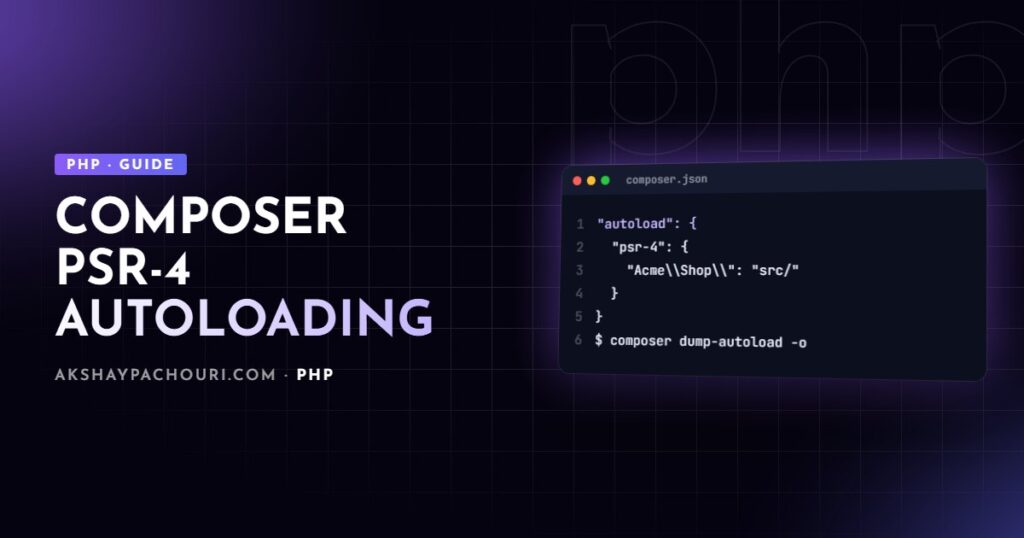
PSR-4 is the rule Composer uses to turn a class name into a path. You declare a namespace prefix and a base directory. Everything after the prefix becomes a relative path, with namespace separators turned into directory separators and .php appended.
{
    "name": "acme/shop",
    "require": {
        "php": "^8.2"
    },
    "autoload": {
        "psr-4": {
            "Acme\Shop\": "src/"
        }
    }
}
With that mapping, AcmeShopCartLineItem resolves to src/Cart/LineItem.php. Note the double backslash: JSON needs the escape, and the prefix must end with a namespace separator so AcmeShop doesn’t accidentally match AcmeShopping.
If namespaces themselves are still fuzzy, my guide to namespaces in PHP covers the basics this article builds on.
Mapping namespaces to folders correctly
Most “Class not found” errors come from a mismatch between the namespace declaration, the file name and the folder. The rules are strict:
- One class (or interface, trait or enum) per file, and the file name must match the class name exactly, including case.
- The folder path after the base directory must match the namespace segments after the prefix.
- Case matters on Linux even if it “works” on macOS or Windows. A file called
lineitem.phpwill load locally and fail in production.
<?php
// File: src/Cart/LineItem.php
declare(strict_types=1);

namespace AcmeShopCart;

final class LineItem
{
    public function __construct(
        public readonly string $sku,
        public readonly int $quantity,
    ) {}
}
You can map several prefixes, or point one prefix at multiple directories with an array. That second form is handy during a migration, but each extra directory means more filesystem checks per lookup, so don’t leave it in place forever.
"autoload": {
    "psr-4": {
        "Acme\Shop\": "src/",
        "Acme\Legacy\": ["lib/", "legacy/classes/"]
    }
}
After any change to the autoload section, run composer dump-autoload. Adding a new class file under an existing PSR-4 mapping doesn’t need a dump in development, because the PSR-4 loader looks the file up at runtime.
autoload-dev: keep tests out of production
Test classes, fixtures and factories shouldn’t be in the autoloader that ships to production. Put them under autoload-dev, which Composer only includes when dev dependencies are installed.
"autoload-dev": {
    "psr-4": {
        "Acme\Shop\Tests\": "tests/"
    }
}
Deploy with composer install --no-dev and both your dev packages and the autoload-dev mappings disappear. That keeps the classmap smaller and stops test helpers from being reachable on a live server. If you’re setting up a test suite, the PHP unit testing guide shows how this mapping fits with PHPUnit and Pest.
Files autoloading for helper functions
PSR-4 only handles classes. PHP has no autoloading for plain functions or constants, so Composer offers a files entry: those files are included on every request as soon as vendor/autoload.php loads.
"autoload": {
    "psr-4": {
        "Acme\Shop\": "src/"
    },
    "files": [
        "src/helpers.php"
    ]
}
Two rules keep this safe. First, namespace your helpers or wrap them in function_exists() checks, because a global money() function can clash with another package. Second, keep these files small and free of side effects. They run on every request, including CLI commands, so they’re not the place to open database connections or register hooks.
<?php
// File: src/helpers.php
namespace AcmeShop;

function money(int $cents, string $currency = 'INR'): string
{
    return sprintf('%s %s', $currency, number_format($cents / 100, 2));
}
Optimising the autoloader for production
The default PSR-4 lookup is flexible but does filesystem work: for each class it builds candidate paths and checks whether the file exists. Composer has three levels of optimisation, documented in the official “Autoloader optimization” page.
Level 1: optimised classmap (-o)
composer dump-autoload --optimize
# or during install
composer install --no-dev --optimize-autoloader
This scans your PSR-4 and PSR-0 directories and writes every class into a classmap. Known classes are found with an array lookup. Unknown classes still fall back to the PSR-4 rules, so nothing breaks if a file appears later.
Level 2: authoritative classmap (-a)
composer dump-autoload --classmap-authoritativeThis implies --optimize and also tells Composer that the classmap is the whole truth. If a class isn’t in the map, the autoloader gives up immediately instead of touching the disk. That’s the fastest option, but anything generated at runtime (some proxy classes, cached containers) must exist when you dump, or it will never be found.
Level 2/B: APCu cache
--apcu-autoloader caches lookups, including misses, in APCu. It’s an alternative when you can’t use the authoritative mode, provided the APCu extension is installed.
You can make the choice permanent in composer.json so nobody forgets the flag:
"config": {
    "optimize-autoloader": true,
    "classmap-authoritative": true,
    "sort-packages": true
}
Autoloader optimisation pairs naturally with OPcache. Once class files are compiled and cached in OPcache, a classmap lookup is most of what remains of the autoloading cost.
Classmap autoloading for code that isn’t PSR-4
Older codebases often put several classes in one file or use names that don’t follow any convention. You don’t have to rename everything at once. The classmap key tells Composer to scan a directory and record whatever classes it finds:
"autoload": {
    "classmap": ["includes/", "legacy/"]
}
The catch is that classmaps are built at dump time, so every new file requires composer dump-autoload. I treat a classmap as a bridge while moving code into a PSR-4 structure, not a destination.
Using Composer inside WordPress plugins
WordPress loads every active plugin into the same PHP process. If your plugin bundles guzzlehttp/guzzle 7 and another plugin bundles an older version, whichever autoloader registers first wins. The other plugin then runs against a library version it was never tested with, and you get fatal errors that only appear with a certain combination of plugins. That’s an awkward bug to reproduce on a client site.
The basic setup is simple: require the autoloader from your main plugin file, guarded so a missing vendor folder fails gracefully.
<?php
/**
 * Plugin Name: Acme Shop Tools
 */

defined('ABSPATH') || exit;

$autoload = __DIR__ . '/vendor/autoload.php';

if (! is_readable($autoload)) {
    add_action('admin_notices', static function (): void {
        echo '<div class="notice notice-error"><p>Acme Shop Tools: run composer install.</p></div>';
    });
    return;
}

require_once $autoload;

add_action('plugins_loaded', [AcmeShopPlugin::class, 'boot']);
Your own code should live under a namespace unique to the plugin. The real problem is third-party packages, which keep their original namespaces.
Prefixing dependencies with Strauss
Strauss copies your dependencies into a separate folder and rewrites their namespaces, so GuzzleHttpClient becomes something like AcmeVendorGuzzleHttpClient. Your plugin then uses its own private copy that can’t clash with anyone else’s. A typical configuration in composer.json looks like this (check the Strauss README for the current option names before relying on them):
"extra": {
    "strauss": {
        "target_directory": "vendor-prefixed",
        "namespace_prefix": "Acme\Vendor\",
        "classmap_prefix": "Acme_Vendor_",
        "constant_prefix": "ACME_VENDOR_",
        "delete_vendor_packages": true
    }
},
"scripts": {
    "prefix-namespaces": [
        "strauss"
    ],
    "post-install-cmd": ["@prefix-namespaces"],
    "post-update-cmd": ["@prefix-namespaces"]
}
Strauss generates its own autoloader in the target directory, which you include alongside (or instead of) Composer’s. In your code you reference the prefixed names, for example new AcmeVendorGuzzleHttpClient().
php-scoper as the alternative
php-scoper from the Humbug project takes a broader approach: it rewrites your entire build, including your own code and dependencies, into a prefixed copy. It’s powerful and widely used for distributable PHP tools, but it usually needs a config file with exclusions so it doesn’t prefix WordPress functions and classes. If you go this way, pull in a WordPress exclusion list (there are community-maintained ones) rather than writing your own from scratch.
My rule of thumb: Strauss for most WordPress plugins because it’s built for that use case and fits into Composer scripts; php-scoper when you need to scope everything and have a proper build step. Either way, ship the prefixed build in your release zip and keep vendor out of version control.
Debugging autoloading problems
When a class won’t load, work through these checks in order:
- Confirm the namespace line and class name in the file match the path, including case.
- Run
composer dump-autoloadafter editingcomposer.json, thencomposer validateto catch JSON mistakes. - If you use
--classmap-authoritative, remember new files are invisible until you dump again. - Check the generated maps in
vendor/composer/autoload_psr4.phpandautoload_classmap.phpto see what Composer thinks the mapping is. - In WordPress, look for a second autoloader loading a different copy of the same class.
If the problem is a version clash during install rather than at runtime, see how to fix Composer dependency conflicts.
Key takeaways
- PSR-4 maps a namespace prefix to a base directory; the rest of the class name becomes the file path, case-sensitively.
- Keep test code in
autoload-devand deploy with--no-dev. - Use
filesonly for small, side-effect-free helper files. - In production, dump with
--optimizeor--classmap-authoritative, and set it inconfigso it’s never forgotten. - In WordPress plugins, prefix third-party dependencies with Strauss or php-scoper to avoid version clashes with other plugins.
Frequently asked questions
Do I need to run composer dump-autoload after adding a new class?
Not with plain PSR-4 in development, because the loader resolves files at runtime. You do need to dump again after editing composer.json, when using classmap autoloading, or when the autoloader was built with –classmap-authoritative.
What is the difference between PSR-4 and classmap autoloading?
PSR-4 derives the file path from the class name using a convention, so new files work without regenerating anything. A classmap is a precomputed list of every class and its file, which is faster to look up but must be regenerated whenever files change.
Is –classmap-authoritative safe for production?
Yes, as long as every class your app needs exists when you run the dump. Code that generates class files at runtime will not be found, so test your deploy pipeline with the flag before switching it on.
Why should I prefix Composer dependencies in a WordPress plugin?
All plugins share one PHP process, so two plugins bundling different versions of the same library will conflict. Prefixing gives your plugin its own namespaced copy that cannot collide with anyone else’s.
If you’re untangling autoloading in a legacy codebase or packaging a WordPress plugin with Composer dependencies, I can help. Get in touch and tell me what you’re working on.