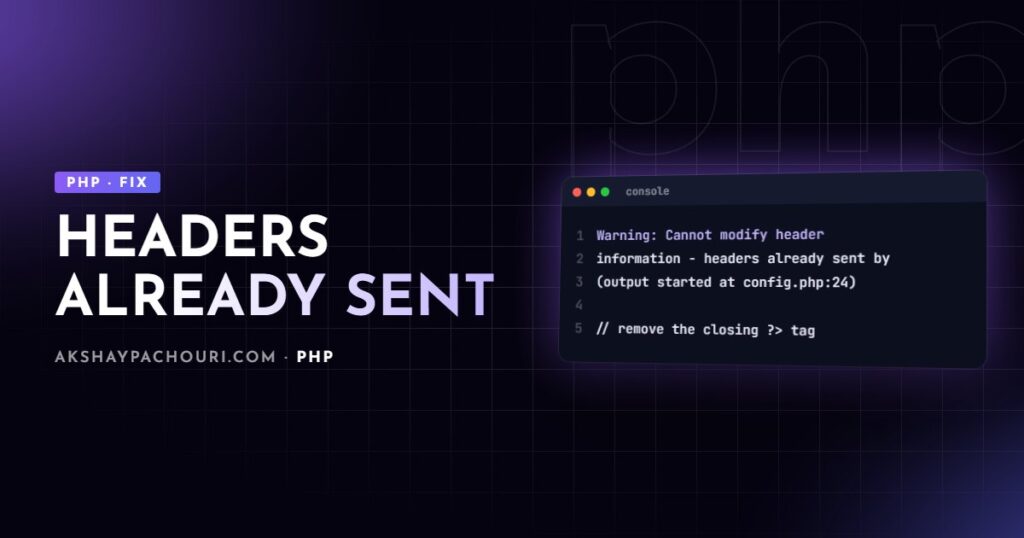
You call header('Location: /dashboard'), setcookie() or session_start(), and PHP responds with Warning: Cannot modify header information - headers already sent by (output started at /var/www/app/config.php:24). The redirect doesn’t happen, the cookie isn’t set, and sometimes the page looks fine anyway. Here’s why the “headers already sent” error happens and how to fix it for good.
Quick fix
HTTP headers must be sent before any body content. The moment PHP outputs a single byte, even a space or newline, it sends the headers, and later calls to header() fail. The error message tells you exactly where that first byte came from.
- Read the “output started at” part of the message. That file and line produced the stray output. The “in … on line …” part is just where your
header()call failed, which is usually not the problem. - Open that file. If the line is the last line, delete the closing
?>tag and any whitespace after it. If it’s line 1, look for whitespace or a BOM before<?php. - If the line contains
echo,print,var_dump()or HTML, move yourheader()call above it, or move the output below it. - Call
exit;straight after a redirect header so nothing else runs.
<?php
// Before any output
if (! $user) {
    header('Location: /login', true, 302);
    exit;
}
?>
<!doctype html>
<html>...
Causes, from most to least common
1. Whitespace after a closing ?> tag
This is the classic. A config or functions file ends with ?> followed by a blank line. That newline is output. PHP does swallow a single newline directly after ?>, but a second newline, a space or a tab gets printed.
<?php
// config.php
define('APP_ENV', 'production');
?>
The fix is to omit the closing tag entirely in files that contain only PHP. PSR-12 requires this, and WordPress coding standards recommend it for the same reason. The file simply ends after the last statement.
2. Whitespace or HTML before the opening tag
Anything before <?php is output, including a blank first line or an indented opening tag. Check the very first character of the file named in the error, and of every file it includes.
3. echo, print or debug output before header()
A leftover var_dump(), an echo in a function that runs early, or a template that prints the page header before your controller decides to redirect. In WordPress this often looks like calling wp_redirect() inside a template after get_header() has already printed HTML. Do redirects on the template_redirect hook instead:
<?php
add_action('template_redirect', function (): void {
    if (is_page('members') && ! is_user_logged_in()) {
        wp_safe_redirect(wp_login_url(get_permalink()));
        exit;
    }
});
4. A UTF-8 byte order mark (BOM)
Some editors save UTF-8 files with three invisible bytes at the start: EF BB BF. You can’t see them, the file looks like it starts with <?php, yet the error points at line 1. Re-save the file as “UTF-8 without BOM” in your editor, or strip it from the command line (see diagnosis below).
5. PHP warnings and notices printed to the page
This is the one experienced developers miss. If display_errors is on, a deprecation notice or warning is itself output. After a PHP upgrade, a plugin that triggers a deprecation on every request will print it before your header() call, and the “output started at” line points into that plugin rather than at any echo.
The real fix is the underlying warning. In production, also make sure errors go to the log, not the page:
<?php
// In production config (or php.ini)
ini_set('display_errors', '0');
ini_set('log_errors', '1');
For WordPress, set WP_DEBUG_DISPLAY to false and WP_DEBUG_LOG to true in wp-config.php. If the warnings are actually fatal errors, my guide to the WordPress critical error and white screen covers that path.
6. output_buffering differs between environments
The second cause people miss: “it works locally but fails on the server” (or the other way round). With output_buffering enabled in php.ini, PHP holds the first chunk of output in a buffer, so headers can still be sent after a small amount of output. The bundled php.ini-development and php.ini-production templates enable a 4096-byte buffer, but the built-in default when no php.ini is loaded is off. Official Docker PHP images, for example, ship without an active php.ini unless you copy one in.
So the bug was always there; one environment’s buffer was hiding it. Check what each environment really uses:
php -i | grep -i output_buffering
php --ini   # shows which php.ini files are loaded (CLI)
Remember that the CLI and PHP-FPM can load different ini files, so compare with phpinfo() from a web request too. Don’t “fix” the error by turning buffering on; fix the stray output, so the code works in every environment.
7. Closing tags in included files and generated code
The stray output may be several includes deep: a language file, a vendor library, or a file generated by a build tool that adds ?> plus a newline. The “output started at” path is the authority here, even if it points into a file you’ve never opened.
8. session_start() or setcookie() after output
The same error appears as session_start(): Session cookie parameters cannot be changed after headers have already been sent or Cannot send session cache limiter - headers already sent. Sessions and cookies are headers too, so start sessions at the top of your bootstrap, before any templates load.
Step-by-step diagnosis
- Copy the exact file and line from “output started at”. Look at that line and the lines around it.
- Check programmatically if the message is hidden, using
headers_sent()with its optional out-parameters:<?php if (headers_sent($file, $line)) { error_log("Output already started in {$file} on line {$line}"); } header('Location: /thank-you'); exit; - Look for a BOM in the reported file. The first three bytes should be
3c 3f 70(<?p), notef bb bf:head -c 3 config.php | xxd # List every PHP file in the project that starts with a BOM grep -rlI $'^xEFxBBxBF' --include='*.php' . # Strip the BOM from one file (GNU sed) sed -i '1s/^xEFxBBxBF//' config.php - Find trailing closing tags followed by whitespace:
# PHP files with a closing tag in their last three lines for f in $(git ls-files '*.php'); do tail -n 3 "$f" | grep -q '^?>' && echo "$f" done - Check error display. If the reported line is inside a plugin or library, view the page source; a notice text before your HTML confirms cause 5.
- Compare ini settings between environments if the error only appears on one of them.
Prevention
- Never end PHP-only files with
?>. Enforce it with PHP-CS-Fixer’sno_closing_tagrule or PHP_CodeSniffer’s PSR-12 standard in CI. - Configure your editor and an
.editorconfigfile to save UTF-8 without BOM. - Structure requests so decisions (auth checks, redirects, cookies) happen before rendering. Front controllers and frameworks do this naturally; in WordPress use hooks like
template_redirectoradmin_init. - Keep
display_errorsoff in production and fix warnings from your logs. - Don’t depend on
output_buffering. If you genuinely need buffering, callob_start()explicitly so it’s visible in code. Once headers are reliable, review what you’re actually sending; my PHP security best practices guide lists the security headers worth adding.
Key takeaways
- The “output started at” file and line is where to look, not the line of your
header()call. - Most cases are whitespace around PHP tags; omit closing
?>tags in PHP-only files. - Invisible BOM bytes and printed PHP notices cause the error without any visible
echo. output_bufferingcan hide the bug in one environment and expose it in another.- Send headers, cookies and redirects before rendering, and
exitafter redirects.
Frequently asked questions
Why does the headers already sent error only happen on my live server?
Usually because output_buffering or display_errors differ between environments. A buffer on your local machine hides small amounts of stray output, and a server without one exposes it immediately.
Should I use ob_start() to fix headers already sent?
Only as a deliberate design choice, not as a patch. Buffering hides the stray output instead of removing it, and the real cause such as whitespace or a printed warning will still be there.
Why does the error point to line 1 when the file starts with the PHP tag?
The file almost certainly starts with an invisible UTF-8 byte order mark. Check the first bytes with a hex viewer and re-save the file as UTF-8 without BOM.
Is it safe to remove the closing PHP tag from a file?
Yes, for files that contain only PHP code. The closing tag is optional at the end of a file, and omitting it is the recommended practice precisely because it prevents accidental output.
Still stuck on a redirect or cookie that won’t stick, or a site that throws warnings after a PHP upgrade? Get in touch and I can track it down for you.