Most PHP vulnerabilities come from a short list of mistakes: trusting input in SQL, printing it unescaped, accepting forged requests and storing secrets carelessly. These PHP security best practices cover each one with code you can use today, in plain PHP and in WordPress, from prepared statements to upload validation, session settings and security headers.
Treat every input as hostile
The mindset matters more than any single function. Anything that comes from outside your code is untrusted: $_GET, $_POST, $_COOKIE, request headers, uploaded file names, webhook payloads, and data you previously stored that originally came from a user.
Two complementary rules follow from that:
- Validate on input. Check type, length, format and allowed values as early as possible, and reject what doesn’t fit.
- Escape on output. Encode data for the exact context it’s going into (SQL, HTML, a URL, JavaScript) at the moment you use it.
<?php
$quantity = filter_input(INPUT_POST, 'quantity', FILTER_VALIDATE_INT, [
    'options' => ['min_range' => 1, 'max_range' => 99],
]);

if ($quantity === false || $quantity === null) {
    http_response_code(422);
    exit('Invalid quantity.');
}

$sort = $_GET['sort'] ?? 'created_at';
$allowedSorts = ['created_at', 'price', 'name'];
if (! in_array($sort, $allowedSorts, true)) {
    $sort = 'created_at';
}
Validation reduces attack surface, but it never replaces escaping. A perfectly valid name can still contain an apostrophe or a <script> tag.
Preventing SQL injection with prepared statements
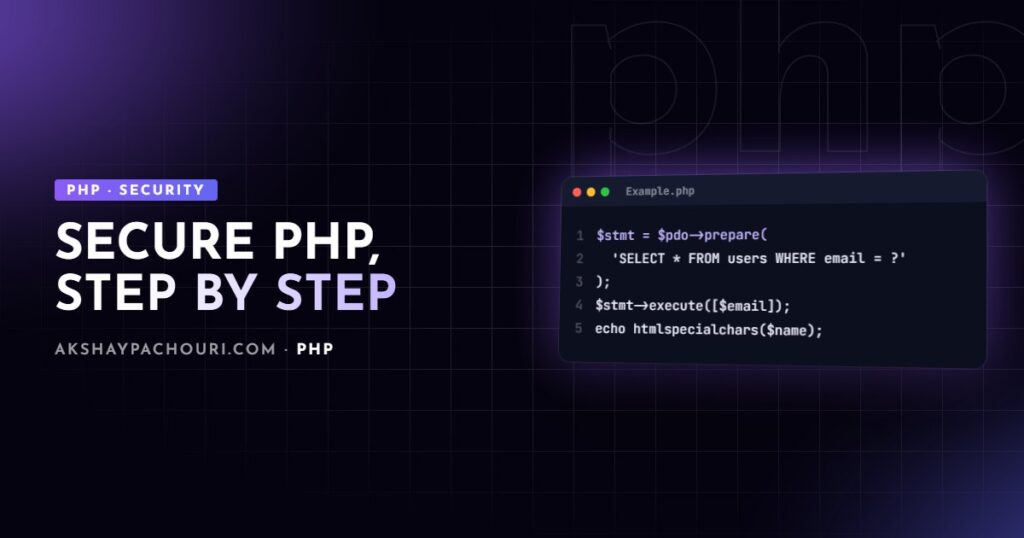
SQL injection happens when user input is concatenated into a query and changes its meaning. The fix is prepared statements: the query structure and the data travel separately, so data can never become SQL.
<?php
$pdo = new PDO(
    'mysql:host=localhost;dbname=shop;charset=utf8mb4',
    $dbUser,
    $dbPass,
    [
        PDO::ATTR_ERRMODE => PDO::ERRMODE_EXCEPTION,
        PDO::ATTR_DEFAULT_FETCH_MODE => PDO::FETCH_ASSOC,
        PDO::ATTR_EMULATE_PREPARES => false,
    ]
);

$stmt = $pdo->prepare('SELECT id, email FROM users WHERE email = :email AND status = :status');
$stmt->execute(['email' => $email, 'status' => 'active']);
$user = $stmt->fetch();
Setting the charset in the DSN and disabling emulated prepares keeps the database driver in charge of separating data from SQL. Exception mode means failures surface instead of silently returning false.
What placeholders can’t do
Placeholders bind values, not identifiers or keywords. You can’t bind a column name, table name or ASC/DESC. For those, use an allowlist like the $sort example above and insert only the vetted value:
<?php
$direction = ($_GET['dir'] ?? '') === 'asc' ? 'ASC' : 'DESC';
$sql = "SELECT id, name, price FROM products ORDER BY {$sort} {$direction} LIMIT :limit";
$stmt = $pdo->prepare($sql);
$stmt->bindValue('limit', 20, PDO::PARAM_INT);
$stmt->execute();
Prepared queries in WordPress with $wpdb->prepare
WordPress uses $wpdb rather than PDO, with sprintf-style placeholders: %d for integers, %f for floats, %s for strings, and %i for identifiers in newer WordPress versions (6.2 and later).
<?php
global $wpdb;

$search = '%' . $wpdb->esc_like($term) . '%';

$rows = $wpdb->get_results(
    $wpdb->prepare(
        "SELECT ID, post_title FROM {$wpdb->posts}
         WHERE post_status = %s AND post_author = %d AND post_title LIKE %s",
        'publish',
        $authorId,
        $search
    )
);
Don’t put quotes around %s; prepare() adds them. And always pass LIKE terms through esc_like() first so user-supplied % and _ are treated literally.
Preventing XSS with context-aware output escaping
Cross-site scripting (XSS) happens when user data is printed into a page and the browser runs it as code. Escaping must match the context the data lands in, because the dangerous characters differ.
| Context | Plain PHP | WordPress |
|---|---|---|
| HTML body text | htmlspecialchars() |
esc_html() |
| HTML attribute (quoted) | htmlspecialchars() |
esc_attr() |
| URL in href/src | Validate scheme, then htmlspecialchars() |
esc_url() |
| JavaScript data | json_encode() with hex flags |
wp_json_encode() |
| Limited HTML allowed | A sanitiser library | wp_kses_post() |
<?php
function e(?string $value): string
{
    return htmlspecialchars($value ?? '', ENT_QUOTES | ENT_SUBSTITUTE, 'UTF-8');
}

function safe_url(string $url): string
{
    $scheme = parse_url($url, PHP_URL_SCHEME);
    return in_array($scheme, ['http', 'https'], true) ? $url : '#';
}
?>
<h2><?= e($product['name']) ?></h2>
<a href="<?= e(safe_url($product['website'])) ?>" title="<?= e($product['name']) ?>">Visit site</a>
<script>
    const product = <?= json_encode($product, JSON_HEX_TAG | JSON_HEX_AMP | JSON_HEX_APOS | JSON_HEX_QUOT) ?>;
</script>
The URL check matters because htmlspecialchars() alone won’t stop javascript:alert(1) in an href. The JSON_HEX_* flags stop a string containing </script> from closing your script block. Always quote attributes; unquoted attributes can be broken out of with a space.
Escape late, at the point of output, not when saving to the database. Data escaped for HTML is wrong for JSON, CSV or email, and “already escaped” data gets double-escaped or, worse, assumed safe somewhere it isn’t.
Stopping CSRF with tokens and nonces
Cross-site request forgery tricks a logged-in user’s browser into submitting a request to your site from another site. The browser sends the session cookie automatically, so your app thinks the user meant it. The defence is a secret token the attacker’s page can’t read.
<?php
// Generate once per session
session_start();
if (empty($_SESSION['csrf_token'])) {
    $_SESSION['csrf_token'] = bin2hex(random_bytes(32));
}
?>
<form method="post" action="/account/email">
    <input type="hidden" name="csrf_token" value="<?= e($_SESSION['csrf_token']) ?>">
    <input type="email" name="email" required>
    <button type="submit">Update</button>
</form>
<?php
// On submit
if ($_SERVER['REQUEST_METHOD'] === 'POST') {
    $sent = $_POST['csrf_token'] ?? '';
    if (! is_string($sent) || ! hash_equals($_SESSION['csrf_token'], $sent)) {
        http_response_code(403);
        exit('Invalid request.');
    }
    // safe to process
}
hash_equals() compares in constant time. Only state-changing actions need tokens, which is another reason never to change data on a GET request.
In WordPress, use nonces, which are tied to the user, the action and a time window:
<?php
// In the form
wp_nonce_field('acme_save_settings', 'acme_nonce');

// In the handler
if (! isset($_POST['acme_nonce'])
    || ! wp_verify_nonce(sanitize_text_field(wp_unslash($_POST['acme_nonce'])), 'acme_save_settings')) {
    wp_die('Security check failed.', 403);
}
if (! current_user_can('manage_options')) {
    wp_die('Not allowed.', 403);
}
A nonce proves intent, not permission. Always pair it with a current_user_can() check. For REST endpoints, the permission_callback does that job. My WordPress security hardening checklist covers the server and admin side of the same problem.
Storing passwords with password_hash
Never store passwords in plain text, and never use md5() or sha1() for them. PHP’s password API handles salting and algorithm choice for you.
<?php
// Registration
$hash = password_hash($plainPassword, PASSWORD_DEFAULT);

// Login
if (password_verify($plainPassword, $user['password_hash'])) {
    if (password_needs_rehash($user['password_hash'], PASSWORD_DEFAULT)) {
        $newHash = password_hash($plainPassword, PASSWORD_DEFAULT);
        // save $newHash
    }
    // log the user in
}
PASSWORD_DEFAULT can change in future PHP versions, so store hashes in a column wide enough to grow (VARCHAR(255) is the usual recommendation). password_needs_rehash() upgrades old hashes transparently at login.
Validating file uploads
Uploads are dangerous because the user controls the name, the claimed type and the content. The browser-supplied $_FILES['file']['type'] is just a string the client sent.
<?php
$file = $_FILES['avatar'] ?? null;

if (! $file || $file['error'] !== UPLOAD_ERR_OK) {
    exit('Upload failed.');
}
if ($file['size'] > 2 * 1024 * 1024) {
    exit('File too large.');
}

$finfo = new finfo(FILEINFO_MIME_TYPE);
$mime = $finfo->file($file['tmp_name']);

$allowed = ['image/jpeg' => 'jpg', 'image/png' => 'png', 'image/webp' => 'webp'];
if (! isset($allowed[$mime])) {
    exit('Unsupported file type.');
}

$name = bin2hex(random_bytes(16)) . '.' . $allowed[$mime];
$target = '/var/app/storage/avatars/' . $name; // outside the web root

if (! move_uploaded_file($file['tmp_name'], $target)) {
    exit('Could not save file.');
}
The key points: detect the type from content, map it to an extension you choose, generate a random file name, and store outside the web root or in a directory where PHP execution is disabled. If you re-encode images with GD or Imagick, you also strip anything hidden in metadata. In WordPress, let wp_handle_upload() do this work; if uploads fail there, see how to fix WordPress file upload errors.
Secure session settings
Session cookies are the keys to logged-in accounts. Set these in php.ini or before session_start():
<?php
ini_set('session.use_strict_mode', '1');
ini_set('session.use_only_cookies', '1');

session_set_cookie_params([
    'lifetime' => 0,
    'path' => '/',
    'secure' => true,     // HTTPS only
    'httponly' => true,   // not readable by JavaScript
    'samesite' => 'Lax',
]);
session_start();

// After a successful login or privilege change
session_regenerate_id(true);
Strict mode rejects session IDs the server didn’t create, and regenerating the ID at login prevents session fixation. SameSite=Lax also blocks many cross-site POSTs, which is a useful extra layer on top of CSRF tokens.
Security headers and error handling
Headers tell the browser to enforce extra rules. Send them from PHP or, better, from your web server so they apply to every response:
add_header Content-Security-Policy "default-src 'self'; img-src 'self' data:; frame-ancestors 'self'" always;
add_header X-Content-Type-Options "nosniff" always;
add_header Referrer-Policy "strict-origin-when-cross-origin" always;
add_header Strict-Transport-Security "max-age=31536000; includeSubDomains" always;
add_header Permissions-Policy "camera=(), microphone=(), geolocation=()" always;
A Content Security Policy is the strongest XSS backstop, but start in report-only mode on an existing site, because inline scripts and third-party tags will break. Finally, set display_errors=Off and log_errors=On in production. Error messages leak file paths, queries and sometimes credentials.
Key takeaways
- Validate input early, escape output late and for the specific context.
- Use prepared statements for every value; allowlist identifiers like column names.
- Protect every state-changing request with a CSRF token or WordPress nonce, plus a capability check.
- Hash passwords with
password_hash()and rehash when needed. - Check upload types from file content, rename files and store them outside the web root.
- Harden session cookies and send security headers from the server.
Frequently asked questions
Is htmlspecialchars enough to prevent XSS in PHP?
It is enough for HTML text and quoted attributes when used with ENT_QUOTES and UTF-8. It does not make URLs or JavaScript contexts safe, so validate URL schemes and use json_encode with the JSON_HEX flags for data placed in scripts.
Do prepared statements protect against all SQL injection?
They protect every value you bind as a parameter. Table names, column names and sort directions cannot be bound, so those must come from a fixed allowlist in your code.
Are WordPress nonces the same as CSRF tokens?
They serve the same purpose of proving a request came from your own form, but they expire after a time window and are tied to the user and action. They do not check permissions, so always combine them with current_user_can().
Which password hashing algorithm should I use in PHP?
Use password_hash with PASSWORD_DEFAULT, which picks a strong algorithm and may be upgraded in future PHP releases. Pair it with password_needs_rehash so stored hashes upgrade automatically at login.
Want a second pair of eyes on a PHP or WordPress codebase before it goes live? I do security-focused code reviews and fixes. Contact me and tell me about the project.