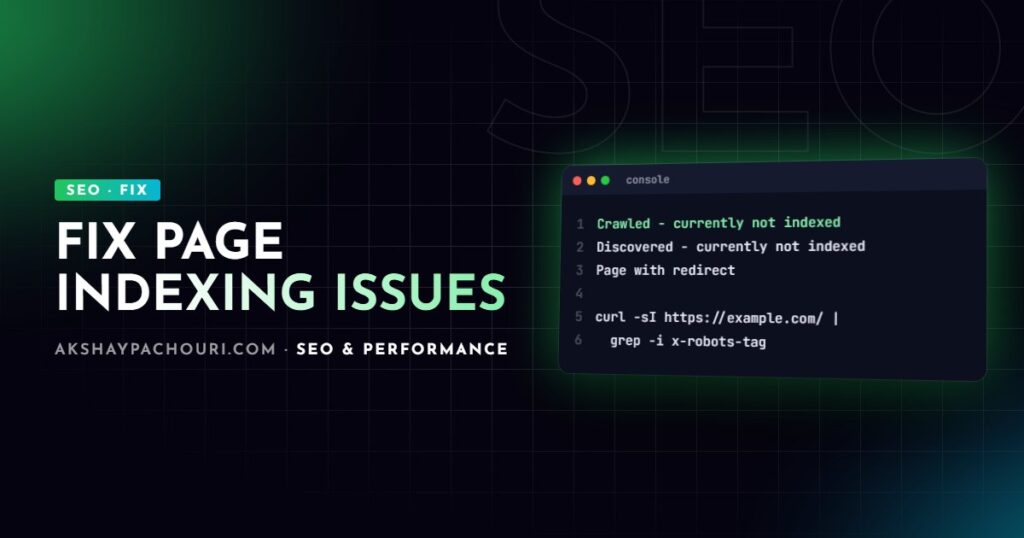
You open the Page indexing report in Google Search Console and see a long list of reasons pages aren’t indexed: Crawled - currently not indexed, Discovered - currently not indexed, Duplicate without user-selected canonical, Alternate page with proper canonical tag, Page with redirect and Excluded by 'noindex' tag. Some of these Search Console page indexing issues are real problems; many are Google working exactly as intended. This guide explains what each one means and what, if anything, to do.
Quick fix
The most common mistake is trying to “fix” every non-indexed URL. Most sites should have plenty of them. Triage first:
- Click each reason in the report and export the example URLs.
- Ask one question per URL: should this page be in Google? Redirected URLs, parameter variants, feeds, admin pages and duplicates should not.
- Ignore groups where the answer is no. They are working as designed.
- For important URLs that are excluded, run URL Inspection, check the live test, fix the cause listed below, then click Request indexing.
- Make sure your XML sitemap lists only URLs you want indexed, so the “submitted” view reflects real problems.
Filter the report to your sitemap (the dropdown at the top of the page) to see only issues affecting URLs you’ve told Google you care about.
Causes by status, most to least common
Page with redirect
The URL redirects elsewhere, so Google indexes the destination instead. This is almost always fine: old URLs after a migration, http to https, or www to non-www. Act only if a redirect is unintended or your sitemap or internal links still point at redirecting URLs. Update those to the final URL.
Alternate page with proper canonical tag
The page declares a different URL as canonical, and Google agreed. Typical examples are parameter URLs (?utm_source=…, ?orderby=price) or AMP and print versions. No action is needed, unless the URL listed is one you wanted indexed, in which case its canonical tag is pointing in the wrong direction.
Excluded by ‘noindex’ tag
Google found a noindex directive, in either a meta tag or an HTTP header. Fine for thank-you pages, internal search, tag archives you’ve deliberately noindexed or account pages. A serious problem if important pages are listed. Check both places:
curl -s https://example.com/page/ | grep -i 'name="robots"'
curl -sI https://example.com/page/ | grep -i x-robots-tag
On WordPress, check Settings → Reading → Discourage search engines and your SEO plugin’s per-post and per-taxonomy settings.
Duplicate without user-selected canonical
Google thinks the page duplicates another one, and the page has no canonical tag, so Google chose a canonical itself. Use URL Inspection to see “Google-selected canonical”. Fix by adding self-referencing canonicals on every indexable template, redirecting variants that shouldn’t exist, and making genuinely similar pages more distinct.
<link rel="canonical" href="https://example.com/services/wordpress-development/">A related status, “Duplicate, Google chose different canonical than user”, means you set a canonical but Google ignored it, usually because internal links, sitemaps or redirects send conflicting signals.
Crawled – currently not indexed
Google fetched the page and decided not to index it, at least for now. There is no technical error; it is a quality and value judgement. Common reasons are thin content, near-duplicates of other pages, auto-generated or templated pages with little unique text, and pages with few internal links signalling importance. Some URLs here are harmless, like paginated archives or feeds.
For pages you care about: improve the content so it clearly answers something better than existing results, consolidate overlapping pages, and link to them from relevant, well-linked pages. Requesting indexing repeatedly without changing anything rarely helps.
Discovered – currently not indexed
Google knows the URL exists but hasn’t crawled it yet. On small sites this is often temporary for new content. When it persists across many URLs, Google is either deprioritising crawling (too many low-value URLs competing for attention) or the server has been slow or erroring, so Google backed off. Fix by reducing low-value URLs (parameter and faceted URLs, thin tag pages), improving internal links to important pages and checking server response times in Crawl stats.
The cause experienced developers miss: rendered output differs from source
Sometimes the raw HTML is fine but the rendered page is not. A JavaScript framework replaces the canonical with the wrong URL, a client-side error renders an empty shell, a consent or geo-redirect script sends Googlebot elsewhere, or a CDN serves a cached version with a stale noindex from a staging deploy. These show up as unexpected “Duplicate”, “noindex” or “Crawled – currently not indexed” statuses on pages that look perfect in your browser. Always check what Google rendered, not what you see.
Step-by-step diagnosis
- Inspect one representative URL with URL Inspection. Note the crawl date, user-declared canonical, Google-selected canonical and whether indexing is allowed.
- Run the live test and click View tested page. Compare the rendered HTML with your source: title, canonical, robots meta, main content.
- Check HTTP headers from outside your network, so CDN behaviour is included:
curl -sI -A "Mozilla/5.0 (compatible; Googlebot/2.1; +http://www.google.com/bot.html)"
https://example.com/page/ | grep -iE "^HTTP|location|x-robots-tag|link:"- Check the sitemap contains the URL exactly as canonicalised (protocol, host, trailing slash).
- Check internal links with a crawler: how many links point to the page and from where?
- Find the pattern. If many URLs share a status, the cause is usually a template, plugin setting or URL parameter, not individual pages.
- Fix, then validate. Click Validate fix on the issue in the report. Validation can take days to weeks, and the report itself lags behind reality.
For WordPress sites, a sitemap that leaks unwanted URLs is a common source of noise. This Yoast filter removes a taxonomy from it:
<?php
// Exclude tag archives from the Yoast SEO sitemap.
add_filter( 'wpseo_sitemap_exclude_taxonomy', function ( $excluded, $taxonomy ) {
    return 'post_tag' === $taxonomy ? true : $excluded;
}, 10, 2 );
Prevention
- Output a self-referencing canonical on every indexable page, generated from one source of truth.
- Keep sitemaps limited to canonical, indexable, 200-status URLs.
- Block staging environments with authentication, not just
noindex, so a copied config never ships to production. - Add a deploy check that fails if the production home page contains
noindex. - Avoid publishing large numbers of thin, templated pages; quality signals are judged across the site.
- Review the Page indexing report monthly, with the sitemap filter applied.
# GitHub Actions step: fail the deploy if production is noindexed
- name: Check production is indexable
  run: |
    if curl -s https://example.com/ | grep -qi 'content="noindex'; then
      echo "Production home page contains noindex"; exit 1
    fi
For a wider review of crawl and index health, work through my technical SEO audit checklist. On Next.js sites, the Next.js technical SEO checklist covers framework-specific canonical and metadata pitfalls.
Key takeaways
- Not every non-indexed URL is a problem; triage by asking whether the page should be in Google at all.
- “Page with redirect” and “Alternate page with proper canonical tag” are usually Google working correctly.
- “Excluded by ‘noindex’ tag” on important pages is urgent; check both meta tags and
X-Robots-Tagheaders. - “Crawled – currently not indexed” is a quality judgement; improve and consolidate content rather than resubmitting.
- “Discovered – currently not indexed” at scale points to crawl prioritisation or server capacity.
- Always compare Google’s rendered page with your source using URL Inspection.
Frequently asked questions
How long does it take Google to index a page after fixing an issue?
It varies from days to several weeks depending on the site and how often Google crawls it. Requesting indexing in URL Inspection can speed up individual important pages, but it doesn’t guarantee indexing.
Should I worry about “Crawled – currently not indexed”?
Only if the URLs listed are pages you want ranking. In that case, improve their content and internal linking, since Google has seen them and judged them not worth indexing yet.
Why does Search Console show URLs I’ve never heard of?
Google discovers URLs from links anywhere, including parameters, old pages, spam links and plugin-generated archives. If they shouldn’t exist, return a 404 or 410, or redirect them; if they are variants, canonicalise them.
Does “Validate fix” make Google index my pages faster?
Validation asks Google to recheck the affected URLs and track progress, which can prompt recrawling. It does not force indexing, and pages that don’t meet Google’s quality threshold will remain excluded.
If important pages are stuck out of Google’s index and you want someone to find the cause, get in touch and I’ll diagnose and fix it with you.