Great content can’t rank if search engines can’t crawl it, can’t index it, or can’t work out which version of a page is the real one. A technical SEO audit checks the plumbing: crawlability, indexability, duplication, internal links, structured data, performance and rendering. This is the checklist I work through, in order, with the commands and tools I use at each step.
Work top to bottom. Problems higher up the list block everything below them; there’s no point optimising Core Web Vitals on pages Google isn’t allowed to crawl.
1. Set up your audit tools
- Google Search Console: the page indexing report, sitemaps, Core Web Vitals, URL Inspection and crawl stats. This is Google’s own view of your site.
- A crawler: Screaming Frog SEO Spider (free up to a URL limit) or a similar tool such as Sitebulb. Crawl with JavaScript rendering both off and on, to compare.
- PageSpeed Insights for field and lab performance data.
- Server access logs if you can get them, for the crawl analysis in step 9.
- Bing Webmaster Tools as a second opinion; it often surfaces different issues.
2. Crawlability: robots.txt, sitemaps and status codes
robots.txt
Check /robots.txt for accidental blocks. The classic disaster is a staging Disallow: / that went live. Also make sure you’re not blocking CSS or JavaScript files Google needs to render pages.
User-agent: *
Disallow: /wp-admin/
Allow: /wp-admin/admin-ajax.php
Disallow: /cart/
Disallow: /checkout/
Disallow: /*?s=

Sitemap: https://example.com/sitemap_index.xml
Remember that Disallow blocks crawling, not indexing. A blocked URL can still be indexed (without content) if other pages link to it. To keep a page out of the index, it must be crawlable and carry noindex.
XML sitemaps
- Include only canonical, indexable URLs returning 200. No redirects, no noindexed pages, no parameter duplicates.
- Submit sitemaps in Search Console and compare “submitted” against “indexed”.
- Use accurate
lastmodvalues; Google uses them when they are consistently reliable.
Status codes and redirect chains
In your crawl, filter by status code. Look for internal links to 404s, 5xx errors, soft 404s (thin “not found” pages returning 200) and redirect chains, where URL A redirects to B, which redirects to C. Each hop wastes crawl effort and adds latency. Point internal links and redirects straight to the final URL.
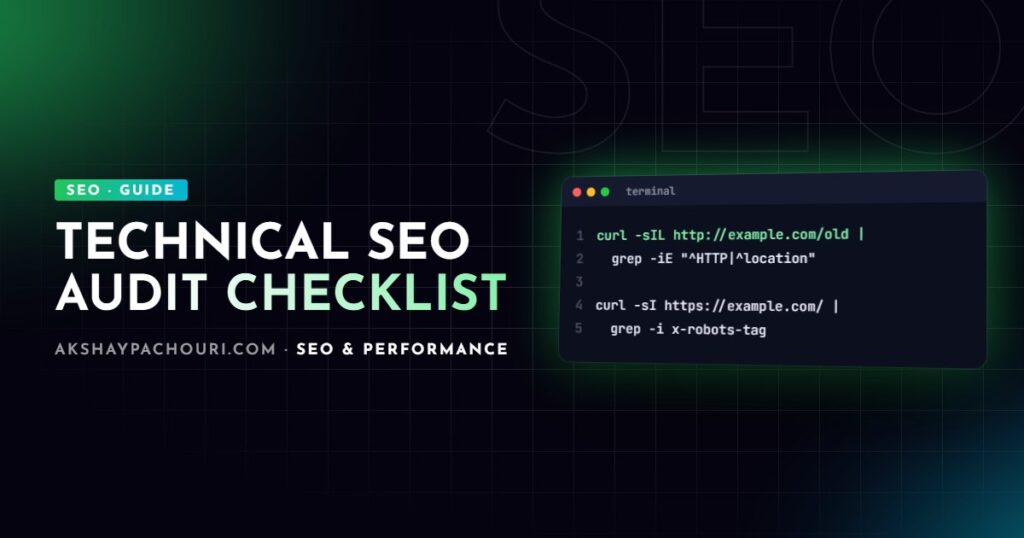
# Follow a redirect chain and print every hop
curl -sIL http://example.com/old-page | grep -iE "^HTTP|^location"
# Single-hop redirects: http and www to https non-www in one step
server {
listen 80;
server_name example.com www.example.com;
return 301 https://example.com$request_uri;
}3. Indexability: canonicals and noindex
For every important template (home, category, product, article), check:
- The page returns 200.
- No
noindexin the meta robots tag or in anX-Robots-TagHTTP header. - A self-referencing canonical with the absolute, preferred URL (https, correct host, consistent trailing slash).
- The canonical in the rendered HTML matches the one in the raw HTML; JavaScript frameworks sometimes change it.
<link rel="canonical" href="https://example.com/blog/technical-seo-audit/">
<meta name="robots" content="index, follow">
# Check for a noindex sent as an HTTP header
curl -sI https://example.com/some-page/ | grep -i x-robots-tagThen use the Search Console page indexing report to see what Google actually did. Each status there has a different meaning and fix, which I cover in detail in fixing Search Console page indexing issues.
4. Duplicate content
Duplicates split signals and waste crawl budget. Common technical sources:
- Protocol and host variants: http vs https, www vs non-www. All but one should 301 to the preferred version.
- Trailing slash and case variants:
/pagevs/page/vs/Page/. - Parameters: sorting, filtering, tracking and session IDs creating unlimited URL variations.
- CMS archives: WordPress tag, author, date and attachment pages duplicating the same posts.
- Pagination and faceted navigation on e-commerce category pages.
- Staging sites left publicly accessible and indexable.
Fix with redirects where a URL should not exist, canonicals where variants must exist for users, and noindex on thin archive pages. In your crawler, check for duplicate titles, meta descriptions and near-duplicate content.
5. Internal linking and site architecture
Internal links tell search engines which pages matter and how topics relate. In the crawl, check:
- Crawl depth: important pages should be reachable within a few clicks of the home page.
- Orphan pages: URLs in your sitemap or analytics with no internal links pointing to them. Compare crawl results against the sitemap to find them.
- Links to redirects and 404s, which should be updated to the final URL.
- Anchor text that describes the target page rather than “click here”.
- Crawlable links: real
<a href>elements. Links that only work via JavaScript click handlers may not be followed.
6. Structured data
Run key templates through the Rich Results Test and check Search Console’s enhancement reports for errors. Make sure markup matches visible content, prices and availability are current, and entities like Organization and WebSite are consistent across pages. My schema markup JSON-LD guide covers building a clean, connected graph.
7. Core Web Vitals and mobile
Google uses mobile-first indexing, so the mobile version of each page is what gets evaluated. Check:
- The Core Web Vitals report in Search Console for LCP, INP and CLS by URL group, using field data from real users.
- Representative templates in PageSpeed Insights to diagnose causes.
- That mobile pages contain the same content, links, structured data and meta tags as desktop.
- A correct viewport meta tag, readable font sizes and adequately sized tap targets.
<meta name="viewport" content="width=device-width, initial-scale=1">Performance problems are usually template-level, so fixing one template often improves thousands of URLs at once.
8. JavaScript rendering
Google renders JavaScript, but rendering is an extra step, and other crawlers and AI tools often don’t execute it at all. For JavaScript-heavy sites, compare:
- Raw HTML (view-source or a crawl with rendering off).
- Rendered HTML (URL Inspection → View crawled page, or a crawl with rendering on).
If titles, canonicals, main content or internal links only appear after rendering, you depend on Google’s renderer getting it right. Server-side rendering or static generation removes that risk. Also watch for content that loads only on scroll or click, since Googlebot doesn’t interact with the page, and for routes that return 200 with a client-rendered “not found” message instead of a real 404. For Next.js-specific checks, see my Next.js technical SEO checklist.
9. Log file analysis
Server logs show what search engine crawlers actually request, rather than what you assume they request. They reveal crawl budget wasted on parameter URLs, important pages Googlebot rarely visits, and errors that only bots hit.
# Top URLs requested by Googlebot (combined log format)
grep "Googlebot" access.log
  | awk '{print $7}'
  | sort | uniq -c | sort -rn | head -50

# Status codes returned to Googlebot
grep "Googlebot" access.log | awk '{print $9}' | sort | uniq -c
User-agent strings can be spoofed, so verify real Googlebot traffic with a reverse DNS lookup, or against the IP ranges Google publishes, before drawing conclusions. Search Console’s crawl stats report is a lighter-weight alternative when you have no log access.
10. Prioritise and report
An audit is only useful if it leads to fixes. Group findings by impact and effort:
- Critical: anything blocking crawling or indexing of important pages, such as robots.txt blocks, stray noindex tags, wrong canonicals or server errors.
- High: template-level issues across many URLs, such as duplicate content, redirect chains, broken internal links, poor Core Web Vitals.
- Medium and low: individual pages, missing alt text, minor structured data warnings.
Write each finding with the affected URLs, why it matters, the exact fix and how to verify it. Re-crawl after fixes, and keep monitoring Search Console to confirm Google picked them up.
Key takeaways
- Audit in order: crawlability, indexability, duplication, then everything else.
- robots.txt controls crawling, not indexing; use
noindexon crawlable pages to keep them out of the index. - Sitemaps should list only canonical, indexable 200 URLs, and redirects should be single-hop.
- Compare raw and rendered HTML on JavaScript sites; critical SEO elements belong in the initial HTML.
- Use logs or crawl stats to see what Googlebot actually does.
- Prioritise template-level fixes that affect many URLs at once.
Frequently asked questions
How often should I run a technical SEO audit?
Run a full audit at least once or twice a year and after any redesign, migration or platform change. Monitor Search Console continuously in between so new problems are caught early.
Which tools do I need for a technical SEO audit?
Google Search Console and a crawler like Screaming Frog cover most of the work, with PageSpeed Insights for performance. Server log access adds valuable insight on larger sites.
Should I block pages with robots.txt or noindex?
Use noindex when you want a page kept out of search results, because Google must crawl the page to see the tag. Use robots.txt to stop crawling of URLs that waste crawl budget, such as internal search results.
Does crawl budget matter for small sites?
For most sites with a few thousand pages, crawl budget is rarely the limiting factor. It matters more for large or e-commerce sites where parameters and faceted navigation create huge numbers of URLs.
If you’d like an expert technical SEO audit with a prioritised fix list, or help implementing the fixes, get in touch and tell me about your site.