Three.js shadows not working is rarely one bug; shadows need several switches turned on in the right places, and missing any of them gives you no shadow and no error. The other common symptoms are shadows cut off at a hard edge, striped “shadow acne” across lit surfaces, or shadows that float away from objects. This guide covers the quick fix, then every cause from renderer.shadowMap.enabled to frustum sizing, bias and material choice.
Quick fix
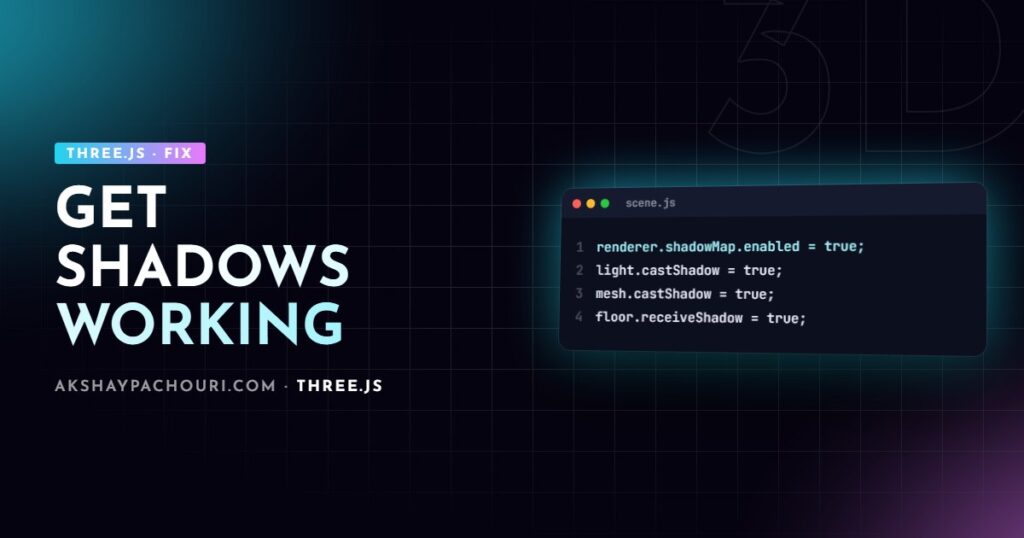
Shadows need four things: the renderer, the light, the casting mesh and the receiving mesh. Check all four:
// 1. renderer
renderer.shadowMap.enabled = true;
renderer.shadowMap.type = THREE.PCFShadowMap;

// 2. a light type that supports shadows
const sun = new THREE.DirectionalLight(0xffffff, 3);
sun.position.set(5, 10, 5);
sun.castShadow = true;
scene.add(sun);

// 3. objects that cast
model.traverse((o) => {
  if (o.isMesh) o.castShadow = true;
});

// 4. objects that receive, with a lit material
const floor = new THREE.Mesh(
  new THREE.PlaneGeometry(20, 20),
  new THREE.MeshStandardMaterial({ color: 0xdddddd })
);
floor.rotation.x = -Math.PI / 2;
floor.receiveShadow = true;
scene.add(floor);
If shadows still do not appear, the next most likely cause is the shadow camera frustum not covering your objects; add a CameraHelper (shown below) to see it.
Causes, from most to least common
1. A missing switch
Each of these is off by default: renderer.shadowMap.enabled, light.castShadow, mesh.castShadow and mesh.receiveShadow. Setting castShadow on a loaded glTF’s root does nothing for its meshes; the flags are per mesh, so traverse the model as shown above. In React Three Fiber, add the shadows prop to <Canvas> and set castShadow/receiveShadow on meshes and the light.
2. A light that cannot cast shadows
Only DirectionalLight, SpotLight and PointLight cast shadows. AmbientLight and HemisphereLight light everything uniformly from no particular direction, so there is nothing to cast. RectAreaLight does not support shadow maps either. If your scene is lit only by an ambient light or an environment map, add a directional light for the shadow, even at modest intensity.
3. The shadow camera frustum is too small, too large or in the wrong place
A directional light renders its shadow map through an orthographic camera. By default it covers a fixed box around the light’s target, which may be far smaller or larger than your scene. Too small and shadows are cut off at a hard line or missing; too large and they become blurry and blocky because the same texture is stretched over a bigger area.
const cam = sun.shadow.camera;
cam.left = -6;
cam.right = 6;
cam.top = 6;
cam.bottom = -6;
cam.near = 0.5;
cam.far = 30;
cam.updateProjectionMatrix();

scene.add(new THREE.CameraHelper(cam)); // visualise it while debugging
Fit the box tightly around the objects that need shadows. A directional light points at sun.target, which defaults to the origin. If you move the target, add it to the scene (scene.add(sun.target)) so its matrix updates; otherwise the light keeps aiming at the origin.
For a SpotLight, the shadow camera’s field of view follows the light’s angle, so check the cone actually covers the object. For a PointLight, check light.shadow.camera.near and far against the distances involved.
4. Shadow acne and peter-panning (bias and normalBias)
Shadow acne is a striped or moiré pattern across lit surfaces, caused by a surface shadowing itself due to limited shadow-map precision. Peter-panning is the opposite: shadows detach and float away from the object’s base because the bias is too large.
sun.shadow.bias = -0.0005;      // shifts depth comparison; small values only
sun.shadow.normalBias = 0.02;   // offsets along the surface normal; good for curved surfaces
Tune these together, in small steps, while looking at both a flat floor and a curved object. normalBias often removes acne on curved surfaces with less peter-panning than bias alone. A tighter shadow frustum also reduces acne, because each shadow texel covers less space.
5. Shadow map resolution (mapSize)
Blocky, jagged shadow edges usually mean the shadow map is too low resolution for the area it covers.
sun.shadow.mapSize.set(2048, 2048);  // power of two
sun.shadow.radius = 4;               // softening; depends on shadowMap.type
Higher resolution costs GPU memory and fill rate, so fix the frustum size first and only raise mapSize if needed. If you change mapSize after the first render, dispose the old map (sun.shadow.map?.dispose(); sun.shadow.map = null;) so it is recreated. How radius behaves depends on the shadow map type, and recent releases have been revising the soft shadow types, so check the WebGLRenderer.shadowMap docs for your version.
6. A material that ignores lighting
MeshBasicMaterial is unlit, so it does not display received shadows. Use MeshStandardMaterial, MeshPhysicalMaterial, MeshLambertMaterial or MeshPhongMaterial on receivers. If you want only the shadow on an invisible ground (a “shadow catcher” under a product), use ShadowMaterial:
const catcher = new THREE.Mesh(
  new THREE.PlaneGeometry(10, 10),
  new THREE.ShadowMaterial({ opacity: 0.3 })
);
catcher.rotation.x = -Math.PI / 2;
catcher.receiveShadow = true;
scene.add(catcher);
7. The less obvious ones
- Frozen shadow maps. If
renderer.shadowMap.autoUpdatewas set tofalsefor performance, shadows do not move with objects until you setrenderer.shadowMap.needsUpdate = true. - Cut-out textures casting solid shadows. Leaves, fences and decals with alpha cast rectangular shadows unless the material uses
alphaTest(for example0.5), which the shadow pass respects. - Custom shaders. A
ShaderMaterialdoes not receive shadows unless you include the shadow chunks, and vertex-displaced meshes need a matchingcustomDepthMaterialfor their shadow to follow. - Single-sided thin geometry. Planes and leaves may cast no shadow from some angles; check
material.shadowSide. - Scale. A model in millimetres (thousands of units) needs a frustum and bias scaled to match; default values are tuned for scenes around a few units.
Step-by-step diagnosis
- Log
renderer.shadowMap.enabledandlight.castShadow, and confirm the light is a Directional, Spot or Point light. - Traverse the scene and log meshes with
castShadowandreceiveShadowto confirm the flags actually landed on the meshes, not just their parents. - Add a
CameraHelperforlight.shadow.cameraand check that it encloses the casters and receivers. - Swap the receiving material for a plain
MeshStandardMaterialto rule out material issues. - If shadows show but look wrong, adjust
bias/normalBiasfor acne or floating, and frustum ormapSizefor blockiness.
Prevention
- Wrap model loading in a helper that sets shadow flags per mesh, so every model gets them consistently.
- Size the shadow frustum from the bounding box of the content (
Box3.setFromObject) instead of hard-coding numbers. - Use one shadow-casting light; each one adds a full extra render pass, and point lights render six.
- For static product shots, consider baked shadows or a pre-rendered shadow texture on a plane; it is cheaper and often softer. My Three.js performance optimization guide covers the cost of real-time shadows, and if colours look flat once shadows work, see fixing washed-out colours in Three.js.
Key takeaways
- Shadows need the renderer, light, caster and receiver all enabled, and glTF meshes need the flags set on each mesh.
- Ambient, hemisphere and rect area lights do not cast shadow maps; use directional, spot or point lights.
- Fit the shadow camera tightly and visualise it with
CameraHelper. - Fix acne and floating shadows with small
biasandnormalBiasadjustments. MeshBasicMaterialcannot show shadows; use a lit material orShadowMaterial.
Frequently asked questions
Why are there no shadows in my Three.js scene?
Usually one of the required flags is off: renderer.shadowMap.enabled, light.castShadow, mesh.castShadow or mesh.receiveShadow. Also confirm you are using a directional, spot or point light, because ambient light cannot cast shadows.
Why is my Three.js shadow cut off?
The directional light’s orthographic shadow camera does not cover the whole object. Increase its left, right, top and bottom bounds and call updateProjectionMatrix, using a CameraHelper to check the result.
How do I fix shadow acne in Three.js?
Set a small negative shadow.bias, add a small shadow.normalBias, and tighten the shadow frustum so each texel covers less area. Adjust in small steps to avoid shadows detaching from objects.
Can a glTF model cast shadows in Three.js?
Yes, but the castShadow and receiveShadow flags must be set on each mesh inside the model, so traverse gltf.scene and set them where isMesh is true.
Shadows still misbehaving, or need a scene that looks good and runs well on phones? Get in touch and I can help.