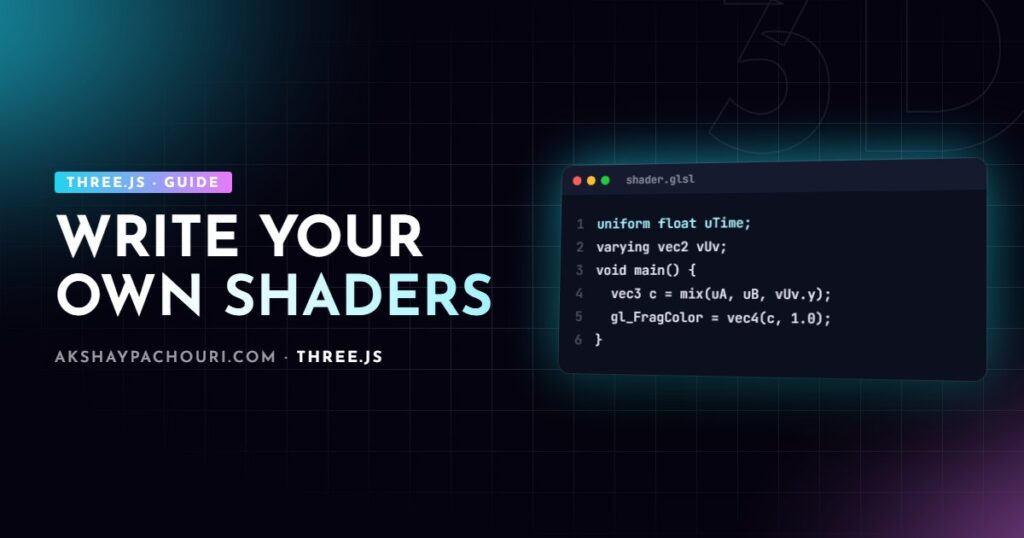
Built-in materials cover a lot, but sooner or later you need a gradient, a dissolve effect or a vertex wobble they cannot do. This Three.js custom shader guide walks through ShaderMaterial and RawShaderMaterial, uniforms and varyings, a complete animated gradient, extending built-in materials with onBeforeCompile, and where TSL fits in for WebGPU.
How shaders fit into a Three.js material
Every material in Three.js compiles to a pair of GLSL programs that run on the GPU:
- The vertex shader runs once per vertex. Its job is to output
gl_Position, the vertex position in clip space. It can also move vertices and pass data on to the fragment shader. - The fragment shader runs once per pixel (fragment) the triangle covers and outputs a colour.
Data reaches shaders in three ways. Attributes are per-vertex values from the geometry (position, normal, uv). Uniforms are values that are the same for every vertex and pixel in a draw call (time, colours, textures). Varyings are values the vertex shader writes and the GPU interpolates across the triangle for the fragment shader.
ShaderMaterial vs RawShaderMaterial
Both let you write your own GLSL. The difference is how much Three.js injects for you.
| ShaderMaterial | RawShaderMaterial | |
|---|---|---|
Built-in uniforms (projectionMatrix, modelViewMatrix, cameraPosition…) |
Declared for you | You declare the ones you use |
Built-in attributes (position, uv, normal) |
Declared for you | You declare them |
| Precision and defines | Added for you | You write them |
#include shader chunks |
Available | Not available |
I use ShaderMaterial almost always. RawShaderMaterial is useful when porting a shader from another engine or when you want complete control over the source, for example to write GLSL ES 3.0 with explicit in/out declarations.
// RawShaderMaterial vertex shader: everything declared by hand
precision highp float;

uniform mat4 projectionMatrix;
uniform mat4 modelViewMatrix;
attribute vec3 position;
attribute vec2 uv;
varying vec2 vUv;

void main() {
  vUv = uv;
  gl_Position = projectionMatrix * modelViewMatrix * vec4(position, 1.0);
}
Uniforms and varyings in practice
Uniforms are passed as an object of { value } wrappers. The wrapper matters: you update uniforms.uTime.value, and Three.js uploads the new value on the next render. Supported value types include numbers, THREE.Vector2/3/4, THREE.Color, THREE.Matrix3/4, textures and arrays of these.
const uniforms = {
  uTime:   { value: 0 },
  uColorA: { value: new THREE.Color('#1e3a8a') },
  uColorB: { value: new THREE.Color('#f472b6') },
  uMap:    { value: texture },            // sampler2D
  uMouse:  { value: new THREE.Vector2() },
};
The names in this object must match the uniform declarations in your GLSL exactly, including type. A mismatch does not throw; the uniform simply stays at zero, which is one of the most common reasons a custom shader renders black.
Varyings need no JavaScript at all. Declare the same varying in both shaders, write it in the vertex shader, read it in the fragment shader.
Building a gradient shader step by step
Here is a complete vertical gradient between two colours, using the UV coordinates as the interpolation factor.
// gradient.vert
varying vec2 vUv;

void main() {
  vUv = uv;
  gl_Position = projectionMatrix * modelViewMatrix * vec4(position, 1.0);
}
// gradient.frag
uniform vec3 uColorA;
uniform vec3 uColorB;
uniform float uTime;
varying vec2 vUv;
void main() {
// a gentle wave along the gradient boundary
float t = vUv.y + sin(vUv.x * 6.2831 + uTime) * 0.08;
vec3 color = mix(uColorA, uColorB, smoothstep(0.0, 1.0, t));
gl_FragColor = vec4(color, 1.0);
#include <tonemapping_fragment>
#include <colorspace_fragment>
}import * as THREE from 'three';
import vertexShader from './gradient.vert?raw'; // Vite raw import
import fragmentShader from './gradient.frag?raw';
const material = new THREE.ShaderMaterial({
uniforms,
vertexShader,
fragmentShader,
});
const mesh = new THREE.Mesh(new THREE.PlaneGeometry(2, 2, 64, 64), material);
scene.add(mesh);The two #include lines at the end are the part people miss. Since the colour management changes around r152, Three.js works in linear colour space and converts to sRGB on output. Built-in materials do that conversion inside their shaders; a ShaderMaterial does not unless you include colorspace_fragment (older versions used encodings_fragment). Without it, your gradient looks darker and more saturated than the hex codes you picked. tonemapping_fragment applies the renderer’s tone mapping only if you set toneMapped: true on the material (the default) and a tone mapping mode on the renderer. My guide to fixing washed-out colours in Three.js covers the colour pipeline in more detail.
Time-based animation
To animate, update the time uniform every frame. setAnimationLoop passes a timestamp in milliseconds, which avoids managing a separate clock:
renderer.setAnimationLoop((timeMs) => {
  material.uniforms.uTime.value = timeMs / 1000;
  renderer.render(scene, camera);
});
Vertex animation works the same way. Moving vertices in the vertex shader is far cheaper than updating a BufferGeometry from JavaScript every frame, because nothing is re-uploaded:
uniform float uTime;
varying vec2 vUv;

void main() {
  vUv = uv;
  vec3 p = position;
  p.z += sin(p.x * 3.0 + uTime) * cos(p.y * 3.0 + uTime) * 0.15;
  gl_Position = projectionMatrix * modelViewMatrix * vec4(p, 1.0);
}
Remember that the plane needs enough segments for this to look smooth; a PlaneGeometry(2, 2) with one segment has only four vertices to move. Also note that displacing vertices does not update normals, so lighting will not follow the new shape unless you recompute normals in the shader.
Extending built-in materials with onBeforeCompile
Writing lighting, shadows and PBR from scratch is a lot of work. Often you want MeshStandardMaterial with one small change. onBeforeCompile gives you the generated shader source just before compilation so you can patch it.
const material = new THREE.MeshStandardMaterial({ color: '#8ecae6', roughness: 0.4 });
const custom = { uTime: { value: 0 } };

material.onBeforeCompile = (shader) => {
  shader.uniforms.uTime = custom.uTime;   // share the same object

  shader.vertexShader = shader.vertexShader
    .replace('#include <common>', '#include <common>nuniform float uTime;')
    .replace(
      '#include <begin_vertex>',
      `#include <begin_vertex>
       transformed.y += sin(position.x * 4.0 + uTime) * 0.1;`
    );
};

renderer.setAnimationLoop((t) => {
  custom.uTime.value = t / 1000;
  renderer.render(scene, camera);
});
The technique relies on chunk names such as begin_vertex, color_fragment and output_fragment/opaque_fragment, which are internal and occasionally renamed between releases. Pin your Three.js version and check the ShaderChunk source when you upgrade. Two other gotchas:
- Program caching. Three.js caches compiled programs. If two materials of the same type get different patches, override
material.customProgramCacheKeyto return a unique string, or they may share the wrong program. - Shadows. Shadow maps are rendered with a separate depth material. If you displace vertices, the shadow will not move unless you assign a patched
customDepthMaterial(andcustomDistanceMaterialfor point lights).
Debugging custom shaders
- Read the console. Compilation errors include the line number and the full generated source. Search for the line it reports.
- Output intermediate values as colour.
gl_FragColor = vec4(vUv, 0.0, 1.0);immediately shows whether UVs arrive correctly. - Check types. GLSL has no implicit int-to-float conversion; write
1.0, not1. - Watch transparency. If you output alpha below 1, set
transparent: trueon the material, and considerdepthWriteand render order.
Shader cost scales with the number of pixels covered, so a heavy fragment shader on a full-screen plane is expensive on high-DPI phones. The general advice in my Three.js performance optimization guide applies.
A note on TSL and node materials for WebGPU
Three.js now also has TSL (Three Shading Language), a JavaScript-based node system used with node materials such as MeshStandardNodeMaterial. You compose shader logic from functions, and Three.js generates WGSL for WebGPU or GLSL for the WebGL fallback. The same gradient looks like this:
import * as THREE from 'three/webgpu';
import { color, mix, uv, sin, time, smoothstep } from 'three/tsl';

const material = new THREE.MeshBasicNodeMaterial();
const t = uv().y.add(sin(uv().x.mul(6.2831).add(time)).mul(0.08));
material.colorNode = mix(color('#1e3a8a'), color('#f472b6'), smoothstep(0, 1, t));
GLSL ShaderMaterial does not run on WebGPURenderer, so if you are planning a WebGPU migration, new effects are worth writing in TSL. I cover the setup in my Three.js WebGPU getting started guide.
Key takeaways
- Use
ShaderMaterialfor most custom shaders;RawShaderMaterialonly when you want to declare everything yourself. - Uniform names and types must match between JavaScript and GLSL, and you update them through
.value. - Include
tonemapping_fragmentandcolorspace_fragmentat the end of fragment shaders so colours match built-in materials. - Animate with a time uniform and move vertices in the vertex shader instead of rewriting geometry in JavaScript.
onBeforeCompilelets you extend PBR materials, but it depends on internal chunk names and needs care with caching and shadows.
Frequently asked questions
Why does my Three.js ShaderMaterial render black?
Usually a uniform name or type does not match the GLSL declaration, a texture has not finished loading, or the shader failed to compile and the error is in the console. Output vUv as a colour to confirm the pipeline works, then add your logic back.
Why do my shader colours look different from MeshBasicMaterial?
Your fragment shader is probably missing the colorspace_fragment include, so linear values are displayed without the sRGB conversion that built-in materials perform. Add tonemapping_fragment and colorspace_fragment at the end of main.
Can I use GLSL ShaderMaterial with WebGPURenderer?
No, WebGPURenderer uses node materials and TSL, so GLSL ShaderMaterial and onBeforeCompile patches do not carry over. Keep them on WebGLRenderer or port the logic to TSL.
Is onBeforeCompile safe to use in production?
Yes, many production projects use it, but it patches internal shader chunks that can change between releases. Pin your Three.js version and retest custom materials whenever you upgrade.
Need a custom visual effect or material that the built-in options cannot deliver? Tell me about your project and let’s work out the best approach.