Headless WordPress with Next.js gives editors the admin they already know while you get a fast, modern React front end, but it also moves a lot of work that WordPress used to do for free onto your plate. This guide covers how I wire up headless WordPress and the Next.js App Router: choosing between REST and WPGraphQL, fetching with cache tags, on-demand revalidation when content changes, previews, images, SEO metadata, authentication and the honest trade-offs.
When headless WordPress makes sense
Go headless when the front end needs things a theme makes awkward: a React application shell, shared components with other apps, heavy interactivity, or content delivered to several front ends at once. Do not go headless just for speed. A well-built traditional theme with good caching can be very fast. Headless means you rebuild routing, previews, SEO output, forms, search and anything plugins render on the front end.
REST API vs WPGraphQL
WordPress ships with the REST API, so it works with zero setup. Its downsides are over-fetching and multiple round trips: a post, its author, featured image and categories may need _embed or several calls. You can trim responses with _fields:
curl "https://cms.example.com/wp-json/wp/v2/posts?slug=hello-world&_embed&_fields=id,slug,title,content,date,_links,_embedded"WPGraphQL is a plugin that adds a single /graphql endpoint where you request exactly the fields you need, including related data, in one query. It has a strong ecosystem with extensions for ACF and SEO plugins. My rule of thumb: REST for small sites or when you already have custom REST endpoints (see my guide to WordPress REST API custom endpoints), WPGraphQL for content-heavy sites with nested relationships. The rest of this guide uses REST to keep the examples dependency-free; the caching patterns are identical for GraphQL.
Fetching content with cache tags
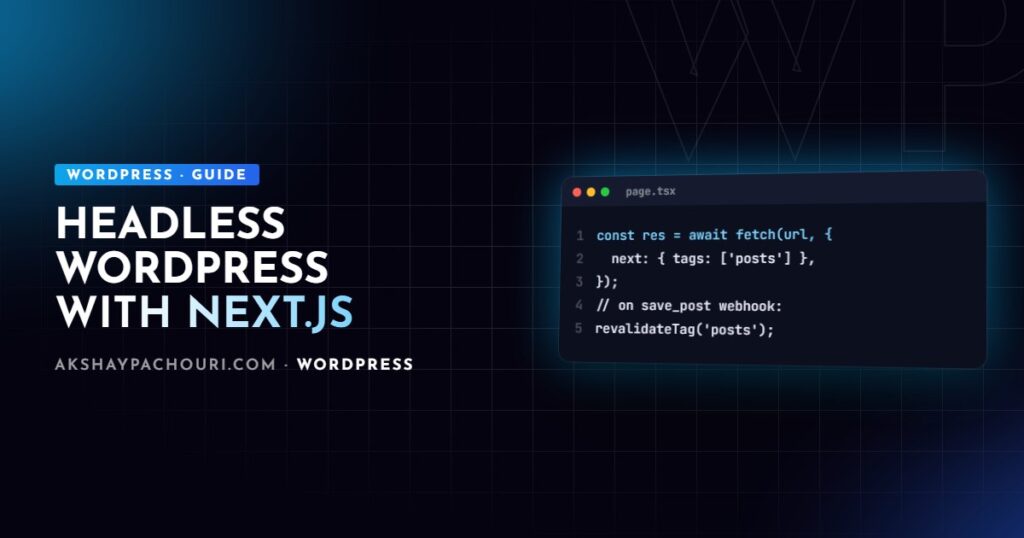
Create a small data layer so every request is tagged consistently. Tags let you invalidate exactly what changed instead of rebuilding everything:
// lib/wp.ts
const WP_URL = process.env.WP_URL!; // e.g. https://cms.example.com

export type WPPost = {
  id: number;
  slug: string;
  title: { rendered: string };
  content: { rendered: string };
  excerpt: { rendered: string };
  date: string;
  modified: string;
};

async function wpFetch<T>(path: string, tags: string[]): Promise<T> {
  const res = await fetch(`${WP_URL}/wp-json/wp/v2${path}`, {
    next: { tags, revalidate: 3600 }, // safety net if a webhook is missed
  });
  if (!res.ok) throw new Error(`WP ${res.status} for ${path}`);
  return res.json() as Promise<T>;
}

export async function getPostBySlug(slug: string) {
  const posts = await wpFetch<WPPost[]>(
    `/posts?slug=${encodeURIComponent(slug)}&_embed`,
    ['posts', `post:${slug}`],
  );
  return posts[0] ?? null;
}

export function getPosts() {
  return wpFetch<WPPost[]>('/posts?per_page=20&_embed', ['posts']);
}
Then use it in a server component. Rendering WordPress HTML with dangerouslySetInnerHTML is acceptable here because the content comes from your own trusted editors, but keep the CMS locked down accordingly.
// app/blog/[slug]/page.tsx
import { notFound } from 'next/navigation';
import { getPostBySlug } from '@/lib/wp';

export default async function PostPage({ params }: { params: Promise<{ slug: string }> }) {
  const { slug } = await params;
  const post = await getPostBySlug(slug);
  if (!post) notFound();

  return (
    <article>
      <h1 dangerouslySetInnerHTML={{ __html: post.title.rendered }} />
      <div dangerouslySetInnerHTML={{ __html: post.content.rendered }} />
    </article>
  );
}
Next.js caching behaviour has changed between major versions, including whether fetch is cached by default and how params is passed, so check the docs for your version. My Next.js App Router caching guide goes deeper.
On-demand revalidation from save_post
Time-based revalidation alone means edits take up to an hour to appear. Instead, have WordPress call a Next.js route handler whenever content changes. First the route handler:
// app/api/revalidate/route.ts
import { revalidateTag } from 'next/cache';
import { NextRequest, NextResponse } from 'next/server';

export async function POST(req: NextRequest) {
  if (req.headers.get('x-revalidate-secret') !== process.env.REVALIDATE_SECRET) {
    return NextResponse.json({ ok: false }, { status: 401 });
  }
  const { slug } = (await req.json()) as { slug?: string };

  revalidateTag('posts');
  if (slug) revalidateTag(`post:${slug}`);

  return NextResponse.json({ ok: true, slug });
}
In recent Next.js versions revalidateTag also accepts a cache profile as a second argument, and calling it with a single argument may be flagged as deprecated; follow the signature documented for your version. Then the WordPress side, in a small plugin:
<?php
add_action( 'save_post_post', function ( $post_id, $post ) {
    if ( wp_is_post_revision( $post_id ) || wp_is_post_autosave( $post_id ) ) {
        return;
    }
    if ( ! in_array( $post->post_status, array( 'publish', 'trash', 'private' ), true ) ) {
        return;
    }

    wp_remote_post( NEXT_REVALIDATE_URL, array(
        'headers'  => array(
            'Content-Type'        => 'application/json',
            'x-revalidate-secret' => NEXT_REVALIDATE_SECRET,
        ),
        'body'     => wp_json_encode( array( 'slug' => $post->post_name ) ),
        'timeout'  => 5,
        'blocking' => false,
    ) );
}, 10, 2 );
Define NEXT_REVALIDATE_URL and NEXT_REVALIDATE_SECRET in wp-config.php. Remember that menus, options and term changes also affect the front end; hook those (for example wp_update_nav_menu) and revalidate the relevant tags too. Changing a slug orphans the old tag, which the time-based fallback eventually cleans up.
Previews and drafts
Editors expect the Preview button to work. Use Next.js Draft Mode: a route handler validates a secret, enables draft mode and redirects to the post. While draft mode is on, fetch the draft from WordPress with authentication and skip the cache.
// app/api/preview/route.ts
import { draftMode } from 'next/headers';
import { redirect } from 'next/navigation';

export async function GET(req: Request) {
  const { searchParams } = new URL(req.url);
  if (searchParams.get('secret') !== process.env.PREVIEW_SECRET) {
    return new Response('Invalid token', { status: 401 });
  }
  const id = searchParams.get('id');
  (await draftMode()).enable();
  redirect(`/preview/${id}`);
}
Point WordPress’s preview link at that route with the preview_post_link filter. The preview page then fetches /wp-json/wp/v2/posts/{id}?context=edit with cache: 'no-store' and an Authorization header built from an application password. Drafts have no reliable slug, which is why previews are keyed by ID. Prefer a short-lived token in the URL over the long-lived shared secret if your previews are sensitive.
Images
Allow your WordPress media domain in next.config so next/image can optimise it:
// next.config.ts
import type { NextConfig } from 'next';

const config: NextConfig = {
  images: {
    remotePatterns: [
      { protocol: 'https', hostname: 'cms.example.com', pathname: '/wp-content/uploads/**' },
    ],
  },
};
export default config;
Images inside content.rendered are plain <img> tags and bypass next/image. For full control, parse the content (for example with html-react-parser) and swap images for next/image, or serve uploads from an image CDN. Always pass width and height to avoid layout shift.
SEO metadata
Your SEO plugin still manages titles and descriptions, but you must render them. Yoast, for example, adds a yoast_head_json field to REST responses, and WPGraphQL has SEO extensions. Map it in generateMetadata:
import type { Metadata } from 'next';
import { getPostBySlug } from '@/lib/wp';

export async function generateMetadata({ params }: { params: Promise<{ slug: string }> }): Promise<Metadata> {
  const { slug } = await params;
  const post = (await getPostBySlug(slug)) as any;
  const seo = post?.yoast_head_json;
  return {
    title: seo?.title ?? post?.title.rendered,
    description: seo?.description,
    alternates: { canonical: `https://www.example.com/blog/${slug}/` },
    openGraph: { images: seo?.og_image?.map((i: { url: string }) => i.url) },
  };
}
Make canonicals point to the front-end domain, generate your sitemap in Next.js, and block the CMS domain from indexing. My Next.js technical SEO checklist covers the rest.
Authentication and security
- Keep application passwords and secrets server-side only; never prefix them with
NEXT_PUBLIC_. - Use a dedicated low-privilege WordPress user for preview fetches.
- Restrict or noindex the CMS front end, and consider limiting
/wp-adminby IP or SSO. - For logged-in front-end users, use a JWT or session plugin and proxy calls through route handlers so tokens stay in httpOnly cookies.
Trade-offs vs a traditional theme
You gain front-end freedom, React tooling and independent deploys. You lose plugin front-end output (forms, sliders, shortcodes), WordPress’s built-in preview and many SEO conveniences, and you now run two systems. Block content also needs styling in your app: either load the block library CSS or map blocks to React components. For brochure sites I usually recommend a well-built theme; for product-led sites that need an application front end, headless is worth the extra cost.
Key takeaways
- Choose REST for simplicity and WPGraphQL for nested, content-heavy data.
- Tag every fetch and revalidate tags on demand from a
save_postwebhook, with a time-based fallback. - Implement previews with Draft Mode, uncached authenticated fetches and IDs rather than slugs.
- Configure
remotePatternsfor images and render SEO plugin data ingenerateMetadata. - Keep credentials server-side and treat headless as a deliberate trade-off, not a default.
Frequently asked questions
Is headless WordPress with Next.js faster than a normal WordPress theme?
It can be, because pages are served from Next.js’s cache or edge, but a well-optimised traditional theme with page caching can be equally fast. Choose headless for front-end flexibility rather than speed alone.
Should I use the REST API or WPGraphQL for headless WordPress?
The REST API needs no plugins and suits simpler sites. WPGraphQL lets you fetch nested data in one query with exactly the fields you need, which pays off on larger sites.
How do I make WordPress updates appear instantly on my Next.js site?
Tag your fetches and call revalidateTag from a secured route handler that WordPress hits on save_post. Keep a time-based revalidate as a fallback in case a webhook fails.
Do WordPress plugins still work with a headless setup?
Back-end plugins such as SEO, ACF and custom post type tools still work and expose data through the API. Plugins that render front-end output, such as form builders or sliders, need a headless-compatible alternative or a custom React implementation.
Planning a headless build and want an honest view on whether it suits your project? Get in touch and we can talk it through.