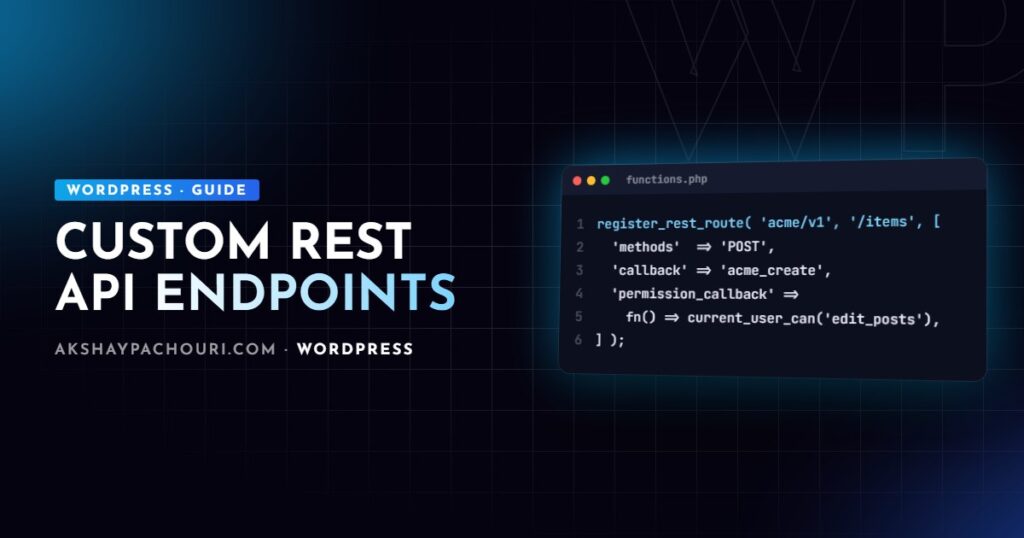
Building a WordPress REST API custom endpoint takes about ten lines of code, which is exactly why so many of them ship with open permissions, unvalidated input and no caching. This guide walks through the way I build endpoints for production: proper route registration, a real permission_callback, argument validation and sanitisation, clean responses, the right authentication method for each client, caching and versioning.
Registering a route with register_rest_route
Routes are registered on the rest_api_init hook with register_rest_route( $namespace, $route, $args ). The namespace is your plugin’s vendor prefix plus a version, the route is the path after it, and the args describe one or more HTTP methods.
<?php
add_action( 'rest_api_init', function () {
    register_rest_route( 'acme/v1', '/projects/(?P<id>d+)', array(
        array(
            'methods'             => WP_REST_Server::READABLE, // GET
            'callback'            => 'acme_get_project',
            'permission_callback' => '__return_true', // public read
            'args'                => array(
                'id' => array(
                    'type'     => 'integer',
                    'required' => true,
                    'minimum'  => 1,
                ),
            ),
        ),
        array(
            'methods'             => WP_REST_Server::EDITABLE, // POST, PUT, PATCH
            'callback'            => 'acme_update_project',
            'permission_callback' => 'acme_can_edit_project',
        ),
    ) );
} );
That registers /wp-json/acme/v1/projects/42. The named capture group (?P<id>d+) becomes a request parameter, so $request['id'] works in the callback. Use the WP_REST_Server constants rather than raw method strings; EDITABLE covers POST, PUT and PATCH in one go.
permission_callback: never __return_true for writes
Since WordPress 5.5, omitting permission_callback triggers a “doing it wrong” notice, which pushes developers to paste '__return_true' everywhere. That is fine for genuinely public, read-only data. For anything that creates, updates or deletes, or that returns private data, it turns your endpoint into an unauthenticated API for the whole internet.
The permission callback receives the same WP_REST_Request as the main callback, so you can check capabilities against the specific object, not just a generic role:
<?php
function acme_can_edit_project( WP_REST_Request $request ) {
    $post_id = (int) $request['id'];

    if ( ! get_post( $post_id ) ) {
        return new WP_Error( 'acme_not_found', 'Project not found.', array( 'status' => 404 ) );
    }

    // Meta capability: respects authorship, roles and any map_meta_cap filters.
    return current_user_can( 'edit_post', $post_id );
}
Return true, false or a WP_Error. Returning false gives a 401 for logged-out users and a 403 for logged-in ones, which is usually what you want. Keep business logic out of this function; it should answer one question: is this user allowed to make this request?
Validating and sanitising args
The args array is where most of your input handling should live. WordPress validates against the JSON Schema keywords you declare (type, enum, minimum, maxLength, format and so on) before your callback runs, and returns a 400 with a descriptive error when validation fails.
<?php
'args' => array(
    'title'  => array(
        'type'              => 'string',
        'required'          => true,
        'maxLength'         => 200,
        'sanitize_callback' => 'sanitize_text_field',
    ),
    'status' => array(
        'type'    => 'string',
        'enum'    => array( 'draft', 'active', 'archived' ),
        'default' => 'draft',
    ),
    'budget' => array(
        'type'              => 'number',
        'minimum'           => 0,
        'validate_callback' => function ( $value, $request, $param ) {
            return $value < 1000000
                ? true
                : new WP_Error( 'acme_budget', 'Budget is too large.', array( 'status' => 400 ) );
        },
    ),
),
One subtlety: if you supply your own sanitize_callback or validate_callback, it replaces the default schema-based handling for that param. If you want both, call rest_validate_request_arg() or rest_sanitize_request_arg() inside your callback. Also note that only declared args are validated; anything else the client sends is still available via $request->get_params(), so read the specific keys you declared rather than passing the whole array to wp_insert_post().
Returning WP_REST_Response and WP_Error
Callbacks can return arrays, but wrapping data in WP_REST_Response lets you set status codes and headers. Errors should be WP_Error objects with a status in the data array; WordPress turns them into proper JSON error bodies.
<?php
function acme_update_project( WP_REST_Request $request ) {
    $post_id = (int) $request['id'];

    $result = wp_update_post( array(
        'ID'         => $post_id,
        'post_title' => $request['title'],
    ), true );

    if ( is_wp_error( $result ) ) {
        return new WP_Error( 'acme_update_failed', $result->get_error_message(), array( 'status' => 500 ) );
    }

    update_post_meta( $post_id, '_acme_status', $request['status'] );

    $response = new WP_REST_Response( acme_prepare_project( $post_id ), 200 );
    $response->header( 'Cache-Control', 'no-store' );
    return $response;
}
Keep a single acme_prepare_project() function that shapes the output, so GET and POST return identical structures. If you want discoverability, add a 'schema' callback to the route; it powers the OPTIONS response and documents your fields for anyone consuming the API.
Authentication: nonces vs application passwords
Who is calling the endpoint decides how they authenticate.
Cookie auth with a nonce (same-site JavaScript)
For JavaScript running on your own WordPress pages, logged-in users already have an auth cookie. The REST API ignores that cookie unless the request also carries a wp_rest nonce, which protects against CSRF. Pass it to your script and send it in the X-WP-Nonce header:
<?php
wp_enqueue_script( 'acme-app', plugins_url( 'app.js', __FILE__ ), array(), '1.0', true );
wp_localize_script( 'acme-app', 'acmeApi', array(
    'root'  => esc_url_raw( rest_url( 'acme/v1/' ) ),
    'nonce' => wp_create_nonce( 'wp_rest' ),
) );
const res = await fetch(`${acmeApi.root}projects/42`, {
method: 'POST',
headers: {
'Content-Type': 'application/json',
'X-WP-Nonce': acmeApi.nonce,
},
body: JSON.stringify({ title: 'New title', status: 'active' }),
});
if (!res.ok) throw new Error((await res.json()).message);If you use @wordpress/api-fetch inside the admin or block editor, the nonce middleware is already configured for you.
Application passwords (servers, apps, integrations)
For external clients such as a Next.js front end, a mobile app or a server-to-server sync, use application passwords (core since 5.6). Each user can generate per-application credentials under their profile, revoke them individually, and the client sends them with HTTP Basic auth over HTTPS:
curl -X POST https://example.com/wp-json/acme/v1/projects/42
  -u "api-user:abcd efgh ijkl mnop qrst uvwx"
  -H "Content-Type: application/json"
  -d '{"title":"Synced title"}'
Create a dedicated user with the minimum role the integration needs, so a leaked credential cannot do more than the integration itself. Some hosts strip the Authorization header; if authentication silently fails, check that first.
Caching custom endpoint responses
Most full-page caches skip /wp-json/ by default, so every request hits PHP and the database. For expensive public reads, cache inside the callback with the object cache or transients, and invalidate when the underlying data changes:
<?php
function acme_get_project( WP_REST_Request $request ) {
    $id    = (int) $request['id'];
    $key   = 'acme_project_' . $id;
    $data  = wp_cache_get( $key, 'acme' );

    if ( false === $data ) {
        $data = acme_prepare_project( $id );
        wp_cache_set( $key, $data, 'acme', HOUR_IN_SECONDS );
    }

    $response = rest_ensure_response( $data );
    $response->header( 'Cache-Control', 'public, max-age=300' );
    return $response;
}

add_action( 'save_post_acme_project', function ( $post_id ) {
    wp_cache_delete( 'acme_project_' . $post_id, 'acme' );
} );
With a persistent object cache such as Redis this is very fast; without one, wp_cache_* only lives for the current request, so use transients if you have no persistent backend. A Cache-Control header lets a CDN cache public responses at the edge too, but never send public on endpoints whose output depends on the logged-in user. If you are putting Cloudflare in front, my notes on Cloudflare cache rules cover how to scope edge caching safely.
Versioning namespaces
The /v1 in your namespace is a promise. Once external clients depend on a response shape, change it only in additive ways: new fields are fine, renamed or removed fields are breaking changes. When you must break things, register acme/v2 alongside acme/v1, share the underlying logic, and keep v1 alive until clients have migrated. Avoid generic namespaces like api/v1 or custom/v1; a vendor prefix prevents collisions with other plugins.
Testing and debugging endpoints
Use curl or a REST client, and check /wp-json/acme/v1 to confirm the route is registered. For automated tests, rest_do_request() dispatches a request internally without HTTP:
<?php
$request = new WP_REST_Request( 'POST', '/acme/v1/projects/42' );
$request->set_body_params( array( 'title' => 'Test' ) );
$response = rest_do_request( $request );
// Expect 401 when no user is set.
var_dump( $response->get_status() );
Always test as a logged-out user and as a low-privilege user. If either can write data, your permission callback is wrong. For broader hardening beyond the API, see my WordPress security hardening checklist.
Key takeaways
- Register routes on
rest_api_initunder a vendor-prefixed, versioned namespace likeacme/v1. - Use
__return_trueonly for public reads; writes need object-level capability checks such ascurrent_user_can( 'edit_post', $id ). - Declare every input in
argswith a type and constraints, and read only declared params in your callback. - Return
WP_REST_Responsefor success andWP_Errorwith a status for failures. - Use cookie auth plus the
wp_restnonce for same-site JavaScript, application passwords for external clients. - Cache expensive public reads with the object cache and invalidate on save.
Frequently asked questions
Why does my custom endpoint return 401 rest_forbidden when I am logged in?
Cookie authentication only works when the request includes a valid wp_rest nonce in the X-WP-Nonce header; without it WordPress treats the request as logged out. Generate the nonce with wp_create_nonce( 'wp_rest' ) and send it with every request from your JavaScript.
Is it safe to use __return_true as a permission_callback?
It is safe only for endpoints that return data you would happily publish on a public page and that change nothing. Any endpoint that writes, deletes or exposes private data needs a capability check.
Should I use the REST API or admin-ajax.php for custom AJAX?
For new code I prefer the REST API because it gives you routing, argument validation, standard status codes and JSON responses out of the box. admin-ajax.php still works but requires you to build all of that by hand.
How do I version a WordPress REST API custom endpoint?
Put the version in the namespace, such as acme/v1, and only make additive changes within it. For breaking changes register a new acme/v2 namespace and keep the old one running until clients have migrated.
If you need a custom API for a mobile app, a headless front end or a third-party integration and want it built securely, get in touch and we can talk through your project.