Sending emails, generating PDFs or calling slow third-party APIs inside a web request makes users wait and fails in ugly ways. Laravel queues move that work into background jobs. This guide covers dispatching jobs, choosing a driver, retries and backoff, failed jobs, unique jobs, batches and chains, Horizon, Supervisor and the idempotency rules that keep queued work safe.
How Laravel queues work
A queued job is a class implementing IlluminateContractsQueueShouldQueue. When you dispatch it, Laravel serialises the job and pushes it onto a queue backend. A separate long-running process, the worker, pops jobs off the queue and calls their handle() method.
That separation is the whole point: the web request returns immediately, and the worker does the slow part on its own schedule. It also means the job runs in a different process, possibly seconds or minutes later, on a different server. Keep that in mind for everything that follows.
Creating and dispatching jobs
php artisan make:job SendInvoiceEmail<?php
namespace AppJobs;
use AppMailInvoiceMail;
use AppModelsInvoice;
use IlluminateContractsQueueShouldQueue;
use IlluminateFoundationQueueQueueable;
use IlluminateSupportFacadesMail;
class SendInvoiceEmail implements ShouldQueue
{
use Queueable;
public function __construct(public Invoice $invoice) {}
public function handle(): void
{
Mail::to($this->invoice->customer_email)
->send(new InvoiceMail($this->invoice));
}
}Recent Laravel versions generate jobs with the single Queueable trait shown here; older versions use four traits (Dispatchable, InteractsWithQueue, Queueable, SerializesModels). Either way, Eloquent models passed to the constructor are serialised as their ID and re-fetched when the job runs, so the worker sees fresh data.
// Dispatch to the default queue
SendInvoiceEmail::dispatch($invoice);

// Choose a queue and delay
SendInvoiceEmail::dispatch($invoice)
    ->onQueue('emails')
    ->delay(now()->addMinutes(5));

// Only dispatch after the surrounding DB transaction commits
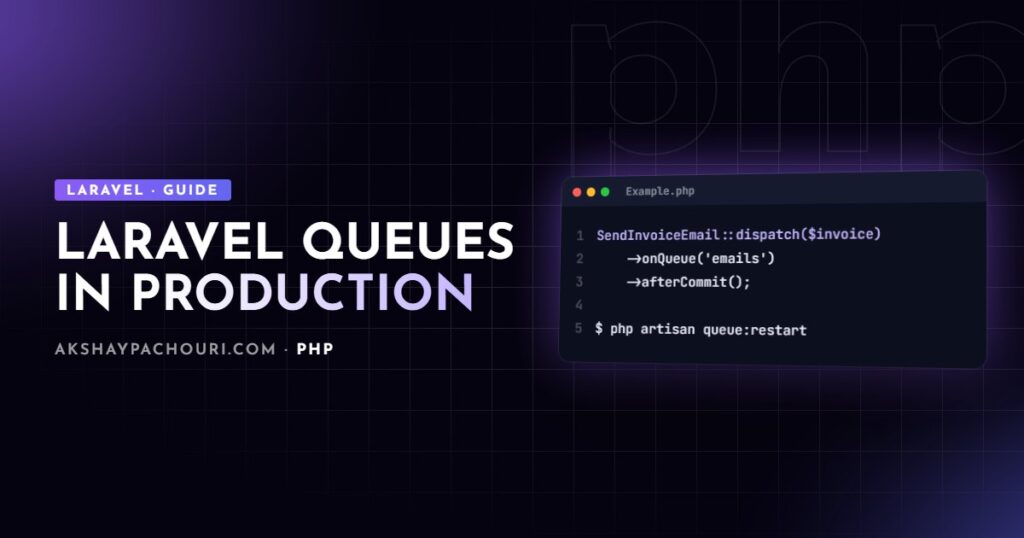
SendInvoiceEmail::dispatch($invoice)->afterCommit();
That last line matters more than it looks. If you dispatch inside a transaction, a fast worker can pick up the job before the transaction commits and fail to find the record. afterCommit(), or setting after_commit to true on the connection in config/queue.php, prevents that race.
Choosing a queue driver: database vs Redis
Drivers are configured in config/queue.php and selected with QUEUE_CONNECTION in .env.
- sync runs jobs immediately in the same process. Useful for local debugging and tests, never for production.
- database stores jobs in a
jobstable. No extra infrastructure, easy to inspect, and fine for modest workloads. New Laravel skeletons include the migration; on older apps runphp artisan queue:table(ormake:queue-tablein newer versions) and migrate. - redis is faster and is required for Horizon. It’s my default once a project has real background traffic or needs monitoring.
- sqs and others suit teams already on that infrastructure.
# .env
QUEUE_CONNECTION=redis
REDIS_HOST=127.0.0.1
One setting people miss is retry_after in the connection config. It’s how many seconds the queue waits before assuming a job’s worker died and releasing it again. It must be longer than your longest job’s timeout, or a slow job will be handed to a second worker while the first is still running it.
Running workers
php artisan queue:work redis --queue=high,default,emails --tries=3 --timeout=120 --max-time=3600Queues listed in --queue are processed in priority order. --max-time and --max-jobs make the worker exit cleanly after a period, which limits memory creep; your process manager starts a fresh one.
Workers are long-running PHP processes that boot your application once. They don’t see code changes until restarted, so every deploy must run:
php artisan queue:restartThis signals workers to exit after their current job, so nothing is killed mid-task.
Retries, backoff and timeouts
Jobs fail: APIs time out, rate limits hit, databases blip. Configure retry behaviour on the job itself so it travels with the code.
class SyncOrderToErp implements ShouldQueue
{
    use Queueable;

    public int $tries = 5;
    public int $timeout = 90;
    public int $maxExceptions = 2;

    public function __construct(public int $orderId) {}

    /** Seconds to wait before each retry. */
    public function backoff(): array
    {
        return [10, 60, 300, 900];
    }

    public function handle(ErpClient $erp): void
    {
        $erp->pushOrder($this->orderId);
    }
}
$tries caps attempts, backoff() spaces them out (an array gives a delay per attempt), and $maxExceptions fails the job after that many unhandled exceptions even if attempts remain. For time-based limits, define retryUntil() returning a DateTime instead of $tries.
If you’re rate-limited and want to try again without burning an attempt on an exception, call $this->release(30) to put the job back with a delay.
Handling failed jobs
When a job exhausts its attempts, Laravel records it in the failed_jobs table and calls the job’s failed() method if it exists.
public function failed(?Throwable $exception): void
{
    Log::error('ERP sync failed', [
        'order_id' => $this->orderId,
        'error' => $exception?->getMessage(),
    ]);

    // Notify a human; don't silently drop business data.
}
php artisan queue:failed # list failures
php artisan queue:retry all # push them back onto the queue
php artisan queue:retry 5c1f... # retry one by UUID
php artisan queue:forget 5c1f... # delete one
php artisan queue:prune-failed --hours=168Failed jobs are a to-do list, not a log to ignore. Fix the cause before running queue:retry all, or you’ll just refill the table.
Unique jobs and preventing overlap
Sometimes the same job gets dispatched several times in quick succession, for example a “rebuild search index” triggered by every product save. Implement ShouldBeUnique so only one copy can sit on the queue at a time. Unique jobs need a cache driver that supports atomic locks, such as Redis or database.
use IlluminateContractsQueueShouldBeUnique;

class RebuildSearchIndex implements ShouldQueue, ShouldBeUnique
{
    use Queueable;

    public int $uniqueFor = 600; // seconds the lock is held

    public function __construct(public int $storeId) {}

    public function uniqueId(): string
    {
        return (string) $this->storeId;
    }
}
ShouldBeUnique holds the lock until the job finishes. ShouldBeUniqueUntilProcessing releases it as soon as processing starts, so one more can be queued while one runs. To stop two jobs for the same resource running concurrently, add the WithoutOverlapping job middleware instead.
use IlluminateQueueMiddlewareWithoutOverlapping;

public function middleware(): array
{
    return [(new WithoutOverlapping($this->storeId))->releaseAfter(60)];
}
Chains and batches
A chain runs jobs one after another, stopping if one fails. Use it when steps depend on each other.
use IlluminateSupportFacadesBus;

Bus::chain([
    new GenerateInvoicePdf($invoice),
    new UploadInvoiceToStorage($invoice),
    new SendInvoiceEmail($invoice),
])->catch(function (Throwable $e) {
    report($e);
})->dispatch();
A batch runs jobs in parallel and lets you react when all of them finish. Batched jobs must also use the IlluminateBusBatchable trait, and batches need the job_batches table; check the queue docs for the artisan command that creates it in your version.
$batch = Bus::batch(
    $products->map(fn ($p) => new ResizeProductImages($p->id))
)->then(function ($batch) {
    // all jobs succeeded
})->catch(function ($batch, Throwable $e) {
    // first failure
})->finally(function ($batch) {
    // done either way
})->name('Resize catalogue images')->dispatch();

// Later: Bus::findBatch($batch->id)->progress();
Inside a batched job, check if ($this->batch()?->cancelled()) { return; } at the start of handle() so cancelled batches stop doing work.
Horizon and Supervisor in production
Laravel Horizon gives Redis queues a dashboard, metrics, failed-job browsing and code-based worker configuration.
composer require laravel/horizon
php artisan horizon:install
php artisan horizon            # runs the master process
php artisan horizon:terminate  # run on every deploy
Worker counts, queues, balancing and timeouts live in config/horizon.php per environment. Protect the dashboard with the viewHorizon gate, which by default only allows access locally.
Whether you run queue:work or horizon, something must keep it alive and restart it after crashes or queue:restart. On a typical VPS that’s Supervisor:
[program:laravel-worker]
process_name=%(program_name)s_%(process_num)02d
command=php /var/www/app/artisan queue:work redis --sleep=3 --tries=3 --max-time=3600
autostart=true
autorestart=true
stopasgroup=true
killasgroup=true
user=www-data
numprocs=4
redirect_stderr=true
stdout_logfile=/var/www/app/storage/logs/worker.log
stopwaitsecs=3600
For Horizon, use a single program with command=php /var/www/app/artisan horizon and numprocs=1; Horizon manages its own worker processes. Set stopwaitsecs longer than your longest job so Supervisor doesn’t kill work in progress. Then reload with sudo supervisorctl reread && sudo supervisorctl update.
Idempotency: designing jobs that are safe to run twice
Queues generally guarantee at least once delivery, not exactly once. A worker can crash after charging a card but before marking the job done; a retry_after that’s too short can hand the job to a second worker. Write every job assuming it might run more than once.
- Check state before acting: if the invoice is already marked as sent, return early.
- Use idempotency keys with payment and external APIs that support them.
- Prefer
updateOrCreate()and unique database constraints over blind inserts. - Pass IDs, not large payloads, so the job always works on current data.
public function handle(PaymentGateway $gateway): void
{
    $order = Order::findOrFail($this->orderId);

    if ($order->paid_at !== null) {
        return; // already done on a previous attempt
    }

    $gateway->capture($order->payment_intent, idempotencyKey: "capture-{$order->id}");

    $order->update(['paid_at' => now()]);
}
Testing these paths matters too. Queue::fake() and Bus::fake() let you assert dispatches, and the job’s handle() can be unit tested directly; see my guide to PHP unit testing with PHPUnit and Pest. And because workers are long-lived PHP processes, the server tuning in my PHP OPcache guide applies to them as well.
Key takeaways
- Use Redis for anything beyond light workloads, and Horizon when you want visibility.
- Set
retry_afterlonger than your longest job timeout. - Configure
$tries,backoff()andfailed()on each job, and treatfailed_jobsas work to fix. - Use
ShouldBeUniqueorWithoutOverlappingto avoid duplicate or concurrent work. - Run
queue:restartorhorizon:terminateon every deploy, under Supervisor. - Make every job idempotent, because it may run more than once.
Frequently asked questions
Why are my Laravel queue jobs running old code after a deploy?
Queue workers boot the application once and keep it in memory. Run php artisan queue:restart (or horizon:terminate) as part of every deploy so workers exit after their current job and restart with the new code.
Should I use the database or Redis queue driver?
The database driver is fine for low volume and needs no extra infrastructure. Redis is faster, handles higher throughput and is required if you want Laravel Horizon.
Why is the same job being processed twice?
The usual cause is a retry_after value shorter than the job’s run time, so the queue releases it to another worker while it is still running. Raise retry_after above your longest timeout and make the job idempotent.
How do I retry failed Laravel jobs?
List them with php artisan queue:failed, fix the underlying cause, then run php artisan queue:retry with a job UUID or all. Jobs are pushed back onto their original queue.
If your Laravel app needs a reliable queue setup, from Redis and Horizon to Supervisor and deploy scripts, I’d be glad to help. Get in touch with what you’re building.