PHP OPcache is the single most important performance setting on a PHP server, and it’s often left on defaults that don’t fit the application. This guide explains how to size OPcache, handle deploys when timestamps aren’t checked, use preloading, decide whether JIT is worth enabling, tune the realpath cache, and profile to find what’s actually slow.
What PHP OPcache does
PHP is compiled before it runs. Without a cache, every request reads each included file, parses it and compiles it to opcodes, then throws that work away at the end of the request. OPcache stores the compiled opcodes in shared memory so later requests skip straight to execution.
For a framework or WordPress site that loads hundreds of files per request, that’s a large saving. OPcache is bundled with PHP and enabled by default in most distribution packages, but “enabled” doesn’t mean “configured well”. Check what you have first:
php -i | grep -E 'opcache.(enable|memory_consumption|max_accelerated_files|validate_timestamps|jit)'Remember that the CLI and PHP-FPM usually read different ini files, so confirm the FPM values with phpinfo() or opcache_get_status() from a web request.
Sizing OPcache memory and file limits
The settings that matter most are about capacity. If the cache fills up, OPcache stops caching new scripts or triggers restarts, and you lose the benefit without any obvious error.
; /etc/php/8.3/fpm/conf.d/10-opcache.ini (path varies by distro)
opcache.enable=1
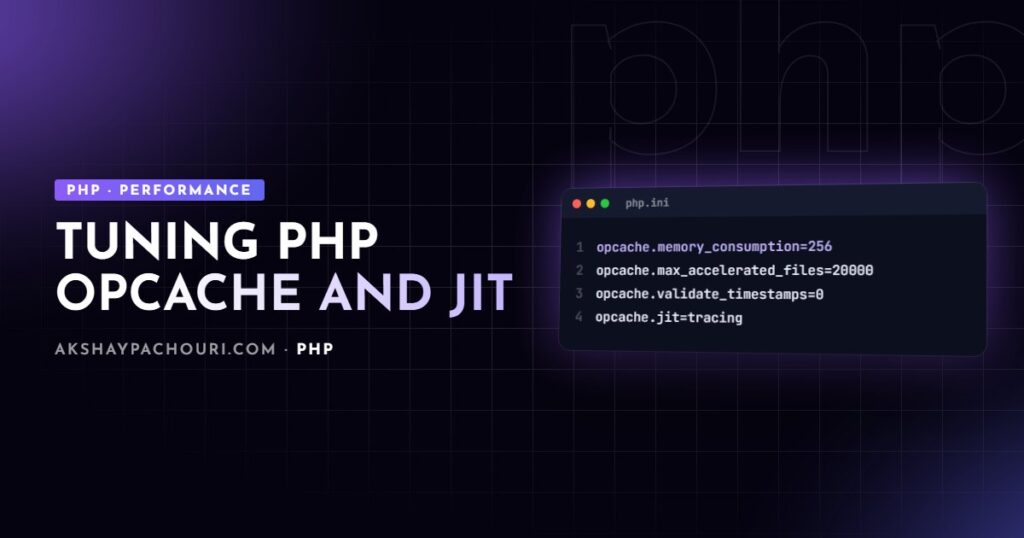
opcache.memory_consumption=256
opcache.interned_strings_buffer=16
opcache.max_accelerated_files=20000
opcache.validate_timestamps=0
opcache.save_comments=1
opcache.enable_cli=0- memory_consumption (MB) is the shared memory for compiled scripts. Size it to your codebase plus headroom.
- interned_strings_buffer (MB) stores deduplicated strings such as class and method names. Large frameworks fill the default quickly.
- max_accelerated_files caps how many scripts can be cached. Count your PHP files (including
vendor) and set it comfortably above that; PHP rounds it up internally to the next value in a fixed list of primes. - save_comments must stay on if you use annotations or tools that read docblocks.
The values above are a starting point, not a recommendation for every server. Measure instead of guessing:
<?php
// opcache-status.php: protect or delete this file after use
$s = opcache_get_status(false);

printf("Memory used: %.1f MB, free: %.1f MB, wasted: %.1f%%n",
    $s['memory_usage']['used_memory'] / 1048576,
    $s['memory_usage']['free_memory'] / 1048576,
    $s['memory_usage']['current_wasted_percentage']);

printf("Cached scripts: %d / max keys %dn",
    $s['opcache_statistics']['num_cached_scripts'],
    $s['opcache_statistics']['max_cached_keys']);

printf("Hit rate: %.2f%%, OOM restarts: %dn",
    $s['opcache_statistics']['opcache_hit_rate'],
    $s['opcache_statistics']['oom_restarts']);

printf("Interned strings free: %.1f MBn",
    $s['interned_strings_usage']['free_memory'] / 1048576);
Run it through the web server after the site has warmed up. If free memory is near zero, cached scripts are close to the limit, or OOM restarts are climbing, increase the relevant setting.
validate_timestamps and safe deploys
By default, OPcache checks whether a file has changed on disk, at most every revalidate_freq seconds. That’s convenient in development but costs filesystem checks in production. Setting opcache.validate_timestamps=0 skips those checks entirely, and it’s what I use on production servers.
The trade-off: PHP will keep serving the old compiled code after you deploy until the cache is cleared. Your deploy process must reset it. Options, in order of preference:
- Reload PHP-FPM after switching code. A graceful reload clears OPcache without dropping in-flight requests.
- Atomic symlink deploys (releases folders with a
currentsymlink), combined with a reload. Make sure the web server passes the resolved path, so OPcache keys on the real release directory rather than the symlink. - Call
opcache_reset()through a protected endpoint or a tool like cachetool, which talks to FPM directly. Calling it from the CLI only resets the CLI’s own cache, not FPM’s.
# Typical end of a deploy script
ln -sfn /var/www/releases/20260115120000 /var/www/current
sudo systemctl reload php8.3-fpm
location ~ .php$ {
include fastcgi_params;
fastcgi_param SCRIPT_FILENAME $realpath_root$fastcgi_script_name;
fastcgi_param DOCUMENT_ROOT $realpath_root;
fastcgi_pass unix:/run/php/php8.3-fpm.sock;
}Using $realpath_root instead of $document_root is what makes symlink deploys pick up the new release. Shared hosting where you can’t reload FPM is the one case where I leave timestamp validation on.
Preloading
Preloading, available since PHP 7.4, loads a set of files into OPcache once when PHP-FPM starts. Classes and functions in those files are then available to every request without being loaded or linked again.
; php.ini
opcache.preload=/var/www/current/preload.php
opcache.preload_user=www-data
<?php
// preload.php
require __DIR__ . '/vendor/autoload.php';
$files = require __DIR__ . '/vendor/composer/autoload_classmap.php';
foreach ($files as $class => $file) {
if (str_contains($file, '/vendor/laravel/framework/')) {
opcache_compile_file($file);
}
}Preloading has real constraints. Preloaded code can’t change without restarting PHP-FPM, and every preloaded class’s dependencies must be resolvable or you’ll get warnings at startup. Some frameworks generate a preload file for you (Symfony does), which is far safer than writing one by hand. The gains depend heavily on the application, so benchmark your own app with and without it before keeping it.
JIT: when it helps and when it doesn’t
PHP 8.0 added a JIT compiler that turns hot opcodes into machine code. It’s tempting to switch on everywhere, but it helps a specific kind of workload.
JIT helps CPU-bound code: long loops, numeric work, image or data processing in pure PHP, parsers, and long-running CLI workers doing computation.
JIT helps little for typical web requests: a page that spends most of its time waiting on MySQL, Redis or HTTP APIs, then renders a template, isn’t limited by how fast PHP executes opcodes. Faster execution of a small slice of the request won’t change the total much. Measure before assuming either way.
; Enable tracing JIT (check the docs for your PHP version's defaults)
opcache.jit=tracing
opcache.jit_buffer_size=64M
JIT needs OPcache, and needs a non-zero buffer size. The default values for these two settings changed in PHP 8.4, so read the OPcache configuration page for your exact version rather than assuming. Some extensions that hook into execution, such as Xdebug, disable JIT while loaded. Verify it’s actually on with opcache_get_status()['jit'].
My approach: turn on JIT for a CPU-heavy workload, run a realistic benchmark, and keep it only if the numbers move. For a standard WordPress or CRUD site I don’t expect much, and I put the effort into queries and caching instead; see the WordPress database optimization guide for where time usually goes.
The realpath cache
Every include or require resolves a path to its real location, which involves filesystem calls, especially with symlinks. PHP caches these resolutions per process in the realpath cache.
realpath_cache_size=4096K
realpath_cache_ttl=600
The default size is usually adequate on current PHP versions, but large codebases can exceed it. Check with realpath_cache_size() in a web request: if it’s at the limit, raise the size. A longer TTL reduces revalidation when code only changes on deploy, but with symlink deploys you rely on the FPM reload to clear stale entries.
Profiling: find the real bottleneck
Server tuning gets you the cheap wins. After that, you need to see where time goes inside a request.
- Xdebug profiler writes cachegrind files you can open in KCachegrind, QCachegrind or PhpStorm. It adds a lot of overhead, so timings are relative, and it belongs in development only.
- SPX is a lightweight open-source profiler extension with a built-in web UI and flame graphs. It’s my go-to for quick local profiling.
- Blackfire is a commercial profiler built for comparing runs and profiling safely in staging or production, with assertions you can run in CI.
# Xdebug 3: profile a single CLI run
XDEBUG_MODE=profile XDEBUG_CONFIG="output_dir=/tmp/xdebug" php artisan report:build

# Xdebug 3: profile web requests only when triggered (?XDEBUG_TRIGGER=1)
# php.ini
#   xdebug.mode=profile
#   xdebug.start_with_request=trigger
When you read a profile, sort by inclusive time and look for repeated calls: the same query running in a loop, a remote API called per item, or a config file parsed on every request. Those fixes usually dwarf anything a runtime setting can do. Front-end metrics matter too; a fast PHP response is one part of the Core Web Vitals checklist, not the whole thing.
Key takeaways
- Check OPcache with
opcache_get_status()from a web request, and size memory, interned strings and file limits to your codebase. - Use
validate_timestamps=0in production, and reload PHP-FPM or reset OPcache on every deploy. - Use
$realpath_rootin Nginx for symlink-based releases. - Preloading and JIT can help, but only for some workloads; benchmark your own app before keeping them.
- Profile with SPX, Xdebug or Blackfire to find slow queries and repeated work, which usually matter most.
Frequently asked questions
Why does my site still show old code after deploying?
OPcache is serving cached opcodes, typically because validate_timestamps is off or the code path is a symlink that OPcache resolved earlier. Reload PHP-FPM as the last step of your deploy and use $realpath_root in Nginx.
Does PHP JIT make WordPress faster?
Usually not by much, because most WordPress requests spend their time on database queries and I/O rather than CPU-heavy PHP. Benchmark your own site before enabling it in production.
How much memory should I give OPcache?
Enough that free memory never runs out after the cache warms up. Start with a value above your codebase’s needs, then watch used, free and wasted memory in opcache_get_status and adjust.
Does opcache_reset() from the command line clear the web server’s cache?
No. The CLI has its own separate OPcache, so you need to reload PHP-FPM, call opcache_reset() through a protected web request, or use a tool like cachetool that connects to FPM.
If your PHP application feels slow and you’re not sure whether it’s the server, the code or the database, I can profile it and fix the bottlenecks. Contact me to talk it through.