Every freelancer eventually works with a client who pays late, goes silent, changes direction weekly or treats every message as an emergency. Handling difficult clients in freelance work is less about personality and more about systems: spotting warning signs early, setting expectations in writing, and having calm, prepared responses ready. This guide covers all of that, with message templates you can adapt.
Most of the difficult clients freelance developers deal with aren’t malicious. They are busy, under pressure from their own bosses, or unfamiliar with how web projects work. Clear structure fixes a surprising amount of friction.
Red flags to spot before you sign
The cheapest difficult client to manage is the one you never take on. Watch for these during discovery calls and early emails:
- Vague scope with a fixed budget (“just a simple site like Amazon, budget is small”).
- Pressure to start before a contract or deposit, especially with an urgent deadline.
- Bad-mouthing previous developers in detail. Sometimes justified, but ask what went wrong and listen for unrealistic expectations.
- Requests for free work as a “test” or “sample” that is really production work.
- Unclear decision-maker: you’re talking to someone who has to “run everything past” people you’ll never meet.
- Haggling on every line of the proposal before any work starts.
- Slow, inconsistent replies during the sales stage, which rarely improve once the project begins.
One red flag isn’t a reason to decline. Several together usually are, or at least a reason to price in the extra management time and insist on stricter payment terms. My guide to pricing freelance web development projects covers building that buffer in.
Set expectations in writing from day one
Most conflict comes from mismatched assumptions. Put these in your contract or a project kickoff document:
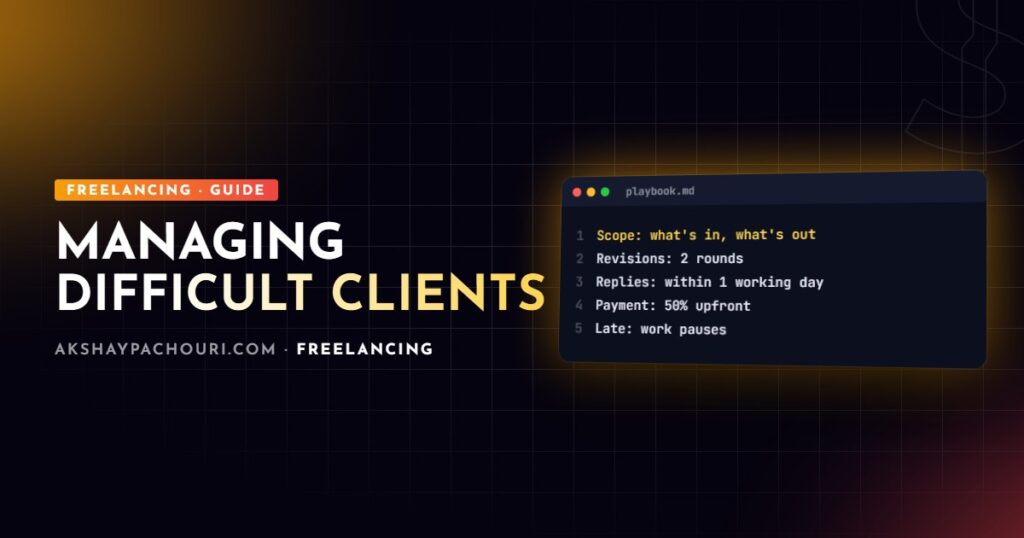
- Scope: what’s included, and an explicit list of what isn’t.
- Revisions: how many rounds per deliverable, and what counts as a revision versus a change request.
- Communication: channels (email, Slack, project board), your working hours and response times.
- Client responsibilities: content, logins, feedback deadlines. If they’re late, the timeline moves.
- Payment: deposit, milestones, due dates, late fees and what happens to work if invoices go unpaid.
- Termination: how either side can end the contract and what gets paid and handed over.
A written process also protects the relationship: when a dispute comes up, you’re pointing to something you both agreed, not arguing opinions. For the legal side, see freelance web developer contract essentials.
Communication scripts for common situations
Having templates ready keeps you calm and consistent. Adapt the tone to the client, but keep the structure: acknowledge, state the facts, offer options, set a next step.
Out-of-scope request
Thanks for this, it’s a good idea. It falls outside the scope we agreed in the proposal, so I’ve written it up as a change request: it adds roughly X days and costs Y. I can either add it now and adjust the launch date, or put it on a phase-two list after launch. Which would you prefer?
Never say “that’s not my job”. Say yes to the idea and make the cost visible.
Setting a boundary on availability
Just a heads-up on how I work: I reply to messages within one working day, Monday to Friday, and I’ll always respond faster for anything affecting the live site. For urgent issues, please use the subject line “URGENT” so it gets flagged.
Feedback that conflicts with earlier decisions
Happy to make this change. Just to flag, it reverses the direction we approved on [date] for [reason]. That’s fine, but it affects the pages already built. I’d estimate X hours to rework them. Shall I go ahead?
Handling late payments
Late payment is the most common problem, and the one where a clear, escalating process works best. Use invoicing software that sends automatic reminders, and follow a schedule:
- Before the due date: a friendly reminder a few days ahead.
- Due date passed: a polite note with the invoice attached and a direct payment link.
- A week or two late: a firmer email referencing the contract’s late-fee terms, and a pause on new work.
- Seriously late: a final written notice with a deadline, then whatever recovery route applies in your jurisdiction.
Hi [Name], invoice #104 for [milestone] was due on [date] and is now [n] days overdue. Could you let me know when payment will be made? As per our agreement, I’ll pause work on the next milestone until it’s cleared. Payment link: [link].
Structurally, the best protection is not to hand over everything before you’re paid. Keep work on a staging server you control until the final invoice clears, and protect it so it can be reviewed but not copied wholesale:
# Staging: client can review, but the site isn't public or indexable
server {
    server_name staging.example-client.com;

    auth_basic "Client preview";
    auth_basic_user_file /etc/nginx/.htpasswd-client;

    add_header X-Robots-Tag "noindex, nofollow" always;

    root /var/www/client-staging/public;
}
# Create the password file for the client preview login
sudo htpasswd -c /etc/nginx/.htpasswd-client clientname
sudo nginx -t && sudo systemctl reload nginxIf you track invoices in a spreadsheet, a small script makes it obvious who needs chasing each week:
// overdue.mjs — usage: node overdue.mjs invoices.csv
// CSV columns: number,client,amount,due_date (YYYY-MM-DD),paid (yes/no)
import { readFileSync } from 'node:fs';

const [, , file] = process.argv;
const today = new Date();

const rows = readFileSync(file, 'utf8').trim().split('n').slice(1);
for (const row of rows) {
  const [number, client, amount, due, paid] = row.split(',');
  const daysLate = Math.floor((today - new Date(due)) / 86_400_000);
  if (paid.trim() !== 'yes' && daysLate > 0) {
    console.log(`#${number} ${client}: ${amount} — ${daysLate} days overdue`);
  }
}
Dealing with unresponsive clients
Silence stalls projects and blocks your schedule. Your contract should say what happens when the client doesn’t provide feedback or content: timelines move, and after a defined period the project can be paused or the milestone treated as approved.
Hi [Name], I’m waiting on [content / feedback on X] to continue. If I don’t hear back by [date], I’ll pause the project and move on to other scheduled work; restarting would then depend on my availability. If priorities have changed on your side, just let me know, no problem at all.
Keep these messages factual and friendly. Clients often go quiet because something changed internally, not because of you.
Handling criticism and harsh feedback
- Pause before replying. Never respond to a sharp message in the moment.
- Separate the feeling from the request. “This looks terrible” usually means something specific: wrong colour, too much white space, not what they imagined.
- Ask clarifying questions: “Which part feels most off to you? Is there a site whose style feels closer?”
- Own genuine mistakes quickly, with a fix and a date.
- Move heated conversations to a call, then summarise the outcome in writing.
Feedback about taste is part of the job. Disrespect, abusive language or repeated demands for unpaid work are not, and those are reasons to consider ending the engagement.
When and how to end a contract professionally
Consider ending the engagement when payments are repeatedly late despite reminders, the relationship is affecting your other work, or the client consistently disregards the agreed terms. Before deciding, check your contract’s termination clause.
- Bring work to a clean stopping point and document its current state.
- Send a written notice following the contract’s terms, with no blame.
- Invoice for completed work.
- Once paid, hand over code, credentials and documentation as agreed.
- Remove your own access and revoke any keys you created.
Hi [Name], after some thought I don’t think I’m the right fit to continue this project, and I’d rather tell you now than let it affect the result. As per section [x] of our agreement, I’ll wrap up [current task] by [date], send a final invoice for completed work, and once it’s settled, hand over the code, access details and documentation so another developer can pick it up smoothly.
A professional exit protects your reputation, and occasionally the same client returns later on better terms.
Key takeaways
- Screen for red flags before signing; several together mean decline or price in the risk.
- Put scope, revisions, response times, payment and termination in writing.
- Use prepared scripts: acknowledge, state facts, offer options, set a next step.
- Escalate late payments on a schedule and keep work on your staging server until paid.
- Define what happens when clients go silent, and follow through calmly.
- End contracts in writing, by the contract’s terms, with a clean handover.
Frequently asked questions
How do I tell a client no without losing them?
Say yes to the goal and make the trade-off clear: explain what the request would cost in time or money and offer options. Clients usually respect clear choices more than a flat refusal.
Should I charge late fees as a freelancer?
If late fees are in your signed contract, it’s reasonable to apply them, and simply having the clause often encourages on-time payment. Check what’s permitted in your jurisdiction and state the terms clearly on every invoice.
What should I do if a client disappears mid-project?
Send a written notice with a date by which you need a response, then pause the project as your contract allows. Invoice for completed work, and keep the code on your own staging environment until it’s paid.
Is it unprofessional to fire a client?
No, ending an engagement that isn’t working is a normal business decision. It’s professional as long as you follow the contract, give notice, invoice fairly and hand over the work cleanly.
If you’re a business looking for a developer who communicates clearly and runs projects to a defined process, get in touch and tell me about your project.