WordPress database optimization is rarely about running a “clean up” plugin and hoping. Slow sites usually have a handful of specific problems: a bloated autoloaded options set, expensive meta queries on huge tables, piles of expired transients and revisions, and queries that ask for far more than they use. This guide shows how to find those problems with real measurements and fix them, ending with persistent object caching via Redis.
Measure first with Query Monitor
Install Query Monitor on staging (or on production for administrators only) and load the slow page. The panels that matter are:
- Queries by Component: which plugin or theme runs the most and slowest queries.
- Slow Queries and Duplicate Queries: the same query run 50 times in a loop is a classic N+1 problem.
- Database Queries: each query with its caller, so you can jump straight to the code.
For production-wide visibility, enable the MySQL or MariaDB slow query log for a while, then look at the worst offenders. Run EXPLAIN on a slow query to see whether it uses an index or scans the whole table:
EXPLAIN SELECT p.ID
FROM wp_posts p
INNER JOIN wp_postmeta pm ON pm.post_id = p.ID
WHERE p.post_type = 'product'
  AND p.post_status = 'publish'
  AND pm.meta_key = '_acme_color'
  AND pm.meta_value = 'blue';
Look at the type and rows columns. ALL with a huge row estimate means a full table scan. Replace the wp_ prefix with yours throughout this guide.
Fix autoloaded options bloat
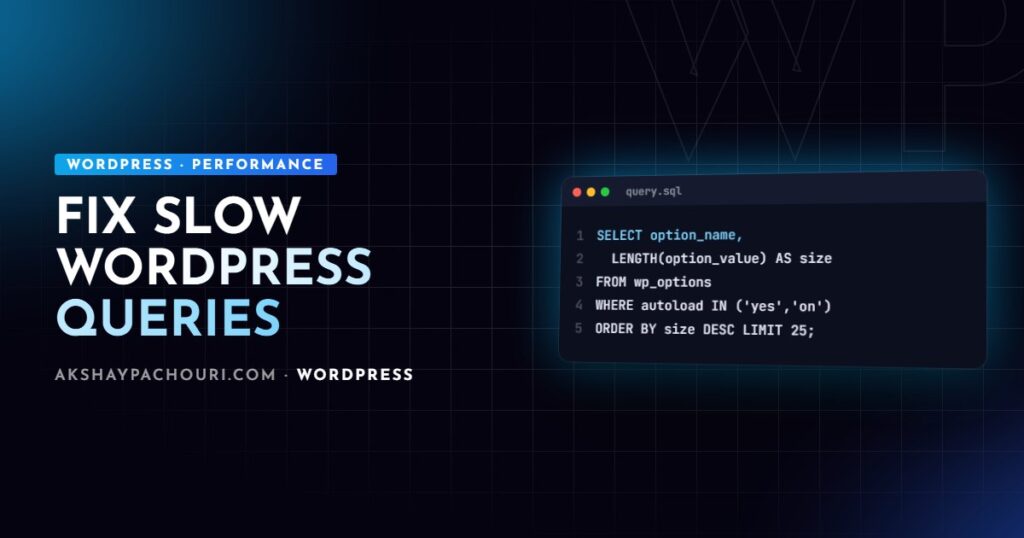
On every request WordPress loads all autoloaded rows from wp_options in one query and keeps them in memory. Plugins often store large data such as logs, caches and settings for features you no longer use, with autoload on. This affects every single page, cached or not at the PHP level. Find the biggest offenders:
SELECT option_name,
       ROUND(LENGTH(option_value) / 1024, 1) AS size_kb,
       autoload
FROM wp_options
WHERE autoload IN ('yes', 'on', 'auto-on', 'auto')
ORDER BY LENGTH(option_value) DESC
LIMIT 25;

SELECT ROUND(SUM(LENGTH(option_value)) / 1024 / 1024, 2) AS total_mb
FROM wp_options
WHERE autoload IN ('yes', 'on', 'auto-on', 'auto');
WordPress 6.6 introduced new autoload values (on, off, auto, auto-on, auto-off) alongside the legacy yes and no, which is why the query checks several. Recent versions also show a Site Health warning when the autoloaded total is large.
For each large option, identify the plugin from its name. If the plugin is gone, delete the option. If it is active but the option is only needed on certain screens, turn autoload off rather than editing SQL directly:
wp option list --autoload=on --orderby=size_bytes --order=desc --fields=option_name,size_bytes | head -20
wp option set-autoload some_plugin_cache off   # WP-CLI 2.10+
wp option delete old_plugin_settings
In code, wp_set_option_autoload() does the same. Always back up the database first, and remember that deleting an active plugin’s option can reset its settings.
postmeta and indexes
wp_postmeta is a key-value table. By default it has indexes on post_id and a prefix of meta_key, but not on meta_value. That means “find posts where meta X equals Y” works reasonably on small sites and degrades badly once the table reaches millions of rows, which happens quickly on WooCommerce stores and sites with many ACF fields.
You have three options:
- Model differently. If you filter by a value, it probably belongs in a taxonomy. Term queries are indexed and far faster than
meta_queryfor “all blue products”. - Add better indexes. The free “Index WP MySQL For Speed” plugin adds compound indexes to core tables and is reversible. Test on staging; altering large tables locks them while it runs.
- Use custom tables for structured data that you query heavily. WooCommerce’s own move to HPOS order tables is the same idea.
If you design custom post types with ACF, my custom post types and ACF guide covers when to use a taxonomy instead of a field.
Clean up transients and revisions
Without a persistent object cache, transients live in wp_options. Expired ones are cleaned up by a scheduled task, but if WP-Cron is broken or a plugin creates transients with unique keys per visitor, thousands can accumulate.
wp transient delete --expired
wp db query "SELECT COUNT(*) FROM wp_options WHERE option_name LIKE '_transient_%'"
Revisions are stored as extra rows in wp_posts, plus their meta. Limit them going forward in wp-config.php, then delete old ones:
<?php
define( 'WP_POST_REVISIONS', 10 ); // keep the last 10 per post
wp post list --post_type=revision --format=count
wp post delete $(wp post list --post_type=revision --format=ids) --forceOn very large sites, run that delete in batches to avoid an overly long command line. Revisions are rarely the main cause of slowness, since queries filter them out by post_type, but they inflate backups and table sizes.
WP_Query best practices
Many slow pages come from queries that ask for more than they need. These arguments make a real difference:
<?php
$query = new WP_Query( array(
    'post_type'              => 'product',
    'posts_per_page'         => 12,          // never -1 on large sites
    'no_found_rows'          => true,        // skip SQL_CALC_FOUND_ROWS when you do not paginate
    'fields'                 => 'ids',       // only IDs if that is all you need
    'update_post_meta_cache' => false,       // skip loading all meta
    'update_post_term_cache' => false,       // skip loading all terms
    'ignore_sticky_posts'    => true,
    'tax_query'              => array(
        array(
            'taxonomy' => 'pa_color',
            'field'    => 'slug',
            'terms'    => 'blue',
        ),
    ),
) );no_found_rowsremoves the extra count work needed for pagination; use it for widgets, sliders and “related posts”.fields => 'ids'avoids building full post objects.- Disable meta and term cache priming only when you will not call
get_post_meta()orget_the_terms()on the results; otherwise you trigger one query per post instead. - Avoid
orderby => 'rand'on big tables; it forces a full scan and sort. - Avoid
meta_querywithLIKE, multipleORclauses or numeric comparisons on huge postmeta tables. Each clause adds a join on an unindexed value.
Also cache the results of expensive queries that rarely change, in a transient or the object cache, and invalidate on save_post.
Object caching with Redis
WordPress has a built-in object cache, but by default it only lasts for one request. A persistent backend such as Redis keeps options, post objects, term data and query results between requests, which removes a large share of repeated queries on dynamic pages such as WooCommerce carts, logged-in dashboards and admin screens.
# Ubuntu/Debian: Redis server and PHP extension
sudo apt install redis-server php-redis
sudo systemctl enable --now redis-server

# WordPress side (Redis Object Cache plugin)
wp plugin install redis-cache --activate
wp redis enable
wp redis status
<?php
// wp-config.php
define( 'WP_REDIS_HOST', '127.0.0.1' );
define( 'WP_REDIS_PORT', 6379 );
define( 'WP_REDIS_PREFIX', 'example_com:' ); // unique per site on shared Redis
define( 'WP_REDIS_MAXTTL', 86400 );Many managed hosts provide Redis or Memcached with their own drop-in, so check before installing anything. With a persistent cache, transients move out of wp_options into Redis automatically. Object caching complements, rather than replaces, page caching; my WordPress Core Web Vitals checklist covers the front-end side of performance.
Maintenance routine
- Monthly: check the autoload total and the top 25 autoloaded options.
- Monthly: delete expired transients and review revision counts.
- After installing a plugin: check Query Monitor on key pages for new slow or duplicate queries.
- Quarterly: review the slow query log and run
EXPLAINon the top queries. - Use
OPTIMIZE TABLEsparingly; on InnoDB it rebuilds the table and is rarely the fix for slow queries.
If slow queries are causing memory errors too, see my guide to fixing the WordPress memory exhausted error.
Key takeaways
- Measure with Query Monitor and the slow query log before changing anything.
- Keep autoloaded options small; turn autoload off or delete orphaned options.
meta_valueis not indexed: use taxonomies, better indexes or custom tables for filtered data.- Use
no_found_rows,fields => 'ids'and boundedposts_per_pageinWP_Query. - Add a persistent object cache such as Redis for dynamic and logged-in traffic.
Frequently asked questions
How do I find slow queries in WordPress?
Install Query Monitor and check the Slow Queries, Duplicate Queries and Queries by Component panels on the affected pages. For site-wide data, enable the database server’s slow query log and run EXPLAIN on the worst queries.
How big should autoloaded options be?
There is no strict rule, but smaller is better because the whole set loads on every request. If the total runs into several megabytes, investigate the largest options and turn off autoload for anything not needed on every page.
Do database cleanup plugins speed up WordPress?
They help with clutter such as expired transients, spam comments and old revisions, but they rarely fix slow queries. Real gains usually come from fixing autoload bloat, inefficient queries, missing indexes and adding object caching.
Is Redis object caching worth it for WordPress database optimization?
For sites with logged-in users, WooCommerce or busy admin areas it usually is, because it removes repeated queries between requests. For a small brochure site fully served from page cache, the benefit is smaller.
If your WordPress database has grown slow and you want a proper audit rather than a cleanup plugin, reach out and I can help.