Three.js WebGPU support has moved from an experiment to a renderer you can realistically ship, but it comes with a different import path, async initialisation and a new way to write shaders. This guide shows how to set up WebGPURenderer, how its automatic WebGL fallback works, the basics of TSL, the browser support caveats, and how I decide whether a project should adopt it now.
What WebGPURenderer is and why it exists
WebGPU is the successor to WebGL: a modern browser graphics API modelled on Vulkan, Metal and Direct3D 12. It offers compute shaders, lower CPU overhead per draw call and a cleaner programming model. Three.js exposes it through WebGPURenderer, a newer renderer that sits alongside the long-standing WebGLRenderer.
Two design choices matter for you as a developer:
- It has two backends.
WebGPURendereruses WebGPU when the browser supports it and falls back to a WebGL 2 backend when it does not. Your scene code stays the same. - It uses node materials. Materials are built from TSL (Three Shading Language) nodes, which compile to WGSL for WebGPU or GLSL for the WebGL backend. Classic
ShaderMaterialGLSL andonBeforeCompilepatches do not carry over.
Standard materials such as MeshStandardMaterial are mapped to node equivalents automatically, so many existing scenes run with few changes.
Installing and importing from three/webgpu
The renderer and node materials come from a separate entry point, three/webgpu, which re-exports the core Three.js classes too. TSL functions come from three/tsl.
npm install threeimport * as THREE from 'three/webgpu';
import { uniform, mix, uv, sin, time, clamp } from 'three/tsl';
import { OrbitControls } from 'three/addons/controls/OrbitControls.js';Import everything from three/webgpu in a WebGPU project instead of mixing it with three. Mixing entry points can pull two copies of the core classes into your bundle, and objects from one copy are not recognised by the other. If you use an import map without a bundler, map all three:
<script type="importmap">
{
  "imports": {
    "three": "/vendor/three/build/three.webgpu.js",
    "three/webgpu": "/vendor/three/build/three.webgpu.js",
    "three/tsl": "/vendor/three/build/three.tsl.js",
    "three/addons/": "/vendor/three/examples/jsm/"
  }
}
</script>
Some addons are WebGL-specific (for example the classic EffectComposer passes). Check that an addon supports WebGPURenderer before relying on it; the official examples are tagged by renderer.
Async initialisation
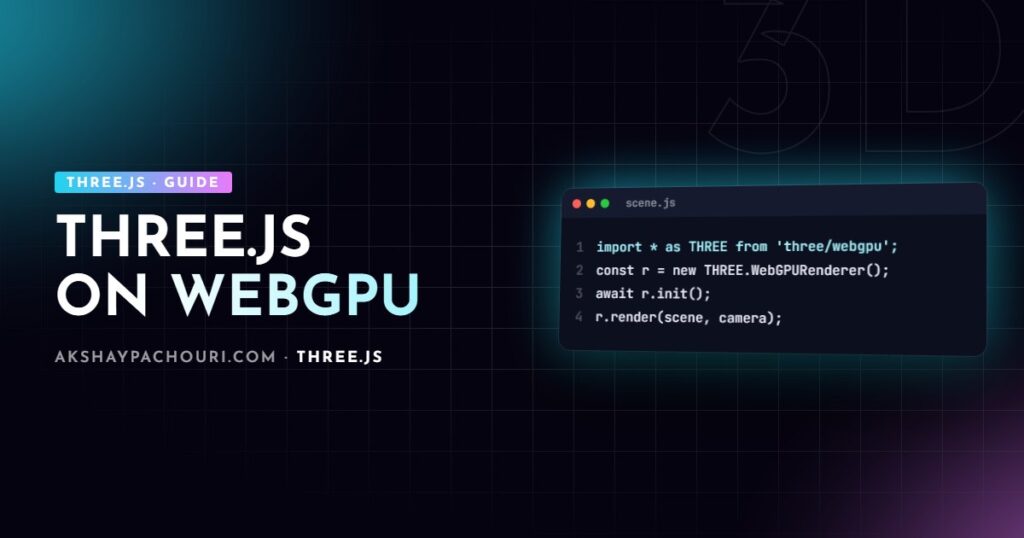
Requesting a WebGPU adapter and device is asynchronous, so the renderer needs to initialise before it can draw. You have two options. Either await init() explicitly:
const renderer = new THREE.WebGPURenderer({ antialias: true });
renderer.setPixelRatio(Math.min(window.devicePixelRatio, 2));
renderer.setSize(window.innerWidth, window.innerHeight);
document.body.appendChild(renderer.domElement);

await renderer.init();

const scene = new THREE.Scene();
const camera = new THREE.PerspectiveCamera(50, innerWidth / innerHeight, 0.1, 100);
camera.position.set(0, 1, 4);

renderer.render(scene, camera);
Or use setAnimationLoop, which waits for initialisation internally before the first frame:
renderer.setAnimationLoop(() => {
  controls.update();
  renderer.render(scene, camera);
});
Calling render() before initialisation has finished is the most common early mistake; depending on the version you get a warning and nothing on screen. Older releases also leaned on renderAsync(); current guidance is to initialise once and then call render(), but check the docs for your version. Loading textures and models is unchanged: GLTFLoader, TextureLoader and friends work as before.
The WebGL fallback and how to test it
If navigator.gpu is missing or no adapter is available, WebGPURenderer falls back to its WebGL 2 backend automatically. You can check which backend is active and force the fallback during development to make sure your scene works on both:
// force the WebGL 2 backend to test the fallback path
const renderer = new THREE.WebGPURenderer({ antialias: true, forceWebGL: true });
await renderer.init();

console.log(renderer.backend.isWebGPUBackend ? 'WebGPU' : 'WebGL 2');
Test both paths. Features like compute shaders and some storage buffer techniques are limited or unavailable on the WebGL backend, and performance characteristics differ. If you need the fallback to be completely predictable, the safest option for some projects is still to ship WebGLRenderer to browsers without WebGPU, but that means maintaining two material paths.
TSL basics: writing shaders in JavaScript
TSL lets you compose shader logic with JavaScript functions instead of GLSL strings. Each function returns a node; Three.js builds and compiles the final shader for the active backend. You plug nodes into slots on node materials such as colorNode, positionNode, roughnessNode or emissiveNode.
const uColorA = uniform(new THREE.Color('#0ea5e9'));
const uColorB = uniform(new THREE.Color('#f97316'));

const material = new THREE.MeshStandardNodeMaterial({ roughness: 0.4 });

// animated vertical gradient using built-in uv and time nodes
const t = uv().y.add(sin(time.add(uv().x.mul(6.2831))).mul(0.1));
material.colorNode = mix(uColorA, uColorB, clamp(t, 0, 1));

const mesh = new THREE.Mesh(new THREE.SphereGeometry(1, 64, 32), material);
scene.add(mesh);

// update a uniform from JavaScript at any time
uColorB.value.set('#22c55e');
A few things to notice. Operations are methods (.add(), .mul()) because JavaScript has no operator overloading. time is a built-in node updated by the renderer, so you do not manage a time uniform yourself. Uniforms are created with uniform() and updated through .value, much like classic uniforms.
Vertex displacement works through positionNode:
import { positionLocal, normalLocal } from 'three/tsl';

const wave = sin(positionLocal.y.mul(4).add(time.mul(2))).mul(0.05);
material.positionNode = positionLocal.add(normalLocal.mul(wave));
For reusable logic, TSL has Fn() to define functions, plus control flow helpers. If you already know GLSL, my Three.js custom shader guide explains the concepts (uniforms, varyings, colour space) that carry straight over to TSL.
Browser support caveats
WebGPU support has been rolling out browser by browser and platform by platform. Chromium-based browsers on desktop have supported it for a while, and Safari and Firefox have been shipping support more recently, but availability can still depend on operating system, GPU, drivers and browser version. Because this changes quickly, I check the current status on MDN or Can I Use rather than trusting a list in an article, including this one.
In practice that means:
- Assume a meaningful share of visitors will hit the WebGL 2 fallback, and make sure it looks and performs acceptably.
- Test on real mobile devices, not just desktop Chrome.
- Expect occasional rendering differences between backends and between Three.js releases, since the WebGPU renderer is still evolving faster than the WebGL one.
Post-processing and other API differences
Post-processing on WebGPURenderer is node-based too: you build a pipeline from a scene pass node and effect nodes (bloom, depth of field and others live under three/addons/tsl/display/) rather than chaining EffectComposer passes. The class names for this pipeline have changed across releases, so follow the current official examples for your version. Other differences to expect when porting:
ShaderMaterial/RawShaderMaterialandonBeforeCompilemust be rewritten in TSL.- Some WebGL-only addons (certain post-processing passes, some helpers) are not available or have node-based replacements.
- Colour management, tone mapping and lights behave the same conceptually, with the same physically based light units as modern
WebGLRenderer.
When to adopt WebGPU in a real project
My rule of thumb:
- Adopt now for new projects that would benefit from compute (particle systems, simulations, GPU culling), very high object counts, or that you expect to maintain for years and want to write in TSL from the start.
- Wait or test carefully for existing production apps built on
WebGLRendererwith custom GLSL,onBeforeCompileorEffectComposerpipelines. The port is real work and the benefit may be small for a simple product viewer. - Stay on WebGL when your audience skews toward older devices and the scene is modest;
WebGLRendererremains supported and mature.
Whichever you pick, performance fundamentals do not change: draw calls, texture memory and pixel count dominate. My Three.js performance optimization guide applies to both renderers.
Key takeaways
- Import from
three/webgpuandthree/tsl, and avoid mixing in the plainthreeentry point. - Initialise with
await renderer.init()or usesetAnimationLoopbefore rendering. WebGPURendererfalls back to WebGL 2 automatically; useforceWebGL: trueto test that path.- Custom shaders are written in TSL with node materials; GLSL
ShaderMaterialdoes not carry over. - Check current browser support at the source, and adopt WebGPU first for new or compute-heavy projects.
Frequently asked questions
Is Three.js WebGPURenderer ready for production?
It is usable in production, and its automatic WebGL 2 fallback covers browsers without WebGPU, but it is still evolving faster than WebGLRenderer. Pin your Three.js version and test both backends on real devices before shipping.
Do I have to rewrite my materials to use WebGPURenderer?
Built-in materials like MeshStandardMaterial are converted to node materials automatically. Custom ShaderMaterial code and onBeforeCompile patches must be rewritten in TSL.
What happens if the browser does not support WebGPU?
WebGPURenderer falls back to its WebGL 2 backend automatically, so the scene still renders. Compute-heavy features may be limited on that backend, so test it with the forceWebGL option.
Can I use WebGPURenderer with React Three Fiber?
Recent React Three Fiber versions let you supply a custom renderer through the Canvas gl prop, including an async factory for WebGPURenderer. Check the R3F documentation for the exact pattern supported by your version.
Weighing whether WebGPU is worth it for your 3D project, or need help porting? Get in touch and we can look at it together.