When WP-Cron is not running, the symptoms are scattered: scheduled posts show Missed schedule in the posts list, WooCommerce subscriptions do not renew, backups never run, and Site Health may warn that A scheduled event has failed or that Your site could not complete a loopback request. All of these trace back to one design detail: WP-Cron is not a real cron daemon. It only runs when someone loads a page, and then only if WordPress can successfully call itself.
Quick fix
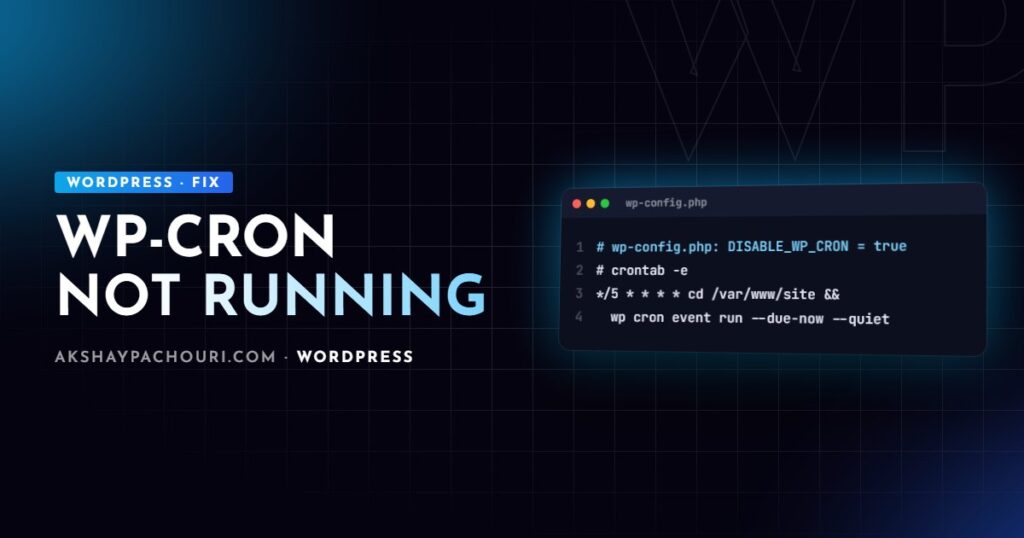
The most reliable fix for almost every cause is to stop depending on page visits and trigger WP-Cron from a real system cron job:
- Disable the visitor-triggered spawn in
wp-config.php:<?php define( 'DISABLE_WP_CRON', true ); - Add a server cron job that runs due events every five minutes. With WP-CLI:
*/5 * * * * cd /var/www/example.com && wp cron event run --due-now --quietWithout WP-CLI, request
wp-cron.phpdirectly:*/5 * * * * curl -fsS "https://example.com/wp-cron.php?doing_wp_cron" > /dev/null 2>&1 - Confirm overdue events are clearing with
wp cron event list.
Most hosting panels (cPanel, Plesk and managed hosts) have a “Cron jobs” screen if you do not have shell access. Run the job as the same user that owns the WordPress files, not root.
How WP-Cron actually works
On each page load, WordPress checks whether any scheduled event is due. If one is, it sends a non-blocking HTTP request to its own wp-cron.php (a “loopback” request), sets a lock in the doing_cron transient, and the events run in that separate request. Anything that stops page loads from reaching PHP, or stops the loopback request from succeeding, stops cron.
Causes, from most to least common
1. Low traffic
No visits, no cron. A post scheduled for 3:00 am on a quiet site publishes whenever the next visitor arrives, and if that visit is served from cache (see below), not even then. A system cron job solves this completely.
2. DISABLE_WP_CRON set with no replacement
Someone, often a host or a performance plugin, added define( 'DISABLE_WP_CRON', true ); but never created the system cron job. Check:
wp config get DISABLE_WP_CRON
grep -n "DISABLE_WP_CRON" wp-config.php
If it is true, either remove it or add the cron job from the quick fix. Managed hosts sometimes run their own server-side cron, so check their documentation before assuming it is missing.
3. Loopback requests are blocked
The site must be able to make an HTTP request to itself. This fails more often than you would think:
- HTTP basic auth on staging sites blocks the loopback, because WordPress does not send the password.
- Firewalls and security plugins may block requests from the server’s own IP, or rate-limit
wp-cron.php. - Cloudflare bot protection or challenge rules can challenge the server’s own request when the domain resolves to Cloudflare, so the loopback gets a challenge page instead of PHP.
- DNS or hosts-file issues where the server cannot resolve its own domain, or resolves it to an old IP after a migration.
Test the loopback from the server itself:
curl -I "https://example.com/wp-cron.php?doing_wp_cron"
# Expect HTTP 200. A 401, 403, 5xx or a challenge page means the loopback is blocked.
Site Health’s loopback test reports the same thing. A system cron job that uses WP-CLI bypasses HTTP entirely, which is why I prefer it over curl.
4. Full-page caching serves pages without running PHP
This is the one experienced developers miss. If every visitor gets a page from a CDN, Varnish or a static-file cache, WordPress never boots, so the cron check never happens. A busy, well-cached site can therefore have stalled cron despite plenty of traffic. Only cache misses and logged-in admin visits trigger it. Again, a system cron job makes cron independent of caching. If cache behaviour itself is confusing you, my guide on WordPress changes not showing because of cache explains the layers.
5. A stuck lock or a fatal error inside an event
If an event throws a fatal error or runs longer than the PHP timeout, the run dies. Events after it in that batch do not run, and a broken event that is rescheduled can fail every time. Run due events manually to see the error:
wp cron event list --fields=hook,next_run_relative,recurrence
wp cron event run --due-now
wp cron event run my_broken_hook   # run one hook to see its error
6. The callback is not registered on the cron request
A subtle bug: the event is scheduled, it “runs”, but nothing happens. The cause is usually that the add_action() for the hook only exists in admin code, inside a shortcode, or behind a condition such as is_admin(). Cron requests are not admin requests. Register cron callbacks unconditionally from your plugin’s main file:
<?php
// Register the callback on every request.
add_action( 'acme_daily_sync', 'acme_run_daily_sync' );

// Schedule once, on activation.
register_activation_hook( __FILE__, function () {
    if ( ! wp_next_scheduled( 'acme_daily_sync' ) ) {
        wp_schedule_event( time() + HOUR_IN_SECONDS, 'daily', 'acme_daily_sync' );
    }
} );

register_deactivation_hook( __FILE__, function () {
    wp_clear_scheduled_hook( 'acme_daily_sync' );
} );
Also check that custom intervals are registered on every request through the cron_schedules filter; if the interval disappears, the event cannot be rescheduled after it runs.
Step-by-step diagnosis
- List events and look for overdue ones.
wp cron event listshows the next run time; events far in the past mean cron is not being triggered at all. - Run the WP-CLI test.
wp cron testchecks whether WordPress can spawn cron over HTTP and reports the error if not. - Check constants. Look for
DISABLE_WP_CRONandALTERNATE_WP_CRONinwp-config.php. - Run due events manually with
wp cron event run --due-now. If they succeed, the problem is triggering, not the events. If they fail, read the error andwp-content/debug.log. - Use WP Crontrol if you prefer a UI. It lists events, flags those with no registered callback, and lets you run one immediately.
- Check WooCommerce’s Action Scheduler under Tools → Scheduled Actions if store tasks are stuck. It has its own queue but is kicked off by WP-Cron, so a dead WP-Cron leaves past-due actions piling up.
Prevention
- On any production site that matters, use
DISABLE_WP_CRONplus a system cron job. It is more predictable and removes cron work from visitor requests. - Exclude
wp-cron.phpfrom CDN caching, bot challenges and rate limits. - Whitelist the loopback on staging sites with basic auth, or use WP-CLI cron there too.
- Keep long-running work out of single cron events; split it into batches or use Action Scheduler.
- Monitor overdue events. A simple daily check that alerts when
wp cron event listshows events more than an hour late catches problems early.
Key takeaways
- WP-Cron only runs when a request reaches PHP and the loopback to
wp-cron.phpsucceeds. - Low traffic,
DISABLE_WP_CRONwithout a replacement, blocked loopbacks and full-page caching are the main culprits. - Callbacks must be registered on every request, not just in admin code.
- A system cron job running
wp cron event run --due-nowfixes nearly every case. - Use
wp cron event list,wp cron testand WP Crontrol to diagnose.
Frequently asked questions
Why do my scheduled posts say “Missed schedule”?
The publish event was due but WP-Cron did not run at that time, usually because no uncached request reached WordPress or the loopback request failed. Replacing visitor-triggered cron with a system cron job prevents it.
Is it safe to set DISABLE_WP_CRON to true?
Yes, as long as you add a system cron job that runs WP-Cron regularly. Disabling it without a replacement stops all scheduled tasks, including updates, emails and publishing.
How often should the system cron job run?
Every five minutes suits most sites, and every minute is reasonable for stores with time-sensitive tasks. Running it more often than your shortest event interval gives no benefit.
How can I tell if WP-Cron is not running?
Run wp cron event list and look for events whose next run is in the past, or install WP Crontrol to see the same in the admin. Site Health also warns about failed events and loopback problems.
If scheduled tasks on your site are unreliable and you want them fixed for good, get in touch and I will help you set up a dependable cron configuration.