A WordPress 404 error on pages usually shows up right after a migration, a server change or a new custom post type: the home page works, but every post, page or CPT URL returns 404 Not Found, or WordPress’s own Oops! That page can't be found. template. The content is still in the database. What is broken is the chain that maps a pretty URL to a query: the web server’s rewrite rules, WordPress’s own rewrite rules, or a conflict between the two.
Quick fix
- Go to Settings → Permalinks and click Save Changes without changing anything. This flushes WordPress’s rewrite rules and, on Apache, tries to rewrite
.htaccess. - Or from the command line:
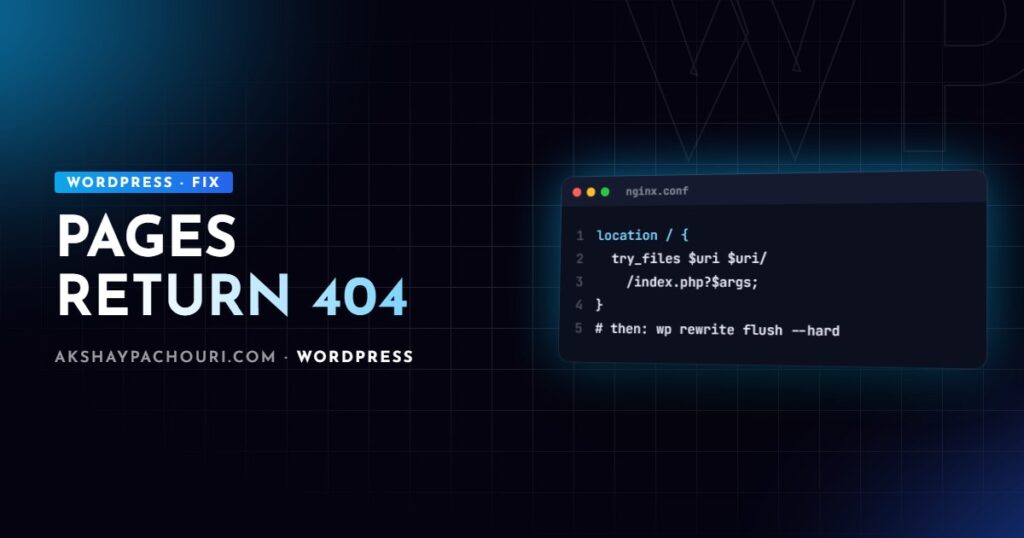
wp rewrite flush --hard - If URLs still 404, check that the server sends unknown paths to
index.php: the.htaccessblock on Apache, ortry_fileson Nginx (both below). - If only a custom post type 404s, look for a slug conflict with a page or taxonomy.
A quick way to tell which layer is failing: if the 404 page is your theme’s 404 template, the request reached WordPress and the WordPress rewrite rules are the problem. If it is a plain server error page, the web server never handed the request to WordPress.
Causes, from most to least common
1. Missing or wrong .htaccess (Apache)
After migrations, .htaccess is often left behind because it is a hidden file, or it is not writable, so WordPress cannot regenerate it. The default block for a site in the web root is:
# BEGIN WordPress
<IfModule mod_rewrite.c>
RewriteEngine On
RewriteRule .* - [E=HTTP_AUTHORIZATION:%{HTTP:Authorization}]
RewriteBase /
RewriteRule ^index.php$ - [L]
RewriteCond %{REQUEST_FILENAME} !-f
RewriteCond %{REQUEST_FILENAME} !-d
RewriteRule . /index.php [L]
</IfModule>
# END WordPress
If WordPress lives in a subdirectory such as /blog/, use RewriteBase /blog/ and RewriteRule . /blog/index.php [L].
2. mod_rewrite disabled or AllowOverride off
The .htaccess file can be perfect and still be ignored. On self-managed Apache servers, check that mod_rewrite is enabled and that the virtual host allows overrides:
<Directory /var/www/example.com>
    AllowOverride All
    Require all granted
</Directory>
sudo a2enmod rewrite
sudo systemctl reload apache2A useful test is to put deliberate garbage in .htaccess. If the site does not throw a 500 error, Apache is not reading the file.
3. Nginx without try_files
Nginx ignores .htaccess entirely, so saving permalinks does nothing at the server level. The location / block must fall back to index.php:
location / {
    try_files $uri $uri/ /index.php?$args;
}

location ~ .php$ {
    include fastcgi_params;
    fastcgi_param SCRIPT_FILENAME $document_root$fastcgi_script_name;
    fastcgi_pass unix:/run/php/php-fpm.sock;
}
Adjust the socket path for your PHP version, then run sudo nginx -t and reload. This is the most common cause after moving from shared Apache hosting to a VPS.
4. Custom post type registered without flushing, or flushed wrongly
WordPress stores its rewrite rules in the rewrite_rules option. When you register a new post type, its rules do not exist until the rules are regenerated, so the new CPT 404s until someone flushes. The fix is to flush once on activation, after registering the type:
<?php
function acme_register_project_cpt() {
    register_post_type( 'project', array(
        'label'       => 'Projects',
        'public'      => true,
        'has_archive' => 'projects',
        'rewrite'     => array( 'slug' => 'projects', 'with_front' => false ),
        'show_in_rest' => true,
    ) );
}
add_action( 'init', 'acme_register_project_cpt' );

register_activation_hook( __FILE__, function () {
    acme_register_project_cpt(); // rules must exist before flushing
    flush_rewrite_rules();
} );

register_deactivation_hook( __FILE__, 'flush_rewrite_rules' );
The misuse I see constantly is calling flush_rewrite_rules() on init. It “fixes” the 404 but regenerates the rules on every request, which is slow and can race with other plugins. If the CPT is registered in a theme, flush on after_switch_theme instead. For a broader walkthrough of CPT setup, see my guide to custom post types with ACF.
5. Slug conflicts between CPTs, pages and taxonomies
This is the less obvious cause that catches experienced developers. If a CPT uses 'rewrite' => array( 'slug' => 'projects' ) and a page is also called projects, the two compete for /projects/. With has_archive enabled, the archive usually wins and the page becomes unreachable; child URLs like /projects/page/2/ can 404 depending on which rule matches first. The same happens when a taxonomy and a CPT share a base slug, such as both using /work/.
Pick one owner for each URL base. If you want a designed landing page at /projects/, set has_archive to false and build the listing on the page, or keep the archive and delete the page. Also watch for publicly_queryable => false or public => false on the CPT, which makes single URLs 404 by design.
6. Plugin conflicts and multilingual prefixes
Multilingual plugins add language prefixes like /fr/, and some redirect or membership plugins add their own rules. A translated page with no published translation, a language that is set up but not active, or a slug translated differently in each language can all produce 404s for a subset of URLs. Test by temporarily deactivating the plugin on staging and flushing permalinks.
Step-by-step diagnosis
- Test with plain permalinks. Switch to “Plain” in Settings → Permalinks and open
/?p=123. If that works, the content is fine and the problem is rewriting. - Identify the layer. A theme 404 template means WordPress handled the request; a bare server 404 means Apache or Nginx did not pass it on.
- Ask WordPress which rule matches.
wp rewrite list --match=/projects/my-project/
wp rewrite list --format=csv | grep projects
If no rule matches, the CPT or taxonomy is not registered at the time rules are built. If the wrong rule matches, you have a slug conflict.
- Use Query Monitor. Its “Request” panel shows the matched rewrite rule and the resulting query vars for the current URL, which makes conflicts obvious.
- Check URL settings. After a migration, confirm
homeandsiteurlwithwp option get home; a mismatched subdirectory breaks every rule.
Prevention
- Include
.htaccessor the Nginx config in your migration checklist. - Flush rewrite rules only on activation, deactivation or theme switch, never on every request.
- Reserve URL bases: keep a list of CPT, taxonomy and page slugs so nothing collides.
- After deploys that add post types, run
wp rewrite flushas part of the deployment. - Monitor 404s in Search Console; a sudden spike after a release points straight at rewrite changes. My Search Console indexing issues guide covers reading that report.
Key takeaways
- Saving permalinks flushes WordPress rules but cannot fix a server that never passes requests to
index.php. - Apache needs the WordPress
.htaccessblock,mod_rewriteandAllowOverride All; Nginx needstry_files ... /index.php?$args. - New CPTs need a one-time flush on activation; flushing on
initis a performance bug. - Slug conflicts between CPT archives, pages and taxonomies cause partial 404s that flushing does not fix.
wp rewrite list --matchand Query Monitor show exactly which rule a URL hits.
Frequently asked questions
Why does my WordPress home page work but other pages show a 404 error?
The home page is served by index.php directly, while other pretty URLs depend on rewrite rules. If the server is not rewriting unknown paths to index.php, every URL except the home page returns a 404.
Why does my custom post type return a 404?
Usually its rewrite rules were never generated, so save the permalinks once to flush them. If it still fails, check for a page or taxonomy using the same slug and confirm the post type is public and publicly queryable.
Should I call flush_rewrite_rules() in my theme or plugin?
Only on activation, deactivation or theme switch. Calling it on every request is expensive and can cause conflicts, so never put it on init unconditionally.
Does saving permalinks fix 404 errors on Nginx?
It regenerates WordPress’s internal rules but does not change the Nginx configuration. If Nginx lacks a try_files fallback to index.php, you must add it to the server block.
Stuck with 404s after a migration or a new post type and want it sorted quickly? Contact me and I can diagnose it with you.