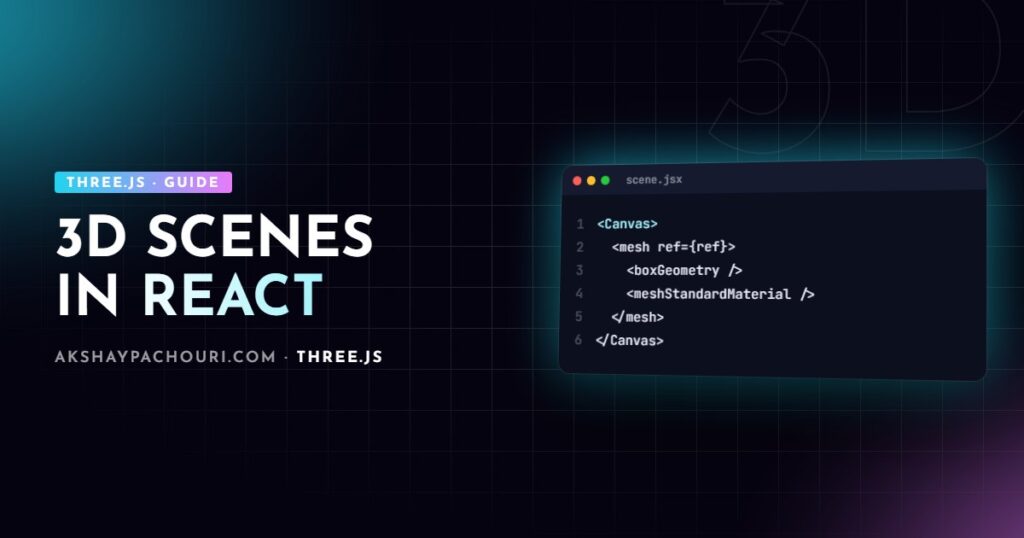
Writing Three.js imperatively inside a React app quickly turns into a tangle of refs, effects and manual cleanup. This React Three Fiber tutorial shows you how to describe a 3D scene as JSX instead, animate it with useFrame, load models with Suspense, handle pointer events and keep it fast, using the patterns I rely on in production.
What React Three Fiber actually is
React Three Fiber (R3F) is a React renderer for Three.js. It does not wrap Three.js in a limited component library; every Three.js class is available as a lowercase JSX element. <mesh> creates a THREE.Mesh, <boxGeometry> creates a THREE.BoxGeometry, and props map onto properties. Because it is a renderer (like react-dom), anything Three.js can do, R3F can do, and new Three.js features work without waiting for a wrapper update.
The ecosystem around it matters as much as the core:
- @react-three/fiber – the renderer itself:
Canvas, hooks, events. - @react-three/drei – a large set of helpers: controls, environments, loaders, text, staging.
- @react-three/postprocessing – effect composer bindings if you need bloom, SSAO and similar.
R3F major versions are tied to React major versions (recent R3F majors target React 19, older ones React 18), so check the release notes and install the pair that matches your app.
Installing and creating your first Canvas
npm install three @react-three/fiber @react-three/drei
npm install -D @types/three   # if you use TypeScript
The Canvas component creates the renderer, scene, camera and render loop for you. It fills its parent element, so give the parent a size.
import { Canvas } from '@react-three/fiber';

export default function App() {
  return (
    <div style={{ height: '100vh' }}>
      <Canvas camera={{ position: [3, 2, 5], fov: 50 }} dpr={[1, 2]} shadows>
        <ambientLight intensity={0.4} />
        <directionalLight position={[5, 5, 5]} intensity={2} castShadow />
        <mesh castShadow>
          <boxGeometry args={[1, 1, 1]} />
          <meshStandardMaterial color="hotpink" />
        </mesh>
      </Canvas>
    </div>
  );
}
A few things are happening here. args maps to constructor arguments, so args={[1, 1, 1]} becomes new BoxGeometry(1, 1, 1). Nested geometry and material elements are attached to the parent mesh automatically. dpr={[1, 2]} clamps the device pixel ratio so high-density phones do not render at 3x. R3F also sets sensible modern defaults: sRGB output colour space and ACES Filmic tone mapping, which is why colours can look different from a bare Three.js scene. If colours look washed out, check those two settings before touching your materials.
Animating with useFrame
useFrame registers a callback that runs on every rendered frame, inside the R3F render loop. It receives the root state and the frame delta in seconds. Mutate Three.js objects directly through a ref; never call setState here.
import { useRef } from 'react';
import { useFrame } from '@react-three/fiber';

function SpinningBox(props) {
  const ref = useRef();

  useFrame((state, delta) => {
    ref.current.rotation.y += delta * 0.8;           // frame-rate independent
    ref.current.position.y = Math.sin(state.clock.elapsedTime) * 0.2;
  });

  return (
    <mesh ref={ref} {...props}>
      <boxGeometry />
      <meshStandardMaterial color="orange" />
    </mesh>
  );
}
Multiplying by delta keeps motion the same speed on a 60 Hz laptop and a 120 Hz phone. useFrame only works inside components rendered under Canvas, because it reads from the R3F context.
Reading the renderer, camera and size with useThree
useThree gives you the internal state: gl (the WebGLRenderer), scene, camera, size, viewport, pointer and invalidate. Pass a selector so the component only re-renders when the slice you need changes.
import { useThree } from '@react-three/fiber';
import { useEffect } from 'react';

function ResponsiveCamera() {
  const camera = useThree((s) => s.camera);
  const width = useThree((s) => s.size.width);

  useEffect(() => {
    camera.position.z = width < 768 ? 7 : 5;   // pull back on narrow screens
    camera.updateProjectionMatrix();
  }, [camera, width]);

  return null;
}
drei helpers: OrbitControls, Environment and useGLTF
drei saves you from re-implementing the same boilerplate on every project. Three helpers cover most product-style scenes.
OrbitControls
<OrbitControls makeDefault /> wires up the controls from three/addons to the active camera and DOM element, and makeDefault exposes them to other drei components that need to know about controls.
Environment
Physically based materials like MeshStandardMaterial look flat without an environment map. <Environment preset="city" /> loads an HDR and sets scene.environment, giving you realistic reflections. Presets fetch files from a CDN, so for production I prefer self-hosting an HDR with files="/hdr/studio.hdr".
useGLTF
useGLTF wraps GLTFLoader, caches results and can enable Draco decoding. It suspends while loading, which brings us to Suspense.
import { OrbitControls, Environment, useGLTF } from '@react-three/drei';

function Shoe(props) {
  const { scene } = useGLTF('/models/shoe.glb');
  return <primitive object={scene} {...props} />;
}
useGLTF.preload('/models/shoe.glb');

// inside <Canvas>
<OrbitControls makeDefault enableDamping />
<Environment files="/hdr/studio.hdr" />
If you render the same model more than once, clone it (drei’s <Clone> helps) because a single Object3D can only have one parent. For large files, compress them first; see my guide on optimizing glTF for Three.js with Draco and KTX2.
Loading assets with Suspense
Hooks like useGLTF, useTexture and useLoader throw a promise while loading, so wrap them in Suspense. Put the boundary inside the Canvas so the rest of the scene can render immediately.
import { Suspense } from 'react';
import { Canvas } from '@react-three/fiber';
import { Html, useProgress } from '@react-three/drei';

function Loader() {
  const { progress } = useProgress();
  return <Html center>{progress.toFixed(0)}%</Html>;
}

export function Scene() {
  return (
    <Canvas>
      <Suspense fallback={<Loader />}>
        <Shoe />
      </Suspense>
    </Canvas>
  );
}
Add a React error boundary as well; a 404 on a model otherwise surfaces as an uncaught error that takes down the whole canvas.
Pointer events on 3D objects
R3F ships with a raycasting event system. Meshes accept onClick, onPointerOver, onPointerOut, onPointerMove and friends, and the event object includes the intersection point, distance, object and (for instanced meshes) instanceId.
import { useState } from 'react';
import { useCursor } from '@react-three/drei';

function Hoverable() {
  const [hovered, setHovered] = useState(false);
  useCursor(hovered); // from drei: sets cursor: pointer

  return (
    <mesh
      onPointerOver={(e) => { e.stopPropagation(); setHovered(true); }}
      onPointerOut={() => setHovered(false)}
      onClick={(e) => console.log('hit at', e.point)}
    >
      <sphereGeometry args={[0.5, 32, 32]} />
      <meshStandardMaterial color={hovered ? 'tomato' : 'white'} />
    </mesh>
  );
}
Events bubble through every intersected object, front to back, so call e.stopPropagation() when only the nearest object should react. Setting state on hover is fine because it happens rarely; the rule against setState applies to per-frame work. For the underlying mechanics, read my Three.js raycaster click guide.
Keeping state outside the React render loop
The biggest R3F performance mistake is driving animation through React state. Every setState re-renders the component tree and reconciles it, which is far more work than changing mesh.position.x. The pattern I use:
- Fast-changing values (scroll progress, pointer position, physics) live in refs or a store read inside
useFrame. - Slow, UI-relevant values (selected colour, active variant) live in React state or a store that components subscribe to.
Zustand works well here because you can read it without subscribing:
import { create } from 'zustand';

export const useConfigurator = create((set) => ({
  progress: 0,
  color: '#ffffff',
  setColor: (color) => set({ color }),
}));

function Follower() {
  const ref = useRef();
  useFrame(() => {
    const { progress } = useConfigurator.getState(); // no re-render
    ref.current.rotation.y = progress * Math.PI * 2;
  });
  return <mesh ref={ref}><torusKnotGeometry /><meshNormalMaterial /></mesh>;
}
Components that need to re-render on colour change subscribe with a selector, useConfigurator((s) => s.color), while the frame loop reads transient values with getState(). This is the same split I used in my 3D product configurator.
React Three Fiber performance tips
- Render on demand. For mostly static scenes set
frameloop="demand"onCanvas. R3F then renders only when props change or you callinvalidate(); drei controls call it for you. - Reuse geometries and materials. Create them once with
useMemoor declare them outside components and pass them as props, instead of creating a new material per mesh. - Instance repeated objects. Use
<instancedMesh>or drei’s<Instances>for hundreds of identical meshes to cut draw calls. - Clamp DPR and adapt.
dpr={[1, 2]}plus drei’sPerformanceMonitorlets you lower resolution when frame rate drops. - Avoid mounting and unmounting in loops. Toggle
visibleinstead of conditional rendering for objects that flip often; mounting recompiles shaders and allocates buffers. - Measure.
r3f-perfor drei’s<Stats />show draw calls and frame time while you work.
Disposal is mostly automatic: when a component unmounts, R3F disposes the objects it created. Objects you pass in via <primitive> are yours to clean up. General Three.js rendering advice (fewer draw calls, smaller textures, simpler shadows) applies to R3F unchanged.
Key takeaways
- React Three Fiber is a React renderer for Three.js: every Three.js class is a JSX element and props map to properties.
- Animate in
useFrameby mutating refs, scaled bydelta; never callsetStateper frame. - Use drei’s
OrbitControls,EnvironmentanduseGLTFto skip boilerplate, and wrap loaders inSuspense. - Pointer events work on meshes out of the box; use
stopPropagationto stop hits passing through. - Keep transient values in refs or a store read with
getState(), and useframeloop="demand"for static scenes.
Frequently asked questions
Is React Three Fiber slower than plain Three.js?
Rendering itself runs at the same speed because R3F calls the same Three.js renderer; overhead only appears when you route per-frame updates through React state. If you mutate refs inside useFrame, performance is effectively the same as vanilla Three.js.
Can I use React Three Fiber with Next.js?
Yes, but the Canvas must render on the client, so put it in a component marked with “use client” and, if needed, load it with next/dynamic and ssr disabled. Keep heavy 3D components out of server components entirely.
Do I need drei to use React Three Fiber?
No, drei is optional, but it provides well-tested helpers for controls, environments, loaders and text that you would otherwise write yourself. Most production R3F projects use it.
How do I access the Three.js renderer in React Three Fiber?
Call useThree inside a component rendered under Canvas and select the gl property, which is the WebGLRenderer instance. You can also configure it upfront through the gl prop on Canvas.
Planning a 3D product viewer or configurator in React and want it to run smoothly on real devices? Get in touch and we can talk through your project.